Compliance Just Got Easier: Stay ahead of regulatory changes with instant notifications on updates that matter.
['Injury and Illness Recordkeeping']
['300-A Annual Summary']
2025-11-26T06:00:00Z
JOIN TODAY TO CONTINUE READING THIS ARTICLE & OTHER INDUSTRY NEWS!
You'll also get exclusive access to:
A database of easy-to-understand regulationsAsk unlimited questions to our expertsPre-led discussions forumsAnd more
TRY IT FREE TODAY
Already have an account? Log in now.

Copyright 2026 J. J. Keller & Associate, Inc. For re-use options please contact copyright@jjkeller.com or call 800-558-5011.
NewsIndustry NewsSafety & HealthConstruction SafetyGeneral Industry Safety300-A Annual SummaryIn-Depth ArticleInjury and Illness RecordkeepingEnglishFocus AreaUSA
Review the 300 Log before preparing the Annual Summary
2025-11-26T06:00:00Z
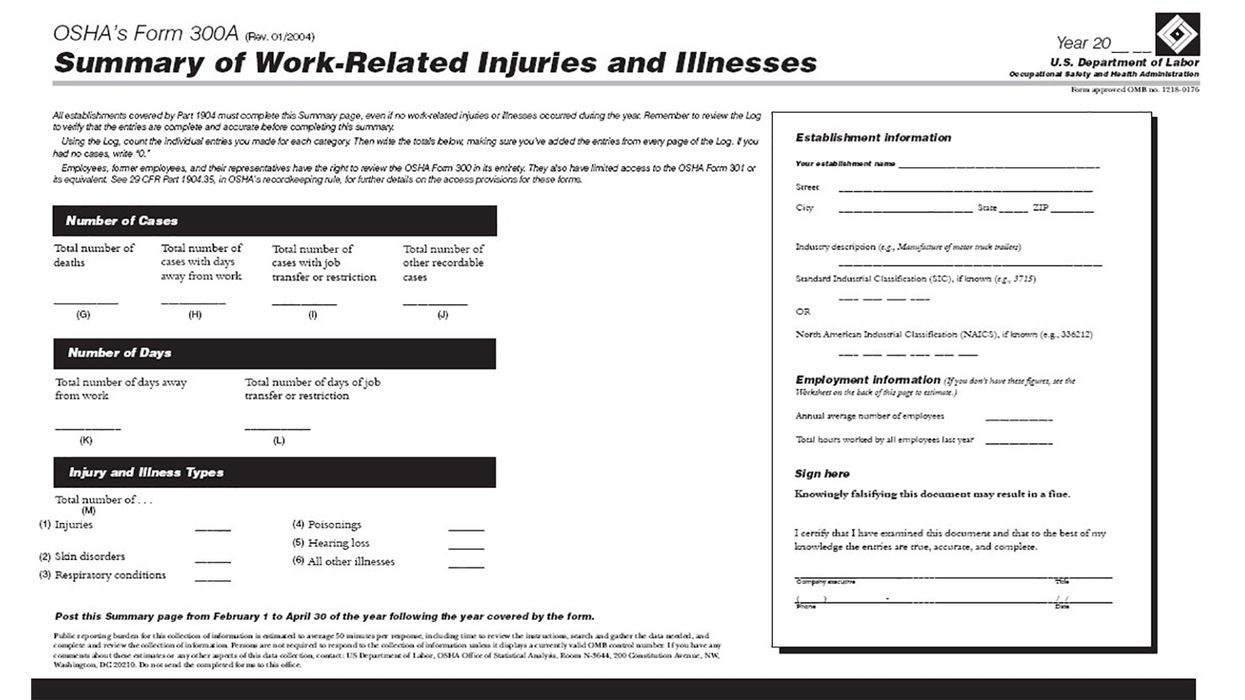
Before you prepare the 300A Annual Summary, OSHA requires you to review the 300 Log and verify that the entries are complete and accurate. This does not require examining every entry, but you should spot check a sampling of cases. Below are some common errors on the 300 Log.
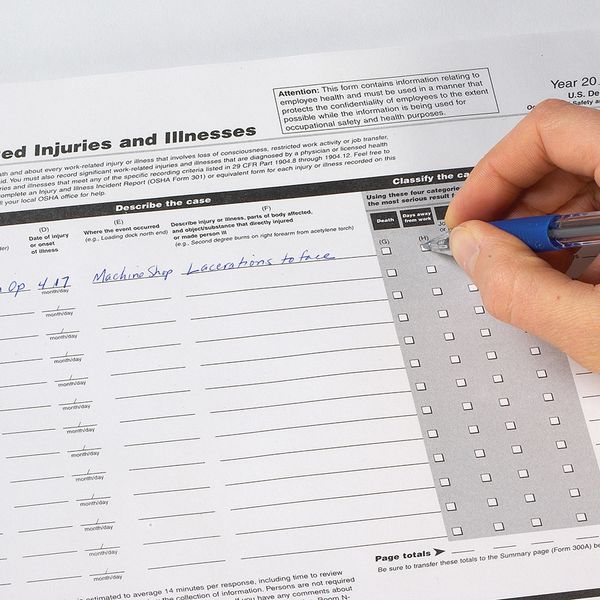
Column (E) requires listing a location. Just writing “warehouse” or “office” may not provide enough detail. Ideally, someone else should be able to locate the area where the incident occurred. OSHA gives examples like “loading dock north end.” The location doesn’t appear on the Annual Summary, but it’s good to review in case OSHA inspects your records.
Column (F) requires describing the injury, body part, and cause of the injury. A common error is listing a body part (like “lacerated forehead”) but missing the description of how it happened. Also, for body parts such as arms or legs, the entry should specify left or right. OSHA gives an example, “Second degree burns on right forearm from acetylene torch” to describe an injury, body part, and cause.
Day count extends to next year
If an injured employee is still on work restrictions (or days away) into the next calendar year, do not add the case to next year’s Log. That would indicate a new injury. It may seem odd if, for example, an employee injured on December 13th had 73 days away listed under that date. However, the day count simply indicates the severity of the incident. For that purpose, it doesn’t matter if the days occurred in the next calendar year.
Also, if an injured worker is still away from work (or on restrictions) when you prepare the Annual Summary, you must estimate the day count and use that to complete the summary, per 1904.7(b)(3)(ix). You might use a doctor’s estimate or make a guess based on experience with similar cases. You’ll then post the summary using the estimated days.
Once you know the exact day count, you must update the 300 Log. However, you do not have to update the Annual Summary after it is posted. Consider this: An injury in December could involve a return-to-work date after April 30, at which point the 300A no longer needs to be posted.
Certify and post the 300A
Finally, a company executive must review and sign the completed 300A. In a letter of interpretation from January of 2009, OSHA clarified that employers keeping electronic records can use electronic signatures for this.
You must post a physical copy of the 300A from February 1 through April 30. In a large facility, this may require more than one posting. Some employers post the summary on the company intranet, which is fine, but that’s not a substitute for physical posting. You must also ensure that the summary is not altered, defaced, or covered by other material.
OSHA does not require sending the 300A to people working from home, but check state requirements. For example, California does require providing the summary to remote workers who do not report to the office at least weekly during the posting period.
Key to remember: Review the 300 Log for accuracy and, if needed, estimate day counts before preparing and posting the 300A Annual Summary.
NewsIndustry NewsSafety & HealthConstruction SafetyGeneral Industry Safety300-A Annual SummaryIn-Depth ArticleInjury and Illness RecordkeepingEnglishFocus AreaUSA
Review the 300 Log before preparing the Annual Summary
2025-11-26T06:00:00Z

Written by
Edwin Zalewski
Sr. Editor - EHS
Edwin Zalewski
B.A., Environmental Geology, UW-Eau Claire, 1994
Sr. Compliance Expert at J. J. Keller & Associates, specializing in injury recordkeeping, walking-working surfaces, and more. Ed regularly delivers presentations on compliance and best practices.
Before you prepare the 300A Annual Summary, OSHA requires you to review the 300 Log and verify that the entries are complete and accurate. This does not require examining every entry, but you should spot check a sampling of cases. Below are some common errors on the 300 Log.
Column (E) requires listing a location. Just writing “warehouse” or “office” may not provide enough detail. Ideally, someone else should be able to locate the area where the incident occurred. OSHA gives examples like “loading dock north end.” The location doesn’t appear on the Annual Summary, but it’s good to review in case OSHA inspects your records.
Column (F) requires describing the injury, body part, and cause of the injury. A common error is listing a body part (like “lacerated forehead”) but missing the description of how it happened. Also, for body parts such as arms or legs, the entry should specify left or right. OSHA gives an example, “Second degree burns on right forearm from acetylene torch” to describe an injury, body part, and cause.
Day count extends to next year
If an injured employee is still on work restrictions (or days away) into the next calendar year, do not add the case to next year’s Log. That would indicate a new injury. It may seem odd if, for example, an employee injured on December 13th had 73 days away listed under that date. However, the day count simply indicates the severity of the incident. For that purpose, it doesn’t matter if the days occurred in the next calendar year.
Also, if an injured worker is still away from work (or on restrictions) when you prepare the Annual Summary, you must estimate the day count and use that to complete the summary, per 1904.7(b)(3)(ix). You might use a doctor’s estimate or make a guess based on experience with similar cases. You’ll then post the summary using the estimated days.
Once you know the exact day count, you must update the 300 Log. However, you do not have to update the Annual Summary after it is posted. Consider this: An injury in December could involve a return-to-work date after April 30, at which point the 300A no longer needs to be posted.
Certify and post the 300A
Finally, a company executive must review and sign the completed 300A. In a letter of interpretation from January of 2009, OSHA clarified that employers keeping electronic records can use electronic signatures for this.
You must post a physical copy of the 300A from February 1 through April 30. In a large facility, this may require more than one posting. Some employers post the summary on the company intranet, which is fine, but that’s not a substitute for physical posting. You must also ensure that the summary is not altered, defaced, or covered by other material.
OSHA does not require sending the 300A to people working from home, but check state requirements. For example, California does require providing the summary to remote workers who do not report to the office at least weekly during the posting period.
Key to remember: Review the 300 Log for accuracy and, if needed, estimate day counts before preparing and posting the 300A Annual Summary.


See More
RELATED NEWS

NewsIndustry NewsIndustry NewsSafety & HealthConstruction SafetyGeneral Industry SafetyAgriculture SafetyMaritime Safety300-A Annual SummaryOccupational Safety and Health Administration (OSHA), DOLUSAEnglishFocus AreaInjury and Illness Recordkeeping
01/05/2021
Remember to post your 300A Summary and submit your data to OSHA (if required)

NewsIndustry NewsIndustry NewsSafety & HealthConstruction SafetyGeneral Industry SafetyAgriculture SafetyMaritime Safety300-A Annual SummaryOccupational Safety and Health Administration (OSHA), DOLUSAEnglishFocus AreaInjury and Illness Recordkeeping
01/04/2022
Deadline for posting OSHA 300A Summary approaching
NewsIndustry NewsRecordkeepingSafety & HealthReporting Fatalities and Severe InjuriesInjury and Illness Recordkeeping FormsGeneral Industry SafetyRecordkeepingOSHA RecordkeepingIn-Depth ArticleUSAEnglishFocus AreaInjury and Illness Recordkeeping
12/20/2022
From yule log to OSHA log: Time to start preparing to report
Specialized Industries
Go beyond the regulations! Visit the Institute for in-depth guidance on a wide range of compliance subjects in safety and health, transportation, environment, and human resources.
J. J. Keller® COMPLIANCE NETWORK is a premier online safety and compliance community, offering members exclusive access to timely regulatory content in workplace safety (OSHA), transportation (DOT), environment (EPA), and human resources (DOL).

Interact With Our Compliance Experts
Puzzled by a regulatory question or issue? Let our renowned experts provide the answers and get your business on track to full compliance!

Upcoming Events
Reference the Compliance Network Safety Calendar to keep track of upcoming safety and compliance events. Browse by industry or search by keyword to see relevant dates and observances, including national safety months, compliance deadlines, and more.

SAFETY & COMPLIANCE NEWS
Keep up with the latest regulatory developments from OSHA, DOT, EPA, DOL, and more.



REGSENSE® REGULATORY REFERENCE
Explore a comprehensive database of word-for-word regulations on a wide range of compliance topics, with simplified explanations and best practices advice from our experts.

THE J. J. KELLER INSTITUTE
The Institute is your destination for in-depth content on 120+ compliance subjects. Discover articles, videos, and interactive exercises that will strengthen your understanding of regulatory concepts relevant to your business.



ADD HAZMAT, ENVIRONMENTAL, & HR RESOURCES
Unlock exclusive content offering expert insights into hazmat, environmental, and human resources compliance with a COMPLIANCE NETWORK EDGE membership.

DIRECT ACCESS TO COMPLIANCE EXPERTS
Struggling with a compliance challenge? Get the solution from our in-house team of experts! You can submit a question to our experts by email, set up a phone or video call, or request a detailed research report.



EVENTS
Register to attend live online events hosted by our experts. These webcasts and virtual conferences feature engaging discussions on important compliance topics in a casual, knowledge-sharing environment.
Most Recent Highlights In Environmental

NewsEnforcement and Audits - OSHACERCLA, SARA, EPCRAToxics Release Inventory ReportingVideoMonthly Roundup VideoCAA ComplianceInjury and Illness RecordkeepingEnglishOSHA Violations and PenaltiesAir ProgramsIndustry NewsSafety & HealthGeneral Industry Safety300-A Annual SummaryEnvironmentalFocus AreaAir ProgramsUSA
EHS Monthly Round Up - January 2023
In this monthly roundup video, we’ll review the most impactful environmental, safety, and health news.
Hi everyone! Welcome to the monthly roundup video, where we’ll review the most impactful environmental, safety, and health news. First, let’s take a look at what’s happening in safety and health.
If you haven’t already done so, now is the time to post your OSHA 300A Summary. Employers are required to post the Summary in a conspicuous place from February 1st through April 30th.
As required by law, OSHA increased its penalties for inflation in mid-January. Penalties went up 7.7 percent, effective January 17th.
Also in January, OSHA released its long-awaited Fall 2022 regulatory agenda. Along with numerous proposed rules in the works, three major final rules are slated for 2023 – COVID-19 in healthcare, Injury and Illness tracking, and an update to the hazard communication standard.
OSHA recently released two new letters of interpretation, which address exit signs and lockout/tagout. Specifically, OSHA states that the International Standards Organization emergency exit symbol can be located beside the mandatory EXIT text on an existing sign.
The second letter addresses the applicability of lockout/tagout and the maintenance and operations of cathodic protection rectifiers when working on pipelines.
New York’s Warehouse Worker Protection Act was signed into law in December and takes effect in late February. It protects warehouse distribution workers from undisclosed or unlawful work speed quotas and includes protections for workers who fail to meet these quotas.
In 2021, a worker died every 101 minutes from a work-related injury, according to the Bureau of Labor Statistics. A total of 5,190 fatal work injuries was recorded in the U.S. in 2021, an 8.9 percent increase over 2020.
Turning to environmental news, EPA automatically added nine per- and polyfluoroalkyl substances, or PFAS, to the Toxics Release Inventory, or TRI, list. Four PFAS were added since they are no longer claimed as confidential business information.
EPA released its Fall 2022 regulatory agenda in early January. Included are major regulations impacting the National Ambient Air Quality Standards, waters of the United States, and modifications to the Risk Management Program under the Clean Air Act.
There are also a number of rules related to the National Emission Standards for Hazardous Air Pollutants in various rule stages.
And finally, beginning with model year 2027, heavy-duty trucks will be required to meet clean air standards that are 80 percent more stringent than current requirements.
EPA says this final rule is aimed at reducing smog- and soot-forming emissions, increasing the life of governed vehicles by up to 250 percent, and increasing emissions warranty periods up to 450 percent.
Thanks for tuning in to the monthly news roundup!

NewsIndustry NewsIndustry NewsWater ProgramsWater QualityEnvironmental Protection Agency (EPA)EnvironmentalUSAWater ProgramsEnglishFocus AreaCWA Compliance
2026-10-13T05:00:00Z
EPA delays CWA hazardous substances FRPs by 3 years
EPA issued a final rule on October 13, 2026, extending the compliance date to submit Facility Response Plans (FRPs) for worst-case discharges of Clean Water Act (CWA) hazardous substances by 3 years.
Effective December 14, 2026, the final rule also removes provisions related to climate change and environmental justice.
Who’s impacted?
The extension affects facilities subject to the FRP requirements of 40 CFR Part 118. These include onshore non-transportation-related facilities that:
- Could be reasonably expected to cause substantial harm to the environment by discharging a CWA hazardous substance (117.3) into or on the navigable waters, adjoining shorelines, or exclusive economic zone; and
- Meet the applicability criteria listed at 118.3.
What are the changes?
The agency moved the deadline from June 1, 2027, to June 1, 2030, providing regulated facilities additional time to prepare and submit their CWA hazardous substances FRPs to EPA. Covered entities must also submit a Substantial Harm Certification Form (Appendix A to Part 118) with the FRP.
| Type of facility | FRP submission deadline |
|---|---|
| Existing facility (in operation by November 30, 2029) | June 1, 2030 |
| Newly regulated facility (meets applicability criteria after November 30, 2029) | Within 6 months of meeting applicability criteria |
| Newly constructed facility* (starts operations after June 1, 2030) | Before starting operations |
| Facility with planned event/change* (occurs after June 1, 2030) | Before changed part of facility starts operations |
| Facility with unplanned event/change (occurs after June 1, 2030) | Within 6 months of event/change |
* If changes occur during startup, facilities must submit adjustments to the FRP after a 60-day operational trial period.
EPA also removed the following factors considered during the substantial harm determination:
- Enhancing resilience to climate change as a passive mitigation measure or system,
- Possible vulnerability to adverse weather conditions caused by climate change, and
- Potential adverse impacts to communities with environmental justice concerns.
Further, the agency removed requirements to include the impacts of climate change and the impacts on communities with environmental justice concerns in the hazard evaluation.
Key to remember: EPA extended the compliance deadline to June 1, 2030, for entities to submit Facility Response Plans for worst-case discharges of CWA hazardous substances.

NewsGreenhouse GasesAir QualityEnforcement and Audits - OSHAAir EmissionsMonthly Roundup VideoCAA ComplianceUSAHazard CommunicationEnglishOSHA Violations and PenaltiesIndustry NewsOSHA InspectionsSafety & HealthConstruction SafetyGeneral Industry SafetyEnvironmentalFocus AreaHazard CommunicationAir ProgramsVideo
EHS Monthly Round Up - September 2026
In this September 2026 roundup video, we'll review the most impactful environmental, health, and safety news.
Hi everyone! Welcome to the monthly news roundup video, where we’ll review the most impactful environmental health and safety news. Let’s take a look at what happened over the past month.
For the 16th consecutive year, fall protection for construction topped OSHA’s list of most frequently cited standards. Preliminary inspection data for fiscal year 2026 show that OSHA recorded just over 4,000 fall protection construction violations, down from nearly 6,000 in FY 2025. The standards rounding out the Top 10 list remain unchanged from previous years, though some rankings have shifted.
The next HazCom compliance deadline is coming up on November 20. Employers who purchase substances that are aerosols, desensitized explosives, and flammable gases will receive – or may already have received – revised safety data sheets and see updated labels with their shipments. In addition, all employers must, as necessary, update any alternative workplace labeling, update their HazCom training program, and provide additional employee training for any newly identified hazards. Employers also must retain any new SDSs they receive.
California's Occupational Safety and Health Standards Board released a revised discussion draft of its proposed workplace violence prevention rule for general industry. The draft better defines employer responsibilities under the state’s workplace violence prevention law.
Turning to environmental news, EPA repealed the majority of the greenhouse gas emission standards established by the 2024 Carbon Pollution Standards for fossil fuel-fired power plants. The agency also proposes to remove the remaining GHG emission requirements for these plants.
And finally, EPA extended the Renewable Fuel Standard compliance deadline from September 1 to October 1. The extension gave parties more time to assess the impact of EPA’s small refinery exemption decisions and adjust their strategies before completing their 2025 reporting obligations.
Thanks for tuning in to the monthly news roundup. We’ll see you next month!

NewsEnforcement and Audits - OSHAToxic Substances Control Act - EPASafety and Health Programs and TrainingTSCA ComplianceErgonomicsMonthly Roundup VideoSafety and Health Programs and TrainingChemical Data ReportingHazard CommunicationUSAEnglishErgonomicsEmergency Planning - OSHAIndustry NewsOSHA InspectionsSafety & HealthEmergency PreparednessGeneral Industry SafetyDisaster RecoveryEnvironmentalHazard CommunicationMine SafetyFocus AreaVideo
EHS Monthly Round Up - October 2024
In this October 2024 roundup video, we'll review the most impactful environmental, health, and safety news.
Hi everyone! Welcome to the monthly news roundup video, where we’ll review the most impactful environmental, health, and safety news. Please view the content links in the transcript for more information about the topics I’ll be covering today. Let’s get started!
A Government Accountability Office report says OSHA can do more to protect warehouse and delivery workers from ergonomic injuries. The report recommends several steps for OSHA to consider, including ensuring compliance officers can easily obtain data on when musculoskeletal disorders occurred.
OSHA updated its inspection guidance for animal slaughtering and processing industries. Inspections will focus on several hazards, including sanitation, ergonomics, and machine guarding. Among other changes, compliance officers will conduct inspections during off-shift times and identify workplace activities that impact employees most at risk such as temporary employees.
OSHA urges workers involved in hurricane cleanup and recovery efforts to be mindful of hazards, especially those associated with restoring electricity, removing debris, and trimming trees. Proper training, experience, and familiarity with related equipment helps ensure worker safety.
And finally, turning to environmental news, EPA extended the 2024 Chemical Data Reporting deadline to November 22 due to technical difficulties with its electronic reporting tool. The 2024 report covers activities that occurred between calendar years 2020 and 2023.
Thanks for tuning in to the monthly news roundup. We’ll see you next month!

NewsEnforcement and Audits - OSHAAir EmissionsFall ProtectionMonthly Roundup VideoFall ProtectionFalling Object ProtectionCAA ComplianceUSAEnglishOSHA Violations and PenaltiesOSHA Emphasis ProgramsIndustry NewsEnforcement and Audits - OSHASafety & HealthConstruction SafetyGeneral Industry SafetyEnvironmentalFocus AreaAir ProgramsVideo
EHS Monthly Round Up - May 2023
In this monthly roundup video, we'll review the most impactful environmental, safety, and health news.
Hi everyone! Welcome to the monthly news roundup video, where we’ll review the most impactful environmental, health, and safety news. Please view the content links in the transcript to take a deeper dive into the topics I’ll be covering today. With that said, let’s get started!
First, let’s take a look at what’s happening in safety and health. The week of May 1 marked the 10th annual Stand-Down to Prevent Falls in Construction. Employers were encouraged to have safety talks or demonstrations on the use of fall protection.
A new National Emphasis Program on fall prevention covers all industries, with a focus on construction and specific general industry activities. It took effect May 1; however, programmed inspections will begin after a 90-day outreach period.
With the start of lawn-care season, a recent OSHA case highlights some of the risks involved. The Agency found a lawn service contractor operating in Kentucky ignored safety requirements to save time.
A forklift operator suffered fatal injuries after falling into a recycling baler while trying to remove a jam. Investigators found a lack of training and communication were contributing factors.
In response to larger, more frequent wildfires, the state of Washington has proposed permanent wildfire smoke rules. They include year-round requirements for employers that will be in effect whenever there’s a risk that workers will be exposed to wildfire smoke.
And finally, turning to environmental news, EPA finalized changes to the new source performance standards for Automobile and Light Duty Truck Surface Coating Operations. The rule adds more emissions requirements for such operations.
Thanks for tuning in to the monthly news roundup. We’ll see you next month!
Most Recent Highlights In Transportation

NewsIndustry NewsEnforcement and Audits - OSHASafety & HealthConstruction SafetyGeneral Industry SafetyMonthly Roundup VideoWaste/HazWasteEnvironmentalFocus AreaUSAEnglishOSHA Violations and PenaltiesOSHA Emphasis ProgramsVideo
EHS Monthly Round Up - January 2024
In this monthly video, we'll review the most impactful environmental, health, and safety news.
Hi everyone! Welcome to the monthly news roundup video, where we’ll go over the most impactful environmental, health, and safety news. Please view the content links in the transcript for more information about the topics I’ll be covering today. Let’s get started!
Effective January 15, OSHA penalties increased 3.2 percent for inflation. Most penalties increased to $16,131. Willful and serious violations, however, increased to $161,323.
Construction workers aged 45 and older suffer more severe injuries and higher associated costs than other age groups. Most injuries are due to slips, trips, and falls.
Washington State updated its process safety management rules to better protect workers in petroleum refineries from the hazards of volatile chemicals. The rules take effect December 27, 2024.
Bloodborne pathogens topped the list of OSHA violations for the healthcare industry in 2023. Hazard Communication was the second most cited standard, followed by respiratory protection.
OSHA Region 2 launched a regional emphasis program that targets tree trimming, tree removal, and land clearing operations. Region 2 includes New York, New Jersey, Puerto Rico, and the U.S. Virgin Islands.
EPA continues to strengthen its regulation of per- and polyfluoroalkyl — or PFAS — substances. A new rule prevents facilities from using any of the 300+ inactive PFAS before EPA conducts a risk determination and, if necessary, regulates the activity.
Thanks for tuning in to the monthly news roundup. We’ll see you next month!

NewsToxic Substances Control Act - EPAToxic Subtances Control Act - EPATSCA ComplianceFall ProtectionMonthly Roundup VideoFall Protection for ConstructionMiningUSAHazard CommunicationEnglishHeat StressIndustry NewsHeat and Cold ExposureSafety & HealthConstruction SafetyGeneral Industry SafetySpecialized IndustriesEnvironmentalHazard CommunicationMine SafetyFocus AreaVideo
EHS Monthly Round Up - May 2025
In this May 2025 roundup video, we'll review the most impactful environmental health and safety news.
Hi everyone! Welcome to the monthly news roundup video, where we’ll review the most impactful environmental health and safety news. Let's take a look at what happened over the last month!
OSHA will host an informal public hearing on its proposed Heat Injury and Illness Prevention rule on June 16. Information about the proposed rule and instructions on how to watch the hearing can be found on OSHA’s website.
OSHA’s National Safety Stand-Down to Prevent Falls in Construction event, held the week of May 5, raised awareness of fall hazards in an effort to help prevent injuries and fatalities. Slips, trips, and falls were the leading cause of death in the construction industry in 2023, accounting for 421 fatalities.
After concluding its investigation of a California chemical facility fire, the Chemical Safety and Hazard Investigation Board is calling for improved heater safeguards to prevent similar incidents. The fire was caused by an overheated refinery furnace. The Board also made several safety recommendations for chemical facilities.
Following a number of recent fall incidents, the Mine Safety and Health Administration issued a safety alert advising miners to use fall protection. The most recent incident occurred when a miner fell from the deck of a bulldozer.
Turning to environmental news, EPA further delayed the PFAS manufacturing report submission period. The date was moved from July 11, 2025, to April 13, 2026. This is a one-time reporting requirement for manufacturers of per- and polyfluoroalkyl, or PFAS, substances.
Thanks for tuning in to the monthly news roundup. We’ll see you next month!

NewsCERCLA, SARA, EPCRA CERCLA, SARA, EPCRASafety and Health Programs and TrainingPersonal Protective EquipmentElectrical SafetyTSCA ComplianceMonthly Roundup VideoSafety and Health Programs and TrainingCAA ComplianceUSAEnglishHeat StressAir ProgramsPersonal Protective EquipmentIndustry NewsHeat and Cold ExposureSafety & HealthConstruction SafetyGeneral Industry SafetyElectrical SafetyEnvironmentalFocus AreaAir ProgramsVideo
EHS Monthly Round Up - December 2024
In this December 2024 roundup video, we’ll review the most impactful environmental, health, and safety news.
Hi everyone! Welcome to the monthly news roundup video, where we’ll review the most impactful environmental, health, and safety news. Please view the content links in the transcript for more information about the topics I’ll be covering today. Let’s get started!
OSHA’s personal protective equipment in construction final rule takes effect January 13. Employers must ensure PPE is of safe design and construction for the work to be performed and properly fits employees.
OSHA extended the comment deadline to January 14 for its proposed heat illness prevention rule. This gives stakeholders two more weeks to review the proposal and comment on it. An informal public hearing on the rule is scheduled for June 16.
OSHA released its Fall 2024 regulatory agenda on December 13. Many final and proposed rulemakings have been pushed into the first half of 2025, and a few have been bumped into the third quarter of the year.
OSHA updated its arc flash guidance for employees working on energized electrical equipment. Arc flash incidents can ignite clothing, cause structural fires, and cause severe or fatal burns. The guidance covers protecting employees from arc flash hazards, common electrical work myths, establishing boundaries around arc flash hazards, and being aware of arc flash hazards.
Warehouse, delivery, and retail workers are at increased risk for injuries and illnesses during the holidays due to higher volumes of work to meet consumer demand. OSHA reminds employers to protect workers by ensuring they’re trained to recognize and prevent hazards.
And finally, turning to environmental news, EPA released its Fall 2024 regulatory agenda on December 13. It includes projected publication dates for several final and proposed rules that may impact industry compliance with air, land, and water regulations.
Thanks for tuning in to the monthly news roundup. We’ll see you next month!

NewsHazardous WasteWaste ManifestsSafety and Health Programs and TrainingPesticidesPesticide Registration and LabelingMonthly Roundup VideoFocus Four HazardsUSAInjury and Illness RecordkeepingWaste/HazWasteEnglishIndustry NewsWaste HandlersSafety & HealthInjury and Illness RecordkeepingConstruction SafetyGeneral Industry SafetyWaste300-A Annual SummaryEnvironmentalMine SafetyFocus AreaPesticidesVideo
EHS Monthly Round Up - April 2025
In this April 2025 roundup video, we'll review the most impactful environmental health and safety news.
Hi everyone! Welcome to the monthly news roundup video, where we’ll review the most impactful environmental health and safety news. Let’s take a look at what’s happened over the last month!
On April 17, OSHA released 2024 injury and illness data. This includes information from more than 370,000 establishments that submitted Form 300A, as well as partial data from more than 732,000 Form 300 and Form 301 records. OSHA provides public access to the data in an effort to identify unsafe conditions and workplace hazards that may lead to occupational injuries and illnesses.
This year’s National Stand-Down to Prevent Struck-by Incidents took place the week of April 21. Struck-by incidents are the second leading cause of death among construction workers and the leading cause of nonfatal injuries in the construction industry. The stand-down emphasized the importance of training and prevention on worksites.
A safety alert from the Mine Safety and Health Administration urges the mining community to implement effective safety and health programs, with a focus on identifying and eliminating health and safety hazards. The alert was issued due to a high number of mining fatalities in the first quarter of 2025.
The Mine Safety and Health Administration temporarily paused its silica enforcement for coal mine operators until August 18, four months from its original compliance date of April 14. Under the agency’s silica rule, mine operators must update their respiratory protection programs. This may require them to obtain additional respirators and sampling devices. The agency says this four-month pause provides time for operators to come into compliance.
And finally, turning to environmental news, EPA updated the process for making data corrections to hazardous waste manifests. Waste handlers must correct errors on the manifest within 30 days of a request from EPA or a state agency. They also must submit corrections electronically.
And finally, EPA streamlined its pesticide registration process. The agency updated its MyPest app and made policy changes regarding how to submit two of its registration forms.
Thanks for tuning in to the monthly news roundup. We’ll see you next month!

NewsHazardous WasteSafety and Health Programs and TrainingMonthly Roundup VideoSafety and Health Programs and TrainingUSAEnglishWaste/HazWasteHeat StressIndustry NewsHeat and Cold ExposureSafety & HealthGeneral Industry SafetyWasteEnvironmentalFocus AreaVideo
EHS Monthly Round Up - August 2023
In this monthly roundup video, we'll review the most impactful environmental, health, and safety news.
Hi everyone! Welcome to the monthly news roundup video, where we'll review the most impactful environmental, health, and safety news. Please view the content links in the transcript to take a deeper dive into the topics I'll be covering today. With that said, let's get started!
In response to soaring temperatures across the country, OSHA issued a heat hazard alert reminding employers of their obligation to protect workers against heat illness. OSHA also ramped up enforcement activities in high-risk industries like construction and agriculture.
OSHA's annual Safe and Sound Week was held the week of August 7. It highlighted the importance of workplace safety and health programs. This year's focus was on mental health and well-being.
OSHA wants to know how you use your safety and health program to ensure a positive workplace safety culture. The agency has drawn up questions related to work safety values, safety messaging, and more, and will use your feedback to develop educational materials. November 30 is the deadline for comments.
Though the current hurricane season has been relatively quiet, it's important to be prepared as the height of the season approaches. Both OSHA and NIOSH have provided resources to help emergency responders, recovery workers, and employers prepare in advance for anticipated weather disasters.
Workplace deaths due to unintentional overdoses of fentanyl and methamphetamine continue to rise. In 2021, there were 464 such fatalities, a 19.6 percent increase over 2020.
And finally, turning to environmental news, receiving facilities will see increased user fees for the e-Manifest system in fiscal years 2024 and 2025. EPA sets these user fees based on how the manifest is submitted and processing costs for each manifest type. Using fully electronic waste manifests will cost significantly less.
Thanks for tuning in to the monthly news roundup. We'll see you next month!
Most Recent Highlights In Safety & Health

NewsEnforcement and Audits - OSHAWhistleblower RetaliationToxic Substances Control Act - EPAPersonal Protective EquipmentWhistleblower Protection ProgramTSCA ComplianceVideoMonthly Roundup VideoEnglishOSHA Violations and PenaltiesIndustry NewsSafety & HealthToxic Substances - EPAGeneral Industry SafetyHearing ProtectionEnvironmentalFocus AreaUSA
EHS Monthly Round Up - February 2025
In this February 2025 roundup video, we'll review the most impactful environmental health and safety news.
Hi everyone! Welcome to the monthly news roundup video, where we’ll review the most impactful environmental health and safety news. There’s a lot going on, so let’s get started!
Under a new Executive Order, federal agencies must eliminate 10 regulations for each new one they introduce. This applies to all new rules, regulations, or guidance issued by government agencies such as the Department of Labor, which includes OSHA, and the Environmental Protection Agency.
A new OSHA fact sheet outlines employee rights and protections when filing a whistleblower complaint. Employers may not retaliate against employees who exercise their rights under the Occupational Safety and Health Act.
OSHA will not cite employers for COVID-19 recordkeeping violations under its Healthcare Emergency Temporary Standard. These regulations are specific to healthcare settings. The provisions remain in effect, but until further notice, OSHA will not enforce them.
New guidance from the National Institute for Occupational Safety and Health recommends that employers use individual, quantitative fit-testing for hearing protection. This helps evaluate how well workers’ hearing protection reduces noise levels and ensures a proper fit.
And finally, turning to environmental news, states across the country continue to consider and implement regulations related to PFAS. These “forever chemicals” are long-lasting chemicals that may pose risks to human and environmental health. A recent study anticipates that more than half of the states in the U.S. are likely to consider PFAS-related policies this year.
Thanks for tuning in to the monthly news roundup. We’ll see you next month!

NewsCranes, Lifts, and ScaffoldingEnforcement and Audits - OSHAWater ProgramsMonthly Roundup VideoHazardous Air PollutantsCAA ComplianceUSAWater ProgramsStormwaterEnglishAir ProgramsIndustry NewsEnforcement and Audits - OSHACrystalline SilicaSafety & HealthGeneral Industry SafetyEnvironmentalFocus AreaTower CranesAir ProgramsToxic and Hazardous Substances - OSHAVideo
EHS Monthly Round Up - December 2025
In this December 2025 roundup video, we'll review the most impactful environmental health and safety news.
Hi everyone! Welcome to the monthly news roundup video, where we’ll review the most impactful environmental health and safety news. Let’s take a look at what happened over the last month.
In fiscal year 2025, the top three violations for non-construction small employers, those with under 100 employees, were hazard communication, respiratory protection, and powered industrial trucks. Three industries dominated these violations: fabricated metal product manufacturing, repair and maintenance, and non-metallic mineral product manufacturing.
OSHA issued several new letters of interpretation on a variety of workplace topics, including permit required confined spaces, recordkeeping, and powered industrial trucks. Letters of interpretation help ensure the consistent application of federal workplace safety and health standards, and provide regulatory clarification to employers, workers, and safety professionals.
California’s STOP Act took effect January 1. The law targets the state’s fabricated stone industry. It prohibits dry cutting of stone countertops, mandates employee training, and classifies silicosis and silica-related lung cancer from artificial stone as a serious injury or illness.
As of January 1, Washington state requires tower crane permits for all construction work involving tower crane operation, assembly, disassembly, and reconfiguration. Before issuing permits, Washington Department of Labor and Industries will conduct safety conferences to ensure all parties understand the safety requirements and related responsibilities.
Turning to environmental news, EPA issued compliance deadline extensions for certain emissions standards. The delays affect the New Source Performance Standards for crude oil and natural gas facilities and the emissions guidelines for such facilities. Compliance timelines have been pushed into mid- to late-2026 and early 2027.
And finally, although EPA has been deregulating or loosening some environmental requirements, there are still some standards being tightened. These include renewable fuel standards, stormwater management, and PFAS disclosure. Changes to these requirements will reshape compliance obligations for U.S. companies in 2026, and reflect a trend toward increased transparency and environmental accountability.
Thanks for tuning in to the monthly news roundup. We’ll see you next month!

NewsEnforcement and Audits - OSHASafety and Health Programs and TrainingPersonal Protective EquipmentMonthly Roundup VideoTraining & DevelopmentSafety and Health Programs and TrainingSolid WasteUSAHuman ResourcesWaste/HazWasteEnglishOSHA Violations and PenaltiesEmergency Planning - OSHAIndustry NewsSafety & HealthEmergency PreparednessGeneral Industry SafetyWasteEnvironmentalRespiratory ProtectionFocus AreaVideo
EHS Monthly Round Up - July 2025
In this July 2025 roundup video, we’ll review the most impactful environmental, safety, and health news.
Hi everyone! Welcome to the monthly news roundup video, where we’ll review the most impactful environmental health and safety news. Let’s take a look at what’s happened in the past month!
In response to Executive Orders calling for deregulation efforts, on July 1 OSHA issued one final rule and 25 proposed rules. The proposed rules cover a variety of topics, including respiratory protection, construction illumination, safety color codes for signs, and the General Duty Clause. Stakeholders have until September 2 to comment on them. The final rule took effect July 1 and makes changes to the rules of procedure for promulgating, modifying, and revoking standards applicable to construction work.
OSHA updated its penalty guidance for small employers, impacting businesses with 25 or fewer employees. This includes reduced penalties of up to 70 percent in certain circumstances. These changes took effect July 14.
Effective July 1, California OSHA extended its safety and health laws to protect domestic workers, such as house cleaners, caregivers, and gardeners. The laws apply to businesses that employ both temporary and permanent domestic service workers.
OSHA’s Safe + Sound Week is scheduled for August 11-17 and focuses on emergency preparedness and response. Businesses of all sizes are encouraged to participate by conducting safety stand-downs, evacuation drills, or other activities that help highlight the importance of safety and health programs. More information and resources can be found on OSHA’s website.
And finally, turning to environmental news, EPA issued a final rule that offers coal combustion facilities an alternative option to comply with the Facility Evaluation Report. It also adjusts the compliance timelines for regulations related to coal combustion residuals management units. In addition, EPA issued a proposed rule requesting public feedback on further delaying the Facility Evaluation Report.
Thanks for tuning in to the monthly news roundup. We’ll see you next month!
NewsEnforcement and Audits - OSHASafety and Health Programs and TrainingOil RefineriesVideoMonthly Roundup VideoWalking Working SurfacesMiningCAA ComplianceGrain HandlingFocus Four HazardsUSALaddersWaste/HazWasteEnglishAir ProgramsIndustry NewsEnforcement and Audits - OSHASafety & HealthConstruction SafetyGeneral Industry SafetyWasteSpecialized IndustriesEnvironmentalFocus AreaMine SafetyAir ProgramsWaste Reporting
EHS Monthly Round Up - March 2025
In this March 2025 roundup video, we'll review the most impactful environmental health and safety news.
Hi everyone! Welcome to the monthly news roundup video, where we’ll review the most impactful environmental health and safety news. Let’s get started!
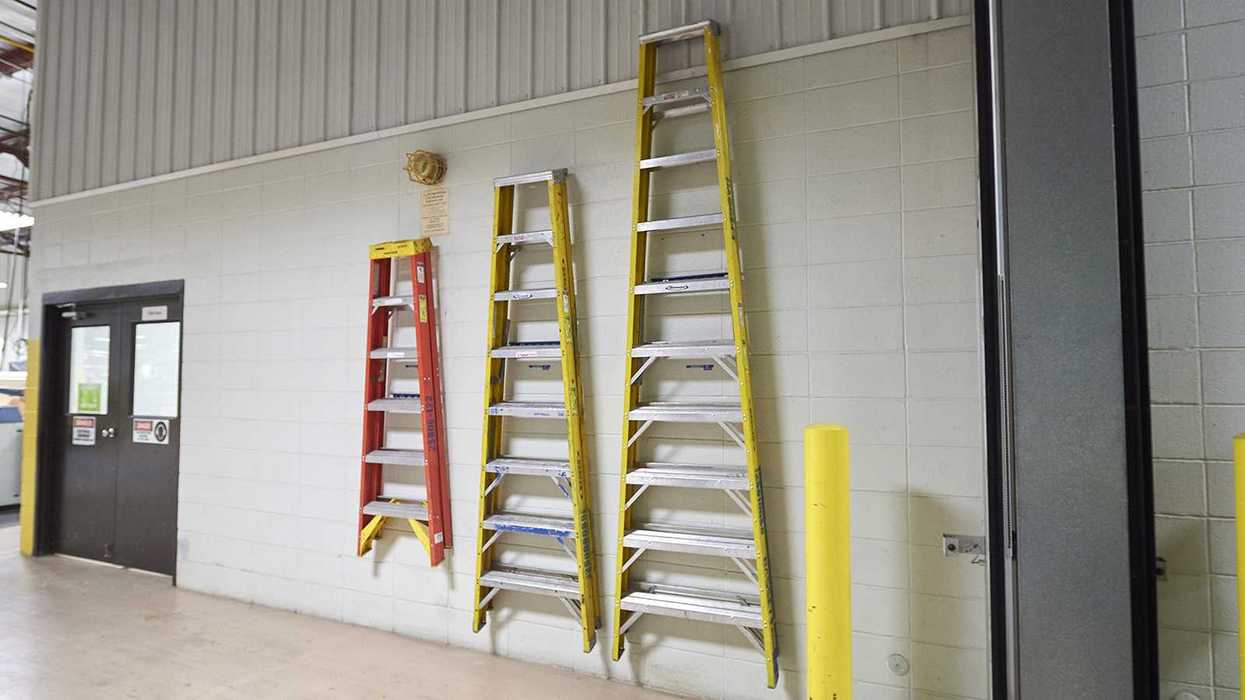
Ladders were the cause of over 22,000 workplace injuries and 161 deaths in 2020. Each March, the American Ladder Institute promotes ladder safety awareness with the goal of reducing ladder-related injuries and fatalities. Every Step Matters was the theme of this year’s National Ladder Safety Month.
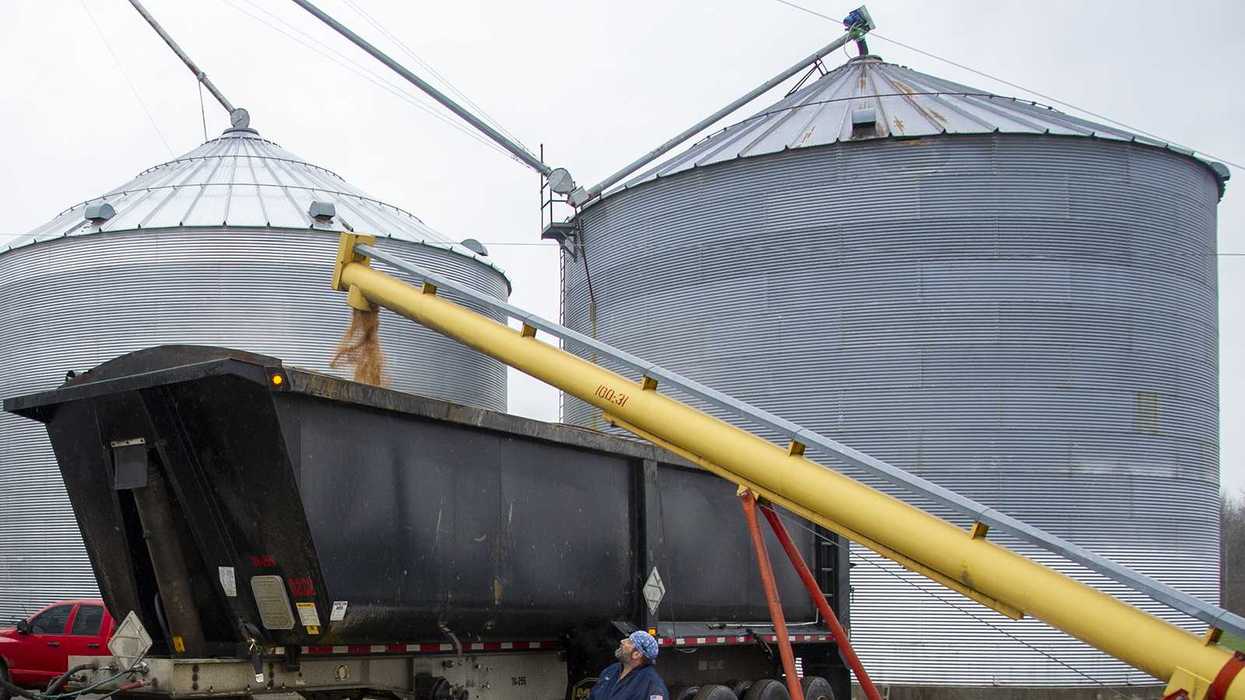
Stand Up 4 Grain Safety Week kicked off on March 24. This annual event brings attention to preventable grain handling hazards and promotes safety in this high-hazard industry.
Federal agencies must review their regulations and report back to the White House by April 20. The priority is on “significant” rules, generally considered to be those with an annual effect on the economy of 100 million dollars or more. Once the regulations have been identified, the Office of Management and Budget and the Department of Government Efficiency will work with agency leaders to create a plan for rescinding or modifying the regulations and begin winding down their enforcement.
A highwall fatality at a surface mine prompted the Mine Safety and Health Administration to issue a safety alert. It outlines what miners should do to prevent similar incidents, including looking for hazards such as loose rocks and overhangs before beginning work.
The American Society of Safety Professionals revised its construction training standard. It outlines training requirements for new hires in construction and demolition operations, site procedures, regulatory compliance, and more.
And finally, turning to environmental news, EPA will reconsider a number of major rulemakings that may impact a variety of industries. This is in response to an executive order that federal agencies review their regulations. Among the rules under consideration include those related to clean power, oil and gas emission limits, greenhouse gas reporting, and risk management.
EPA’s Waste Emissions Charge on petroleum and natural gas facilities with high methane emissions is no longer in effect. The rule initially took effect in January and was then disapproved by Congress on March 14.
Thanks for tuning in to the monthly news roundup. We’ll see you next month!
NewsEnforcement and Audits - OSHAToxic Substances Control Act - EPATSCA ComplianceForklifts and Powered TrucksMonthly Roundup VideoPIT Training RequirementsUSAHazard CommunicationEnglishOSHA Emphasis ProgramsIndustry NewsSafety & HealthToxic Substances - EPAGeneral Industry SafetyAgriculture SafetySpecialized IndustriesEnvironmentalHazard CommunicationGrain HandlingFocus AreaVideo
EHS Monthly Roundup - March 2023
This monthly video spotlights EHS news highlights from March 2023.
Hi everyone! Welcome to the monthly news roundup video, where we’ll review the most impactful environmental, health, and safety news. Please view the content links in the transcript to take a deeper dive into the topics I’ll be covering today. With that said, let’s get started!
First, let’s take a look at what’s happening in safety and health. OSHA revised its combustible dust national emphasis program. It adds several industries with a higher likelihood of having combustible dust hazards.
California’s Safety and Health Appeals Board says drinking water must be “as close as practicable” to outdoor employees.
The Pipeline and Hazardous Materials Safety Administration says that some forklift operators may be considered hazmat employees. If operators handle hazmat cargo, such as moving it from the truck to an aircraft, they need hazmat training.
OSHA posted a letter of interpretation that answers hazard communication questions related to lithium batteries. The agency says workers may be exposed to hazards during storage, handling, and maintenance activities.
Stand Up 4 Grain Safety Week was held the week of March 27. Employers were encouraged to hold toolbox talks or safety demonstrations related to grain handling and storage.
Turning to environmental news, EPA issued significant new use rules for chemical substances that were the subject of premanufacture notices. This change brings added reporting and recordkeeping.
Thanks for tuning in to the monthly news roundup. We’ll see you next month!
Most Recent Highlights In Human Resources
NewsAir QualityEnforcement and Audits - OSHAMonthly Roundup VideoCAA ComplianceFire Protection and PreventionUSAInjury and Illness RecordkeepingEnglishHeat StressOSHA Violations and PenaltiesIndustry NewsHeat and Cold ExposureEnforcement and Audits - OSHACrystalline SilicaSafety & HealthInjury and Illness RecordkeepingConstruction SafetyGeneral Industry SafetyEnvironmentalFocus AreaFire Protection and PreventionAir ProgramsToxic and Hazardous Substances - OSHAVideo
EHS Monthly Round Up - September 2024
In this September 2024 video, we'll review the most impactful environmental, health, and safety news.
Hi everyone! Welcome to the monthly news roundup video, where we’ll review the most impactful environmental, health, and safety news. Please view the content links in the transcript for more information about the topics I’ll be covering today. Let’s get started!
OSHA published its proposed heat illness rule on August 30. It applies to both indoor and outdoor work in general industry, construction, agriculture, and maritime. Comments on the proposal will be accepted until December 30. OSHA encourages both employers and workers to submit comments.
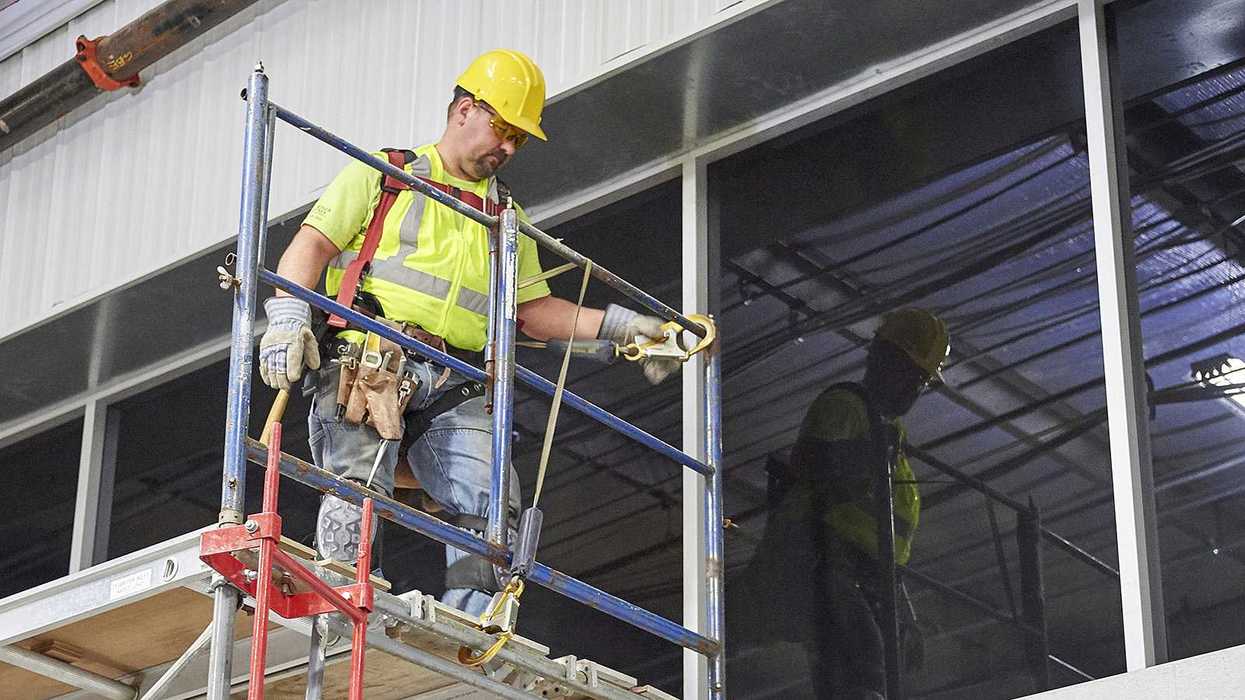
Fall protection for construction remained number one on OSHA’s list of Top 10 violations for the 14th year in a row. There was little movement among the other Top 10 entries, with Hazard Communication at number 2 and ladders at number 3.
OSHA may exclude volunteer emergency response organizations from its proposed emergency response rule. During the rule’s public comment period, the agency received numerous comments that raised serious economic feasibility concerns.
During its silica enforcement inspections, OSHA also found violations of the hazard communication, respiratory protection, and noise standards. Over 200 companies were targeted as part of the agency’s respirable crystalline silica emphasis program.
Employers can view workplace injury and illness trends using OSHA’s Severe Injury Report dashboard. This new online tool allows users to search the agency’s severe injury report database. Severe injuries and illnesses are those that result in inpatient hospitalization, amputation, or loss of an eye.
And finally, turning to environmental news, an EPA final rule impacts facilities that reclassify from major to area source status under the National Emission Standards for Hazardous Air Pollutants program. These facilities must continue to meet the major source emission standards for seven hazardous air pollutants.
Thanks for tuning in to the monthly news roundup. We’ll see you next month!
NewsGreenhouse GasesEnforcement and Audits - OSHAMonthly Roundup VideoCAA ComplianceFire Protection and PreventionUSAEnglishOSHA Violations and PenaltiesAir ProgramsIndustry NewsEnforcement and Audits - OSHASafety & HealthConstruction SafetyGeneral Industry SafetyEnvironmentalFocus AreaFire Protection and PreventionAir ProgramsVideo
EHS Monthly Round Up - October 2025
In this October 2025 roundup video, we'll review the most impactful environmental health and safety news.
Hi everyone! Welcome to the monthly news roundup video, where we’ll review the most impactful environmental health and safety news. Let’s take a look at what happened in the last month!
On October 7th, David Keeling was confirmed by the Senate as OSHA’s new Assistant Secretary of Labor. During his confirmation hearing, Keeling stated that “nothing is more beneficial than collaboration between employers and employees” and shared his three main goals for the agency. These are modernization in regulatory oversight and rulemaking, expanding OSHA’s cooperation and collaboration efforts, and transforming OSHA’s enforcement.
In a landmark opinion, an appeals court offers a framework to revive federal rulemakings, such as OSHA’s Ergonomics Program rule. The rule was previously struck down by the Congressional Review Act in 2001. The latest court decision loosens the grip that the Act has had for almost 25 years. This makes it feasible for agencies like OSHA, EPA, and others to give long-gone rules a second chance. It gives OSHA a path to publish a narrow or different ergonomics rule in the future.
OSHA quietly archived a memo from 2024 that had suggested its enforcement offices may refrain from grouping violations where those offenses are separate and distinct. In some cases, ungrouping raises the total penalty for an inspection. An OSHA spokesperson said the memo was determined to be unnecessary since agency policy in its Field Operations Manual provides clear guidance to OSHA field staff on when citation item grouping may be considered.
The NFPA’s Fire Prevention Week kicked off October 5th with a theme of lithium-ion battery safety in the home. Reports of fires and explosions involving lithium-ion batteries have been on the rise. NFPA provides information and guidance on how to safely use, handle, and recycle them.
And finally, turning to environmental news, the California Air Resources Board submitted comments opposing EPA’s proposal to overturn its 2009 Endangerment Finding. The Endangerment Finding has guided federal actions to address greenhouse gas pollution. CARB’s comments note that EPA’s proposal ignores more than 15 years of its own research and regulations and emphasizes that the agency is obligated to address greenhouse gas emissions and adopt strong standards to reduce them. EPA received over 15 thousand comments on its proposal.
Thanks for tuning in to the monthly news roundup. We’ll see you next month!
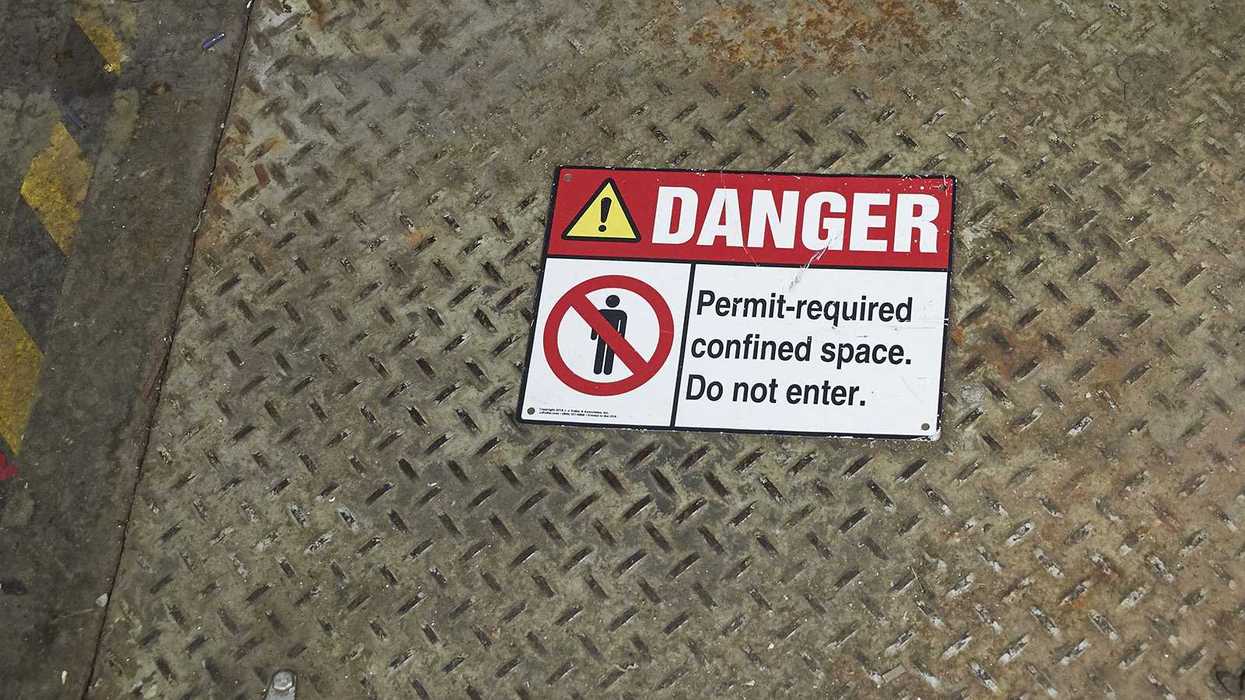
NewsEnforcement and Audits - OSHAConfined SpacesConfined Space HazardsMonthly Roundup VideoCAA ComplianceUSAEnglishOSHA Violations and PenaltiesIndustry NewsEnforcement and Audits - OSHASafety & HealthInfectious DiseasesCOVID-19General Industry SafetyShipyard OperationsSpecialized IndustriesEnvironmentalFocus AreaVideo
EHS Monthly Roundup - February 2023
This monthly video spotlights EHS news highlights from February 2023.
Hi everyone! Welcome to the monthly roundup video, where we’ll review the most impactful environmental, safety, and health news.
First, let’s take a look at what’s happening in safety and health. Machine guarding and hazard communication topped OSHA’s list of most frequently cited serious violations in fiscal year 2022. Over 1,300 citations were issued for machine guarding and over 1,800 were issued for HazCom.
Effective March 26, OSHA will cite certain types of violations as “instance-by-instance” citations, when inspectors identify high-gravity, serious violations specific to the following: falls, trenching, machine guarding, respiratory protection, permit required confined space, and lockout/tagout, as well as other-than-serious violations specific to recordkeeping.
California’s COVID-19 prevention non-emergency regulations, which require employers to protect workers from the hazards related to COVID-19, took effect February 3, and will remain in effect for two years.
A new OSHA fact sheet outlines measures to protect shipyard employees from the physical hazards of confined spaces. In the maritime sector, physical hazards in confined spaces can increase a worker’s risk of injury.
OSHA says it will withdraw its proposal to revoke Arizona’s State Plan. The state has taken measures to remain compliant with federal OSHA. However, OSHA continues to work closely with Arizona to address other state-plan concerns that weren’t part of its original withdrawal proposal.
And turning to environmental news, EPA issued a rule that finalizes first-time standards for inorganic hazardous air pollutants in miscellaneous coating manufacturing that will limit emissions and require effective controls. Final amendments include provisions for inorganic hazardous air pollutant standards for process vessels. The rule took effect February 22.
Thanks for tuning in to the monthly news roundup. We'll see you next month!

NewsSARA ComplianceEnforcement and Audits - OSHACERCLA, SARA, EPCRAElectronic Reporting of Injury and Illness RecordsMine SafetyVideoMonthly Roundup VideoInjury and Illness RecordkeepingEnglishIndustry NewsRelease NotificationsOSHA InspectionsSafety & HealthGeneral Industry SafetyEnvironmentalSARA ComplianceFocus AreaUSA
EHS Monthly Round Up - April 2024
In this monthly roundup video, we’ll review the most impactful environmental, safety, and health news.
Hi everyone! Welcome to the monthly news roundup video, where we’ll go over the most impactful environmental, health, and safety news. Please view the content links in the transcript for more information about the topics I’ll be covering today. Let’s get started!
OSHA’s worker walkaround rule takes effect May 31st. It expands the criteria for who employees can authorize to act as their representative during an inspection.
Between 2015 and 2022, there were about 1,500 worker injuries involving food processing machinery. A new OSHA alert raises awareness of these hazards. It addresses hazard recognition, corrective measures, and workers’ rights.
The National Institute for Occupational Safety and Health (NIOSH) seeks stakeholder input on protecting outdoor workers from wildfire smoke. The agency intends to develop a hazard review document that provides recommendations to protect workers.
The Mine Safety and Health Administration published a final rule that lowers miners’ exposure to silica dust. It also revises the standard to reflect the latest advances in respiratory protection and practices.
OSHA released 2023 injury and illness data. The agency provides public access to this information in an effort to identify unsafe conditions and workplace hazards that may lead to injuries and illnesses.
And turning to environmental news, EPA finalized a rule to designate two widely used PFAS as hazardous substances under the Comprehensive Environmental Response, Compensation, and Liability Act, or CERCLA. The rule requires immediate release notifications for the two PFAS. It also gives EPA the authority to hold polluters responsible for contamination.
Thanks for tuning in to the monthly news roundup. We’ll see you next month!

NewsEnforcement and Audits - OSHAToxic Substances Control Act - EPAToxic Subtances Control Act - EPAPersonal Protective EquipmentTSCA ComplianceMonthly Roundup VideoUSAEnglishHeat StressIndustry NewsHeat and Cold ExposureEnforcement and Audits - OSHASafety & HealthGeneral Industry SafetyGeneral Duty ClauseEnvironmentalRespiratory ProtectionGeneral Duty ClauseFocus AreaVideo
EHS Monthly Round Up - June 2025
In this June 2025 monthly roundup video, we'll review the most impactful environmental health and safety news.
Hi everyone! Welcome to the monthly news roundup video, where we’ll review the most impactful environmental health and safety news. Let’s take a look at what’s happened over the last month!
Two never-before-mentioned rulemakings reached the Office of Management and Budget for review on June 18. The two actions (one on respiratory protection and the other on the General Duty Clause) are only at the proposed rule stage, so stakeholders will have a chance to comment. At this time, it’s unclear whether the proposals are regulatory or de-regulatory. We’ll provide an update in a future monthly roundup as more information becomes available.
OSHA updated its Site-Specific Targeting program to reflect the use of Form 300A data for calendar years 2021 through 2023. This is OSHA’s primary planned inspection program for general industry establishments with 20 or more employees with the highest injury and illness rates. OSHA uses the data to target establishments for inspection.
Each year, backover incidents lead to serious injuries and fatalities in construction zones and workplaces. These incidents happen when drivers lose sight of people, objects, or vehicles behind them. To help prevent these incidents, OSHA launched #MirrorCheck, an initiative to raise awareness of safe work practices that can prevent backovers.
Effective June 27, Kentucky’s occupational safety and health standards are limited to those enforced by federal OSHA. The state will no longer adopt, promulgate, or enforce rules that are more stringent than federal OSHA. Kentucky operates an OSHA-approved State Plan covering most private sector workers and all state and local government workers.
As part of its Heat Illness Prevention campaign, OSHA has added two new resources for employers. One is a customizable guide for creating a toolbox talk on handling heat emergencies. The other explains the risks of heat illness for young workers.
And finally, turning to environmental news, EPA has again delayed the deadline for submitting data on 16 chemical substances required by the Toxic Substances Control Act Health and Safety Data Reporting rule. Manufacturers now have until May 22, 2026, to report on all of the covered chemical substances.
Thanks for tuning in to the monthly news roundup. We’ll see you next month!
New Network Poll


No active poll
Please come back soon!
Most Popular Highlights In Environmental
NewsGreenhouse GasesAir QualityEnforcement and Audits - OSHAAir EmissionsMonthly Roundup VideoCAA ComplianceUSAHazard CommunicationEnglishOSHA Violations and PenaltiesIndustry NewsOSHA InspectionsSafety & HealthConstruction SafetyGeneral Industry SafetyEnvironmentalFocus AreaHazard CommunicationAir ProgramsVideo
EHS Monthly Round Up - September 2026
In this September 2026 roundup video, we'll review the most impactful environmental, health, and safety news.
Hi everyone! Welcome to the monthly news roundup video, where we’ll review the most impactful environmental health and safety news. Let’s take a look at what happened over the past month.
For the 16th consecutive year, fall protection for construction topped OSHA’s list of most frequently cited standards. Preliminary inspection data for fiscal year 2026 show that OSHA recorded just over 4,000 fall protection construction violations, down from nearly 6,000 in FY 2025. The standards rounding out the Top 10 list remain unchanged from previous years, though some rankings have shifted.
The next HazCom compliance deadline is coming up on November 20. Employers who purchase substances that are aerosols, desensitized explosives, and flammable gases will receive – or may already have received – revised safety data sheets and see updated labels with their shipments. In addition, all employers must, as necessary, update any alternative workplace labeling, update their HazCom training program, and provide additional employee training for any newly identified hazards. Employers also must retain any new SDSs they receive.
California's Occupational Safety and Health Standards Board released a revised discussion draft of its proposed workplace violence prevention rule for general industry. The draft better defines employer responsibilities under the state’s workplace violence prevention law.
Turning to environmental news, EPA repealed the majority of the greenhouse gas emission standards established by the 2024 Carbon Pollution Standards for fossil fuel-fired power plants. The agency also proposes to remove the remaining GHG emission requirements for these plants.
And finally, EPA extended the Renewable Fuel Standard compliance deadline from September 1 to October 1. The extension gave parties more time to assess the impact of EPA’s small refinery exemption decisions and adjust their strategies before completing their 2025 reporting obligations.
Thanks for tuning in to the monthly news roundup. We’ll see you next month!
NewsGreenhouse GasesEnforcement and Audits - OSHAMonthly Roundup VideoCAA ComplianceFire Protection and PreventionUSAEnglishOSHA Violations and PenaltiesAir ProgramsIndustry NewsEnforcement and Audits - OSHASafety & HealthConstruction SafetyGeneral Industry SafetyEnvironmentalFocus AreaFire Protection and PreventionAir ProgramsVideo
EHS Monthly Round Up - October 2025
In this October 2025 roundup video, we'll review the most impactful environmental health and safety news.
Hi everyone! Welcome to the monthly news roundup video, where we’ll review the most impactful environmental health and safety news. Let’s take a look at what happened in the last month!
On October 7th, David Keeling was confirmed by the Senate as OSHA’s new Assistant Secretary of Labor. During his confirmation hearing, Keeling stated that “nothing is more beneficial than collaboration between employers and employees” and shared his three main goals for the agency. These are modernization in regulatory oversight and rulemaking, expanding OSHA’s cooperation and collaboration efforts, and transforming OSHA’s enforcement.
In a landmark opinion, an appeals court offers a framework to revive federal rulemakings, such as OSHA’s Ergonomics Program rule. The rule was previously struck down by the Congressional Review Act in 2001. The latest court decision loosens the grip that the Act has had for almost 25 years. This makes it feasible for agencies like OSHA, EPA, and others to give long-gone rules a second chance. It gives OSHA a path to publish a narrow or different ergonomics rule in the future.
OSHA quietly archived a memo from 2024 that had suggested its enforcement offices may refrain from grouping violations where those offenses are separate and distinct. In some cases, ungrouping raises the total penalty for an inspection. An OSHA spokesperson said the memo was determined to be unnecessary since agency policy in its Field Operations Manual provides clear guidance to OSHA field staff on when citation item grouping may be considered.
The NFPA’s Fire Prevention Week kicked off October 5th with a theme of lithium-ion battery safety in the home. Reports of fires and explosions involving lithium-ion batteries have been on the rise. NFPA provides information and guidance on how to safely use, handle, and recycle them.
And finally, turning to environmental news, the California Air Resources Board submitted comments opposing EPA’s proposal to overturn its 2009 Endangerment Finding. The Endangerment Finding has guided federal actions to address greenhouse gas pollution. CARB’s comments note that EPA’s proposal ignores more than 15 years of its own research and regulations and emphasizes that the agency is obligated to address greenhouse gas emissions and adopt strong standards to reduce them. EPA received over 15 thousand comments on its proposal.
Thanks for tuning in to the monthly news roundup. We’ll see you next month!
NewsToxic Substances Control Act - EPAToxic Subtances Control Act - EPATSCA ComplianceFall ProtectionMonthly Roundup VideoFall Protection for ConstructionMiningUSAHazard CommunicationEnglishHeat StressIndustry NewsHeat and Cold ExposureSafety & HealthConstruction SafetyGeneral Industry SafetySpecialized IndustriesEnvironmentalHazard CommunicationMine SafetyFocus AreaVideo
EHS Monthly Round Up - May 2025
In this May 2025 roundup video, we'll review the most impactful environmental health and safety news.
Hi everyone! Welcome to the monthly news roundup video, where we’ll review the most impactful environmental health and safety news. Let's take a look at what happened over the last month!
OSHA will host an informal public hearing on its proposed Heat Injury and Illness Prevention rule on June 16. Information about the proposed rule and instructions on how to watch the hearing can be found on OSHA’s website.
OSHA’s National Safety Stand-Down to Prevent Falls in Construction event, held the week of May 5, raised awareness of fall hazards in an effort to help prevent injuries and fatalities. Slips, trips, and falls were the leading cause of death in the construction industry in 2023, accounting for 421 fatalities.
After concluding its investigation of a California chemical facility fire, the Chemical Safety and Hazard Investigation Board is calling for improved heater safeguards to prevent similar incidents. The fire was caused by an overheated refinery furnace. The Board also made several safety recommendations for chemical facilities.
Following a number of recent fall incidents, the Mine Safety and Health Administration issued a safety alert advising miners to use fall protection. The most recent incident occurred when a miner fell from the deck of a bulldozer.
Turning to environmental news, EPA further delayed the PFAS manufacturing report submission period. The date was moved from July 11, 2025, to April 13, 2026. This is a one-time reporting requirement for manufacturers of per- and polyfluoroalkyl, or PFAS, substances.
Thanks for tuning in to the monthly news roundup. We’ll see you next month!

NewsGreenhouse GasesIndustry NewsAir EmissionsEnvironmental Protection Agency (EPA)Air ProgramsCAA ComplianceEnvironmentalIn-Depth ArticleEnglishFocus AreaStationary Emission SourcesUSA
2026-10-02T05:00:00Z
Repealing GHG emission standards for power plants: Reasons why and how to respond
Federal regulations restrict air emissions of specific substances from fossil fuel-fired power plants. However, with most of the requirements under one rule recently repealed, these power plants can breathe a little easier when it comes to compliance.
In its continued deregulatory efforts, the Environmental Protection Agency (EPA) repealed a majority of the greenhouse gas (GHG) emission requirements established by the 2024 Carbon Pollution Standards (CPS). Issued on September 17, 2026, the final rule provides a range of reasons for repealing the affected standards.
Use this guide to help you understand EPA’s recent partial repeal of the 2024 CPS (including the reasons behind it) and how facilities should respond.
Is my facility impacted?
The final rule’s rollback of GHG emission standards applies to fossil fuel-fired power plants, specifically:
- Fossil fuel-fired electric utility steam generating units, and
- Stationary combustion turbine electric generating units (EGUs).
Which requirements were removed?
The agency’s final rule repeals:
- All 2024 CPS emission guidelines for existing coal-, oil-, and natural gas-fired steam generating units (40 CFR Part 60 Subpart UUUUb in its entirety);
- The 2024 CPS carbon capture and sequestration/storage (CCS)-based requirements for coal-fired steam generating units undertaking a large modification (Part 60 Subpart TTTTa); and
- The 2024 CPS CCS-based standards for new base load stationary combustion turbines (Part 60 Subpart TTTTa).
Affected facilities no longer have to comply with the repealed GHG mitigation measures set by the 2024 CPS.
Why did EPA repeal these GHG emission standards?
The final rule states that the agency based its decision on a reevaluation of the best systems of emission reduction (BSERs) established by the 2024 CPS. The Clean Air Act requires EPA to base performance standards on BSERs that are adequately demonstrated. Once BSERs are established, EPA then sets emission requirements based on the application of the BSERs.
The 2024 CPS required:
- Existing long-term fossil fuel-fired EGUs to comply with an emission limit based on implementing a BSER of 90 percent CCS of carbon dioxide by January 1, 2032;
- Existing medium-term EGUs (i.e., units committed to stop operations by 2039) to comply with an emission limit based on implementing a BSER of 40 percent natural gas co-firing by January 1, 2030;
- Natural gas- and oil-fired EGUs to implement certain BSERs (including routine methods of operation and maintenance for intermediate load units and uniform fuels for low load units); and
- New base load stationary combustion turbines to comply with phase 2 standards based on a BSER of 90 percent CCS of carbon dioxide by January 1, 2032.
90 percent CCS
EPA determined that 90 percent CCS isn’t the BSER for long-term coal-fired steam generating units because:
- The BSER hasn’t been adequately demonstrated;
- The BSER imposes unreasonable costs; and
- The infrastructure needed to comply with the BSER likely can’t be deployed by the January 1, 2032, compliance date (which means the degree of emission limitation wouldn’t be achievable).
Additionally, EPA determined that 90 percent CCS isn’t the BSER for coal-fired steam generating units undertaking a large modification because the BSER hasn’t been adequately demonstrated and imposes unreasonable costs.
40 percent natural gas co-firing
The agency determined that 40 percent co-firing with natural gas isn’t the BSER for existing medium-term coal-fired steam generating units because it constitutes generation shifting (which the Supreme Court ruled impermissible in West Virginia v. EPA (2022)). Generation shifting refers to a forced shift of nationwide electricity generation from one source to another. In this case, the natural gas co-firing standard would require coal-fired boilers to use natural gas, a completely different fuel source.
It also found that this BSER would have adverse impacts on the energy system. Further, the infrastructure needed to comply with the BSER likely can’t be deployed by the January 1, 2030, compliance date (which means the degree of emission limitation wouldn’t be achievable).
Natural gas- and oil-fired steam generating unit requirements
EPA also determined that the BSERs for natural gas- and oil-fired steam generating units are unnecessary.
It concluded that:
- Requiring states to develop, submit, and implement plans only for natural gas- and oil-fired steam generating units would be an inefficient use of state resources because these units account for a small part of the source category; and
- The BSERs would result in little or no emission reductions.
Phase 2 standards
Finally, the agency determined that 90 percent CCS isn’t the BSER for new base load stationary combustion turbines because:
- The BSER hasn’t been adequately demonstrated;
- The BSER imposes unreasonable costs; and
- The infrastructure needed to comply with the BSER likely can’t be deployed by the January 1, 2032, compliance date (which means the degree of emission limitation wouldn’t be achievable).
How should facilities respond?
Consider these tips to help your facility determine how it may be affected by EPA’s repeal of these federal GHG emission standards:
- Determine if your facility is subject to any regulations established by the 2024 CPS.
- If so, verify whether any of the repealed federal GHG emission standards applied to your facility.
- If any of the repealed federal GHG emission standards applied, evaluate the possible impacts on your facility’s operations.
- Adjust operations and processes as needed.
- Don’t forget to check state requirements! Most air emission permits are issued by state or local air agencies. State regulations must be at least as stringent as federal requirements, but they could also be stricter. Confirm GHG emission standards with your permitting authority.
Key to remember: EPA has repealed a majority of the GHG emission requirements established by the 2024 Carbon Pollution Standards rule.

NewsDrug and alcohol policy - Motor CarrierEnforcement and Audits - OSHAWaste/HazWasteTSCA ComplianceDrug and Alcohol Testing - DOTEnvironmental Management SystemsSexual HarassmentSexual HarassmentBusiness planning - Motor CarrierCAA ComplianceEnglishBusiness planning - Motor CarrierEnvironmental Management SystemsIndustry NewsIndustry NewsFederal Motor Carrier Safety RegulationsEnforcement and Audits - OSHAInfectious DiseasesSafety & HealthInfectious DiseasesGovernment contractsGeneral Industry SafetyBusiness policies and procedures - Motor CarrierEnvironmentalFocus AreaFleet OperationsTransportationUSA
2025-01-22T06:00:00Z
Freeze brings uncertainty to agency rules
As happens at the start of most incoming administrations, President Donald Trump has issued a freeze on all regulatory activity at the federal level, giving the new administration some breathing room to review agencies’ plans.
The new executive order, “Regulatory Freeze Pending Review,” says agencies like the Department of Transportation and the Department of Labor must:
- Not propose or issue any new rules (including any rules that are completed but not yet published) until newly appointed agency leaders have had a chance to review them. The only exception is for urgent or emergency rules that the White House approves.
- Consider postponing the effective date of any published rules, or any rules that were issued but that have not yet gone into effect, for 60 days, so any “questions of fact, law, and policy” can be reviewed. If no such questions are raised, the rule can proceed.
The order goes on to say that agencies should consider seeking more public input on any postponed rules and, if necessary, consider further delays beyond the initial 60 days.
More than just rules
The order covers not only final and proposed regulations but also “notices of inquiry,” any type of notice of proposed rulemaking, and guidance documents that interpret existing statutes or regulations.
The order will be overseen by the director of the White House Office of Management and Budget (OMB), a position to which Trump has nominated Russ Vought.
OMB wastes no time
The OMB, which must approve most rulemaking activities, has already sent numerous pending rules back to the agencies for review. Among the rules withdrawn on January 21, 2025:
- A proposal to update the new-driver training regulations to address sexual harassment and the safety of women truck drivers and vulnerable road users, such as pedestrians and bicyclists.
- A proposal to amend the Federal Motor Carrier Safety Regulations to account for the use of trucks and buses equipped with automated driving systems.
- A proposal from the Department of Health and Human Services to implement hair testing for federal workers.
- Proposed railroad noise-emission enforcement rules from the Federal Railroad Administration.
- A proposed air-emissions reporting requirement from the Environmental Protection Agency (EPA), as well as proposed EPA standards for emissions from PFAS manufacturing facilities.
In addition, the Occupational Safety and Health Administration withdrew a proposed rule on infectious diseases on January 14 and its COVID-19 healthcare rule on January 15, prior to the inauguration.
President Trump issued a similar regulation freeze upon his 2017 inauguration. Soon after, he announced a “two for one” order requiring agencies to eliminate two regulations for every new one issued.
NewsEnforcement and Audits - OSHAToxic Substances Control Act - EPASafety and Health Programs and TrainingTSCA ComplianceErgonomicsMonthly Roundup VideoSafety and Health Programs and TrainingChemical Data ReportingHazard CommunicationUSAEnglishErgonomicsEmergency Planning - OSHAIndustry NewsOSHA InspectionsSafety & HealthEmergency PreparednessGeneral Industry SafetyDisaster RecoveryEnvironmentalHazard CommunicationMine SafetyFocus AreaVideo
EHS Monthly Round Up - October 2024
In this October 2024 roundup video, we'll review the most impactful environmental, health, and safety news.
Hi everyone! Welcome to the monthly news roundup video, where we’ll review the most impactful environmental, health, and safety news. Please view the content links in the transcript for more information about the topics I’ll be covering today. Let’s get started!
A Government Accountability Office report says OSHA can do more to protect warehouse and delivery workers from ergonomic injuries. The report recommends several steps for OSHA to consider, including ensuring compliance officers can easily obtain data on when musculoskeletal disorders occurred.
OSHA updated its inspection guidance for animal slaughtering and processing industries. Inspections will focus on several hazards, including sanitation, ergonomics, and machine guarding. Among other changes, compliance officers will conduct inspections during off-shift times and identify workplace activities that impact employees most at risk such as temporary employees.
OSHA urges workers involved in hurricane cleanup and recovery efforts to be mindful of hazards, especially those associated with restoring electricity, removing debris, and trimming trees. Proper training, experience, and familiarity with related equipment helps ensure worker safety.
And finally, turning to environmental news, EPA extended the 2024 Chemical Data Reporting deadline to November 22 due to technical difficulties with its electronic reporting tool. The 2024 report covers activities that occurred between calendar years 2020 and 2023.
Thanks for tuning in to the monthly news roundup. We’ll see you next month!
Most Popular Highlights In Transportation

NewsIndustry NewsFederal Motor Carrier Safety RegulationsFleet SafetyHours of ServiceHours of ServiceFocus AreaIn-Depth ArticleEnglishTransportationBusiness planning - Motor CarrierUSA
2026-10-05T05:00:00Z
FMCSA restores 30-day emergency HOS exemption period
The Federal Motor Carrier Safety Administration (FMCSA) has finalized a rule change to ease hours-of-service (HOS) restrictions on drivers doing emergency-response work.
The change to 49 CFR 390.23(b), effective October 5, 2026, means drivers responding to regional, government-declared emergencies will once again be exempted from HOS limits for up to 30 days, rather than just 14. This reverts the rule back to what it was prior to 2023.
For carriers responding to hurricanes, wildfires, winter storms, fuel shortages, and other emergencies, the change removes a significant administrative burden given that emergency-response work often takes more than two weeks to conclude.
What changed?
Under 49 CFR 390.23, certain emergency declarations trigger temporary relief from federal HOS requirements for drivers providing direct assistance during a declared emergency.
Importantly, those HOS requirements include the driving limits and rest requirements, but not the need to complete logs or use electronic logging devices and keep supporting documents.
In October 2023, the FMCSA reduced the automatic exemption period from 30 days to 14 days. Industry groups argued that many emergencies last longer than two weeks, forcing carriers and industry organizations to request extensions. The FMCSA agreed and has now reversed that change.
The new final rule simply replaces the number “14” with “30” in 390.23(b), restoring the pre-2023 timeframe.
The FMCSA emphasized that emergency exemptions remain limited to commercial motor vehicles providing direct assistance during a declared emergency. The exemption is not a blanket suspension of compliance requirements for all carriers operating in the affected region.
Don’t overlook the limits
Keep in mind that emergency exemptions are narrowly focused. The relief applies only when drivers are providing direct assistance related to the declared emergency, with “direct assistance” and “emergency” carrying specific definitions in 390.5T. Once a driver is no longer engaged in emergency-related operations, normal compliance obligations return.
Drivers claiming the exemption must comply with all HOS rules apart from those in 395.3 and 395.5, which contain the basic driving, on-duty, and rest requirements. Drivers are not exempt from the prohibition on fatigued driving in 392.3.
Note that drivers may claim the exemption in all states on their way to the region where the emergency was declared, even if those states may not be involved in the emergency or listed in the declaration of emergency.
There is no requirement to carry a copy of the declaration in the vehicle unless stated so in the declaration itself. The FMCSA recommends that drivers and carriers coordinate with state emergency officials before providing assistance. State regulations regarding size and weight, permits, taxes, etc. may not have been waived.
In addition, the exemption period is not always a guaranteed 30 days; emergency declarations may end or be rescinded sooner.
Key to remember: The FMCSA has restored a rule allowing drivers doing certain types of emergency-response work to be exempt from certain hours-of-service rules for up to 30 days rather than 14.

NewsIndustry NewsFederal Motor Carrier Safety RegulationsFleet SafetyTransportationBusiness planning - Motor CarrierIn-Depth ArticleFleet OperationsRegistrationEnglishFocus AreaBusiness planning - Motor CarrierUSA
2026-09-29T05:00:00Z
Not a “trucking company?” You may still need operating authority
Just because you aren’t hauling toilet paper or groceries doesn’t mean you don’t need a USDOT number. Landscapers, farmers, outdoor recreation companies, and even rock stars (tour buses) sometimes need operating authority, depending on their operations.
Examples of other “non-trucking companies” that may still need operating authority include:
- Universities;
- Blood donation vehicles,
- Home health agencies,
- Utility companies,
- Food trucks, and
- Event production companies.
How do you know if you need to apply for authority?
Per the Federal Motor Carrier Safety Administration (FMCSA), all interstate commercial motor vehicles (private, for-hire[TL1.1], and exempt) that meet the definition of commercial motor vehicle found in 390.5 must submit them online through Motus at https://motus.dot.gov and obtain a USDOT number before beginning operations.
The commercial motor vehicle definition includes a vehicle which operates in interstate commerce, and:
- Has a gross vehicle weight rating (GVWR) or gross combination weight rating (GCWR), or gross vehicle weight (GVW) or gross combination weight (GCW) of 10,001 pounds or more, whichever is greater;
- Is designed to transport more than 8 passengers (including the driver) for compensation;
- Is designed to transport 16 or more passengers including the driver, and isn’t used to transport passengers for compensation; or
- Is transporting hazardous materials in quantities requiring the vehicle to be placarded.
Not operating as an interstate carrier doesn’t mean you’re in the clear, as many states require USDOT numbers for intrastate carriers. If you fall into this category, it’s important to check your states' requirements.
How do you obtain operating authority?
If you don’t already have a USDOT number, you can obtain one by applying for authority through Motus. The registration process requires basic company demographics to be provided. This information isn’t directly used for safety scoring but does provide information that is helpful to the FMCSA for studies and investigations.
After being issued a new entrant registration, the carrier is subject to an 18-month safety-monitoring period. During this safety monitoring period, the carrier’s roadside safety performance will be closely monitored to ensure the carrier’s basic safety management controls are operating effectively. Also, during this safety-monitoring period, the motor carrier (MC) will receive a safety audit.
For those operating intrastate, the process may be different. Check with your state's department of transportation to learn more about what you need to do.
Why is this necessary?
Larger vehicles, as well as those carrying hazardous materials, pose a higher risk to both themselves and the motoring public. By regulating who may operate these vehicles, and for how long, the FMCSA prioritizes keeping the roadways safe for all who use them.
Key to remember: All companies who operate a commercial motor vehicle in interstate commerce are expected to adhere to the Federal Motor Carrier Safety Regulations — even those who don’t operate as a “traditional trucking company.”
NewsIndustry NewsHazmat SafetyHazmat: HighwayFocus AreaIn-Depth ArticleHazmat EnforcementEnglishTransportationUSA
2022-12-27T06:00:00Z
Placarding responsibility – Whose is it?
Many shippers are unaware of their responsibility to provide placards to drivers, but the responsibility shifts as soon as the driver hits the road.
Check the regulations
According to Section 172.506 of the Hazardous Materials Regulations (HMR), a shipper offering a hazardous material for transportation by highway must provide the motor carrier with the required placards for the material being offered. The shipper must offer the placards to the carrier prior to, or at the same time as, the material is offered for transportation — unless the vehicle is already placarded for the hazmat.
Section 172.506 also states that no motor carrier may transport a hazardous material in a motor vehicle unless the required placards for the hazmat are affixed to the vehicle. Before transport, the driver is responsible for displaying the required placards for all the hazmat that is on the vehicle.
Avoid issues with shippers
Many trailers are equipped with flip placards that represent most classes of hazardous materials but without adequate training, shippers may not understand their responsibility to provide the driver with the required placards. If a driver arrives and the shipper fails to provide placards, the driver should contact dispatch for additional instructions or drive to a truck stop to secure the necessary placards. The driver becomes responsible for placards as soon as the trailer enters a public highway, so train your drivers to temporarily refuse the shipment until the proper placards can be obtained. If necessary, the driver must bobtail or leave empty before driving to pick up placards.
Another common placarding question with shippers involves combination loads. If a driver arrives at a shipper’s location and is already transporting a hazardous material below the placarding threshold, is the shipper required to provide placards for the combination load on the trailer? In this scenario, the driver already has 600 pounds of a Class 8 corrosive material on the trailer, and the shipper is offering an additional 500 pounds of the same commodity. The regulations state that the shipper is only required to provide placards for the commodity that is being offered, not for the aggregate weight of both shipments. In this scenario, the driver is responsible for providing placards since it involves a combination load.
The Hazardous Materials Regulations are complex, especially for newer employees. Drivers that can speak “hazmat” to shippers often secure additional business, so be sure to train your drivers and give them the confidence to have impactful conversations with shippers.
Key to remember: Carry extra placards in case a shipper is unable to supply the required placards or a combination of hazmat on the vehicle requires different placards.
NewsTiresIndustry NewsFleet SafetyCMV Parts and MaintenanceFocus AreaIn-Depth ArticleFleet OperationsEnglishTransportationUSA
2024-10-02T05:00:00Z
Don’t slip up: Colorado expands its “must carry” tire chain law
With winter weather just around the corner, Colorado has enacted a new law that expands the number of highways where tire chains must be carried on commercial motor vehicles (CMVs).
Senate Bill 24-100 requires all vehicles with a gross combined weight rating of 16,001 pounds or more to carry tire chains (or alternate traction devices approved by the Colorado Department of Transportation) on the following highways from September 1 to May 31 of each year:
- I-70 west of milepost 259 (Morrison to Utah state border);
- Colorado Highway 9, milepost 63 to milepost 97 (Frisco to Fairplay);
- Route 40 west of milepost 256 (Empire);
- US Route 50 west of milepost 225 (Salida);
- US Route 160 west of milepost 304 (Walsenburg);
- US Route 285 west of milepost 250 (Morrison); and
- US Route 550 from milepost 0 to 130.
When conditions warrant, signs along the roadway will notify drivers that their vehicles’ tires must be chained or have approved alternate traction devices. CMVs required to chain four drive tires include:
- Straight trucks,
- Single drive axle combinations,
- Tandem drive axle combinations, and
- Auto transporters.
Fines
The minimum fines for non-compliance are:
- $50 for not carrying tire chains or alternate traction devices as required,
- $500 for not chaining up when signs along the roadway indicate when the chain law is in effect and that vehicles must be chained, and
- $1,000 for blocking the roadway as a result of not chaining up.
Key to remember: Drivers operating on Colorado highways need to be aware of the state’s tire chain laws, including the expanded “must carry” requirements.
NewsIndustry NewsFleet SafetyHours of ServiceHours of ServiceCMV drivingFocus AreaIn-Depth ArticleEnglishTransportationUSA
2023-08-31T05:00:00Z
Wired to work: How the hours-of-service utility exemption energizes critical services
Truck drivers face unique challenges on the road and understanding the utility exemption for hours of service can be a game changer. Learn how this exemption empowers drivers to optimize their schedules and enhance efficiency.
The utility exemption explained
This exemption applies to drivers of vehicles that qualify as “utility service vehicles” as defined in 395.2.
Here is a critical point: The vehicle/driver must meet all three requirements listed in the definition of a utility service vehicle provided in 395.2 to be able to use this exemption. The three requirements are:
- The driver/vehicle must be repairing, maintaining, or operating structures or other physical facilities necessary for the delivery of public utility services,
- The driver/vehicle must be involved in activities related to the ultimate delivery of utility services to the consumers, and
- Except for any occasional emergency use, the driver/vehicle must operate primarily within the service area of a utility’s subscribers or consumers.
Drivers involved in building new utility structures in general are not eligible for this exception. However, if the driver is going back and forth from new construction to repairing, maintaining, or operating utility infrastructure, the driver will be covered by the exemption when involved in these activities, but not covered while involved in new construction.
When involved in new construction and covered by the hours-of service requirements, the driver would have to follow the limits in the hours-of-service regulations and maintain a log (or a time record if the 150 air-mile exemption applies). If the driver had to complete a log more than 8 days in the previous 30 days, the driver would have to use an electronic log on the days the driver is required to log.
| Click here to learn more about hours-of-service exemptions. |
What about the other safety regulations?
One point to remember is that when the driver is using the utility service vehicle exemption, all other safety regulations, such as driver qualification and licensing, safe driving, parts and accessories, vehicle inspection and maintenance, and DOT drug and alcohol testing, still apply to the driver and company. The driver is only exempt from the hours-of-service regulations.
While not directly related to the utility service exception, “blanket” exceptions exist for drivers responding to a declared emergency, usually stemming from a natural disaster. Drivers/vehicles that qualify for these exceptions are exempted from all safety regulations when they are responding, with the exception of the CDL and drug and alcohol testing regulations.
Once the driver is done working in support of the declared emergency or the emergency condition is no longer an emergency, the driver and vehicle are once again covered by the regulations.
Key to remember: The utility exemption provides truck drivers with needed flexibility that harmonizes the demands of the job with the importance of maintaining safe and efficient operations on the road.
NewsIndustry NewsHazmat SafetyHazmatIn-Depth ArticleFocus AreaUSAEnglishTransportationHazmat Rulemaking procedures
2023-12-22T06:00:00Z
Navigating change: Key updates to 2024 IATA DGR take effect
Every year the International Air Transport Association (IATA) updates its Dangerous Goods Regulations (DGR) to ensure the safe and secure handling of dangerous goods that are shipped or transported by air. While changes to the 2024 IATA DGR (65th edition) are not as plentiful as they were in previous years, they are no less important.
Mandatory compliance with the 2024 IATA DGR begins on January 1, 2024, and will be valid until the 2025 IATA DGR comes into effect. Let’s look at the key updates, listed by Section, for the 65th edition of the IATA DGR:
Need additional information for IATA? Check out this ezExplanation.
Limitations
- Dangerous Goods Carried by Passengers or Crew (2.3)— Provisions for battery-powered mobility aids have been revised to include reference to the guidance on the end-to-end processes associated with the carriage of mobility aids.
Packing
The following packing instructions have been updated:
- 5.2.0.9 - Added a water capacity limit for non-refillable cylinders containing a flammable gas, limited to a water capacity not exceeding 1.25 L.
- PI 952 - Revised to include reference to "equipment."
- PI 954 - Clarified the rules for marking overpacks containing dry ice. The total net quantity of dry ice in the overpack must be marked on the outside of the overpack.
Packaging specifications and performance tests
- 6.0.3 - Clarified the requirements and formatting for UN specification marks on packages.
Documentation
- 8.1.6.9.2, Step 6 – Added a note to "reinforce that there is no requirement for the type, number and net quantity in inner packagings within the outer packaging of a combination packaging to be shown" on the shipping papers (Shippers Declaration for Dangerous Goods).
Radioactive materials
- 10.8.3.9.1—Added an additional example of the description for the first sequence of information on the Shipper's Declaration to address where a radioactive material has a subsidiary hazard, and the proper shipping name must be supplemented by the technical or chemical name.
- 10.8.6—Added two examples to show how radioactive materials with a subsidiary hazard should be described and how packages in an overpack should be shown.
Appendices
IATA has added a new appendix to the list of appendices in the DGR. Appendix H includes a list of changes IATA will make to the 2025 IATA DGR. IATA added Appendix H so that shippers and carriers have time to prepare for the substantial updates that are coming for 2025. Some of the changes include:
- Adding an exception for data loggers and cargo trackers with installed lithium batteries.
- Modifying the exception for COVID-19 vaccines to now apply to all pharmaceutical products.
- Adding a new classification for sodium ion batteries.
- Updating the list of dangerous goods and special provisions.
- Amending and adding several packing instructions.
- Revising the "lithium battery mark", which will be known as the "battery mark" in the future.
Making sure you are keeping up with these regulatory changes and preparing for future updates is extremely important if you want to avoid costly delays, fines, and lost revenue. Keep your hazmat employees up to speed and inform them of any changes they need to be aware of.
Key to Remember: IATA updates their DGR every year and changes to the 2024 IATA DGR become effective on January 1, 2024.
Most Popular Highlights In Human Resources

NewsIndustry NewsIndustry NewsHR GeneralistFamily and Medical Leave Act (FMLA)Family and Medical Leave Act (FMLA)USAHR ManagementEnglishFocus AreaHuman Resources
2023-09-06T05:00:00Z
Appellate court sided with employee's (almost) 3-year-delayed FMLA claim
Back in October 2018, Laffon had a medical emergency and needed some time off under the federal Family and Medical Leave Act (FMLA).
Her leave lasted until November 15. Ten days after she returned to work, on November 26, her employer terminated her.
She sued, arguing that the employer retaliated against her because of her FMLA leave.
The catch? She didn't bring the suit until almost three years later.
No link between leave and termination
In court, the employer argued that there was no causal link between Laffon taking FMLA leave and her termination. Although the court documents aren't robust, they do reveal that the employer indicated that Laffon's allegations didn't show that her taking FMLA leave was a factor in the decision to terminate her. The documents showed only that the termination chronologically followed her leave.
The court agreed with the employer. It also agreed that Laffon failed to allege a willful violation of the FMLA, which would allow her to benefit from the FMLA's three-year statute of limitations.
Laffon appealed the case to the Ninth Circuit.
Statute of limitations
Under the FMLA, employees have two years from the date of the last event constituting the alleged violation for which they can bring a claim.
Those two years are extended to three years if the employer's actions were "willful." This means that an employee must show that the employer either knew or showed reckless disregard for whether its conduct violated the FMLA.
Ruling overturned
Fast forward to August 2023, when the Ninth Circuit reversed the lower court's decision. It indicated that, based on Laffon's amended complaint and liberally construing the law, her allegations establish that her leave was causally connected to her termination and that the employer's action (her termination) was willful.
Glymph v. CT Corporation Systems, No. 22-35735, Ninth Circuit Court of Appeals, August 22, 2023.
Key to remember: Terminating an employee soon after returning from FMLA leave is risky, unless there is a clear, well-documented, non-leave-related reason. Case documents did not show such a clear reason, which can also increase the risk of a willful finding. Employees have time to file claims, even years.

NewsTraining & DevelopmentLeaveTime offIn-Depth ArticleHR ManagementLeaveEnglishUSAAssociate Benefits & CompensationIndustry NewsWorkplace ViolenceWorkplace ViolenceSafety & HealthGeneral Industry SafetyHR GeneralistAssociate RelationsFocus AreaHuman Resources
2026-10-05T05:00:00Z
Domestic violence and the workplace — What role do employers play?
October is Domestic Violence Awareness Month. Throughout this month, events will be held to raise awareness about domestic violence and its impact on individuals, families, communities, and workplaces.
Employers can make a positive impact
Many cases of workplace violence are committed by people who have a personal relationship with the victim. When the perpetrator is an employee’s spouse or domestic partner, they could bring conflicts from home to the workplace. When a victim leaves an abusive situation, the one place the abuser knows the victim will be every day is at work. That’s why domestic violence presents a unique set of challenges for employers, supervisors, and company security staff.
When survivors of domestic violence don't know their workplace rights, and employers aren't familiar with the protections that exist, everyone can be left more vulnerable.
Research from Futures Without Violence shows that this knowledge gap is significant. In a 2025 survey, 53 percent of survivors said they chose not to disclose abuse to their employer because they feared discrimination, retaliation, or losing their job. Additionally, 71 percent said they didn’t know whether their local or state laws offered employment protections for workers experiencing domestic violence, dating violence, sexual assault, or stalking.
Time off
Federal law doesn’t currently require or regulate vacation pay, holiday pay, or other paid time off (PTO). Some states and cities, however, have adopted laws for paid sick leave or other PTO.
While there’s no current federal law that requires a company to provide paid vacation, it may be required to provide other types of leave, whether paid or unpaid, in certain situations. Several states require paid sick leave, and several others require unpaid but job-protected leave for victims of domestic violence.
Virginia, for example, has a new paid sick leave law that takes effect on July 1, 2027. This law specifies that employees may take paid time off related to domestic violence, sexual assault, or stalking of the employee or family member, among other leave reasons.
What else can employers do?
Aside from complying with requirements under state or local laws, employers could consider implementing company training — similar to sexual harassment prevention training — to educate workers on what domestic violence is and how the company can support victims.
This could be done by:
- Promoting a company’s employee assistance program,
- Connecting employees with community resources, or
- Allowing employees flexibility with their schedules to attend court hearings or deal with other related issues.
Employers can also encourage victims to come forward to HR or their supervisors. That way those working at the front desk can keep an eye out for the perpetrator and/or prohibit them from entering the building. An employer could also have the perpetrator’s calls blocked, or reach out to local law enforcement for additional support if needed.
Shining a light on domestic violence and encouraging employees to share concerns with employers can help protect everyone.
Key to remember: October is Domestic Violence Awareness Month. Employers can support employees who are being victimized and create safer workplaces for all.

NewsIndustry NewsAssociate RelationsHR GeneralistFamily and Medical Leave Act (FMLA)In-Depth ArticleFamily and Medical Leave Act (FMLA)HR ManagementEnglishUSAFocus AreaHuman Resources
2026-10-06T05:00:00Z
Routine prenatal visits count as FMLA leave
Under the federal Family and Medical Leave Act (FMLA), eligible employees may take job-protected time off for reasons such as pregnancy, delivery, and recovery. When employers fill out the required eligibility/rights & responsibilities notice before giving it to employees, they might think the leave start date is the delivery date. But employees might need to take FMLA leave beforehand.
Pregnancy is a serious health condition
A pregnancy, even an uncomplicated one, is an FMLA-qualifying serious health condition. Pregnant employees may, therefore, take FMLA leave whenever they’re incapacitated by the pregnancy, such as from severe morning sickness. Employees are also considered incapacitated during routine prenatal visits.
The employee doesn’t need to be incapacitated for more than 3 days; any period of incapacity will do.
Employees who are married to a pregnant woman are also entitled to FMLA leave to care for their spouse when they’re incapacitated, including accompanying them on routine prenatal visits
Employees don’t get to choose
Employees might not officially request FMLA leave for their prenatal care, and they don’t have to. Once the employer knows the employee has an FMLA serious health condition (pregnancy) and needs time off because of it (including prenatal visits), the employer is on the hook for recognizing and designating it as FMLA leave.
Some employees would prefer that their routine prenatal care not be counted against their 12 weeks of FMLA leave, instead saving all 12 weeks for the delivery, recovery, and bonding. But employees don’t get to choose when the FMLA applies to an absence. The employer is responsible for making this determination and for designating and counting time off as FMLA leave when called for.
Employer policies
Employers might have policies requiring employees to get manager-approved time off for reasons such as prenatal visits, as they are seen as medical appointments. Employers can expect employees to follow company policy for requesting time off for planned medical treatment, even if it’s related to the FMLA.
When an employee takes FMLA leave on an intermittent or reduced leave schedule basis, employers must account for the leave using an increment no greater than the shortest period of time that they use to account for use of other forms of leave, provided that it’s not greater than 1 hour and they don’t reduce the employee's FMLA leave entitlement by more than the amount of leave actually taken.
Employee pay
Even if the employee is receiving paid time off during the prenatal visits, the employer must still count the absence as FMLA leave. Employees have the right to use their accrued paid time off during otherwise unpaid FMLA leave, and employers may require that they do so. That way, employees get pay and FMLA job protection at the same time.
Key to remember: If an employee meets the eligibility criteria to take FMLA leave, the employer knows about the employee’s pregnancy, and the employee takes time off for routine prenatal visits, employers must count that time as FMLA leave.

NewsMonthly Roundup VideoTraining & DevelopmentFamily and Medical Leave Act (FMLA)Family and Medical Leave Act (FMLA)USAHuman ResourcesHR ManagementEnglishWellnessWellnessTalent Management & RecruitingAssociate Benefits & CompensationIndustry NewsWage and HourWage and HourTipsHR GeneralistFair Labor Standards Act (FLSA)Associate RelationsFocus AreaVideo
HR Monthly Round Up - September 2026
In this September 2026 roundup video, we’ll review the most impactful HR news.
Welcome, everyone! In the next few minutes, we’ll review the latest HR news. Let’s get started.
On August 26th, the U.S. Department of Labor and two other federal agencies issued new guidance on workplace wellness programs following a wave of lawsuits challenging tobacco-related health insurance surcharges.
The guidance is expected to give employers greater clarity as they continue offering wellness initiatives, including tobacco cessation programs, while legal challenges over premium surcharges continue to work their way through the courts.
In other news, the DOL released the latest versions of its notices and forms related to the federal Family and Medical Leave Act. The forms have a new expiration date of 8/31/29.
These forms don’t really expire. The date is an internal government date for checks and balances. The DOL has to review these documents every 3 years, even if they don’t make any changes. Beyond the date, the DOL made no changes.
Speaking of the FMLA, a bill was introduced on August 31st that would expand this federal leave law. If passed, the Family Leave for Parental Involvement in Education Act would amend the federal FMLA to allow employees to participate in or attend their children’s and grandchildren’s educational and extracurricular activities.
Time off for these types of reasons doesn’t typically count as traditional FMLA leave. However, like the current FMLA provisions, employees could use their paid time off for such activities, and employers could require that they do so.
And, finally, on September 7th, the DOL issued three new opinion letters that apply the federal Fair Labor Standards Act to certain workplace scenarios regarding lunch breaks, employee volunteers, and supervisors dipping into tip pools.
Opinion letters answer a detailed question on a particular employment scenario and provide guidance for other employers to consider when complying with federal wage and hour laws.
That’s all the HR news we have time for today. Thanks for watching. See you next month!

NewsIndustry NewsEnglishWork-life balanceAssociate RelationsHR GeneralistIn-Depth ArticleEmployee Mental HealthHR ManagementWellnessWellnessUSAFocus AreaHuman Resources
2026-02-19T06:00:00Z
Help for workers with well-being woes
Worries about well-being are on the rise, with economic issues topping the list of worker concerns.
In the 2026 Workplace Wellness Survey published in January by the Employee Benefits Research Institute workers rated their level of well-being concern at an average of 5.8 out of 10, up from 5.5 in 2024. Top issues of concern included:
- Inflation (89 percent)
- Health care costs (87 percent)
- Health insurance costs (86 percent)
What helps?
While employers can’t magically make sources of unease disappear, they can provide support to workers to help them cope. When asked which three aspects of their workplace contributed most to their sense of well-being, these were the top worker responses.
- Work-life balance – 53 percent
- Meaningful work/work they enjoy – 42 percent
- Amount of paid time off – 34 percent
- Supportive supervisor - 33 percent
- Personal connections with colleagues – 33 percent
Taking action
Employers can use workplace policies and programs to enhance worker well-being and address anxiety over issues that are chipping away at it. While well-being is affected by things that are beyond an employer’s control, support can be provided through:
Boundaries: To help workers enjoy better work-life balance, place limits on off-hours emails, texts, and phone calls. Don’t make employees responsible for responding to emails or notifications they receive after the workday ends. If 24-hour coverage is required, rotate on-call responsibilities.
Sharing the impact: Understanding how your work benefits others makes it meaningful. Use team meeting announcements, intranet articles, and one-on-one conversations to let workers know how their contributions support customers, coworkers, and the organization as a whole.
Empowerment: Lack of control makes a job more stressful and detracts from meaningful work. Supervisors should listen to suggestions for improvement and, when possible, give workers control over how tasks are done.
Encouraging workers to recharge: Make sure managers know that it’s important for them and their workers to take time off to support their mental health; there should be no shame in asking for paid time off. Establish a simple, consistent process for requests and give employees discretion on when to take time off. Supervisors and managers can model the importance of taking a break from work by taking time off themselves.
Supervisor training: Supervisors are often promoted to their position because they are great at their job, but they may lack experience in managing people. To help them and their teams succeed, offer training that helps supervisors improve people skills such as communication, conflict resolution, and emotional intelligence.
Expressions of thanks: A lack of recognition or acknowledgment from leaders strains job satisfaction. Don’t take workers for granted; thank them for their contributions.
Encouraging connections: Having a friend at work makes employees more engaged with their job. Support workplace connections with activities such as potluck meals, a book club, or after-hours social events. To find ideas that resonate with your workforce, conduct a survey or put together a teambuilding committee. In addition, a mentoring program that pairs less experienced workers with those who have more seniority can encourage a sharing of ideas and build relationships.
Promotion of mental health resources: When concerns escalate and anxiety mounts, professional help can ease the strain. Make sure workers know how to access mental health benefits provided by your company. Use posters, intranet articles, and team meeting announcements to spread the word.
Key to remember: Worker well-being is strained by factors outside of an employer’s control, but encouraging workplace connections, saying thanks, and training managers in effective communication are ways employers can provide support.

NewsIndustry NewsIndustry NewsAssociate Benefits & CompensationHR GeneralistFamily and Medical Leave Act (FMLA)Family and Medical Leave Act (FMLA)Associate RelationsEnglishHR ManagementFocus AreaHuman ResourcesUSA
2026-09-16T05:00:00Z
Employer used an algorithm to detect FMLA fraud
In 2018, an employer suspended or fired 81 employees after they used Family and Medical Leave Act (FMLA) leave over the holidays in December 2017 and January 2018. That amounted to about 10 percent of the employees in one area of the company suspected of abusing FMLA leave.
Some of those 80 employees felt that they took FMLA leave that had previously been approved and that, by disciplining them for taking the leave, the employer interfered with their FMLA rights and retaliated against them for taking pre-approved leave. As a result, they sued.
Ferreting out leave abuse
From the employer’s perspective, using FMLA leave solely to avoid working on or around holidays, weekends, vacations, and rest days constituted dishonesty in violation of company policy.
Jolanda from HR had an automated system that ferreted out FMLA misuse. Each week, the system looked back at every employee’s FMLA usage over the preceding 12 weeks. If an employee had 5 suspicious uses of FMLA leave within 12 weeks, the algorithm flagged that employee. A suspicious use was any FMLA use on a weekend and any FMLA use that was taken immediately before or after a day off.
If Jolanda believed that an employee’s actions amounted to FMLA “pattern use,” she would conduct an individualized review. This involved reviewing each employee’s:
- Medical information,
- Absences that were identified as pattern use, and
- Statuses of those absences.
To further investigate this FMLA usage, Jolanda used a modified version of the algorithm, which flagged any employee who had used FMLA leave on 4 of the 10 most recent holidays and other special occasions (such as Black Friday and Christmas Eve). Jolanda removed from the list anyone whose leave involved cancer, a terminal illness, or was about to give birth.
Court disagrees with employer
Despite dozens of employees being terminated for misusing their leave, only three of the employees continued their lawsuit. In court, the judge pointed out that the algorithm didn’t show their total FMLA leave, just their holiday use. It didn’t include non-holiday use, so it didn’t give the whole picture.
If an employee used FMLA leave for 10 days in 12 months, and 5 of those days were holidays, an employer might have reason to suspect misuse. If an employee used FMLA leave for 60 days in 12 months and 5 of those days were holidays, there would be much less reason for an investigation. The employer focused on employees’ use of FMLA leave on holidays without considering the context of each situation.
The employer argued in court that it acted on its honest belief that the employees were abusing FMLA leave.
The employees argued that the company’s stated reason for the discipline was untrue and that retaliation was the actual reason for the discipline. The employees were given an internal hearing, but the hearings were suspicious, as a company manager acted both as judge by conducting the hearing and ruling on objections, and as prosecutor by questioning witnesses. The company witness told the hearing manager which questions the prosecutor (the same manager) should ask.
Employees, on the other hand, weren’t allowed to have legal counsel present, nor were there formal rules of evidence that governed the hearings. They also didn’t know the questions in advance, as the employer did.
In denying the employer’s request to have the entire case dismissed, the court determined that the employer’s decision process wasn’t credible and its reliance on that process was, therefore, not honestly held. It sent the case to a jury.
Burgess, et al., v. CSX Transportation, Inc., District of Maryland, No. JKB-18-0744, July 6, 2026.
Court decisions are based on the specific facts presented and each court’s interpretation of the law. Because courts may reach different conclusions, similar situations can lead to different outcomes. Employers should avoid relying on a single case as definitive guidance and instead assess each situation carefully, considering applicable laws and seeking advice when needed.
Key to remember: Employers may use procedures and tools to discern FMLA leave abuse, but they have to use those procedures and tools through the lens of the big picture.
Most Popular Highlights In Safety & Health

NewsEmergency Planning - OSHAIndustry NewsSafety & HealthConstruction SafetyEmergency PreparednessGeneral Industry SafetyIn-Depth ArticleEnglishFocus AreaUSA
2026-10-09T05:00:00Z
How well do first responders know your facility?
Organizations spend a lot of time and resources preparing for emergencies. Local fire departments, EMS providers, and hazmat teams do too. But here’s a question that isn’t asked very often: How much preparation have they done together?
When a serious incident occurs, organizations often rely on outside responders to help protect employees, property, and the surrounding community. These responders bring valuable expertise and resources, but they may not know the facility, its hazards, or its operations as well as the people who work there every day.
That's why emergency preparedness should be viewed as a partnership, not a handoff. The strongest emergency responses occur when organizations and first responders build relationships, share information, and understand each other's expectations long before an incident occurs.
Build the relationship before it's needed
The best time for organizations to meet with local responders isn’t during an emergency. Facility tours, pre-incident planning meetings, and joint exercises allow both sides to learn from one another. Responders can become familiar with facility layouts, hazards, and access procedures. Facility personnel can better understand responder capabilities, equipment, and response expectations.
These conversations also help identify potential issues before they become problems. Questions about after-hours access, communication protocols, command structure, specialized hazards, or monitoring capabilities are much easier to answer during a planning meeting than during an active emergency.
Perhaps most importantly, these interactions build trust and familiarity, both of which can improve communication when pressure is high.
Why familiarity matters
When responders arrive, they often need information quickly to make critical decisions. The more they know beforehand, the more effectively they can respond. During an emergency, responders don't have time to learn the facility from scratch.
Consider some of the questions they may need answered:
- Are there gates, badge-controlled doors, or other security measures?
- Are there any areas with restricted access?
- What hazardous materials are onsite, and where are they located?
- Which utilities, fire department connections (FDCs), or processes may need to be shut down?
- Who has authority to make decisions during the incident?
- Which employees have specialized knowledge of equipment, chemicals, or operations?
- How can responders access the facility after normal business hours?
Without those answers, valuable time can be spent gathering information instead of managing the emergency.
The relationship goes both ways
Organizations sometimes assume responders have every resource they might need. In reality, responder capabilities can vary by jurisdiction, equipment availability, and specialized training.
For example, a local department may have standard atmospheric monitoring equipment but may not carry instruments designed to detect every chemical present at a facility. Certain incidents may require additional resources, technical expertise, or support from a regional hazmat team.
Understanding those capabilities and limitations before an emergency occurs helps both organizations and responders establish realistic expectations, identify resource gaps, and avoid surprises when an incident occurs.
Don't rely on paperwork alone
Many organizations already share hazard information through regulatory programs. Facilities subject to EPCRA requirements may provide chemical inventory information that helps emergency planners understand potential community hazards, but that information doesn't replace direct conversations and site familiarity.
Responders also benefit from information such as facility maps, building access points, utility shutoff locations, hazardous material storage areas, emergency contacts, and site-specific response considerations.
Responders don't need every document an organization has ever produced. What helps most is having key information organized, accessible, and available before an emergency occurs.
Strengthen the partnership
To strengthen relationships with local emergency responders:
- Arrange facility tours to familiarize responders with the site;
- Review emergency plans, major hazards, and available resources together;
- Confirm after-hours access procedures;
- Identify primary and backup emergency contacts;
- Provide updates when processes, layouts, or chemical inventories change; and
- Conduct joint drills or exercises.
Key to remember: First responders shouldn't be learning about a facility during an emergency. The best emergency responses are built on relationships, communication, and shared understanding long before 911 is called.

NewsIndustry NewsAccident Investigation - OSHAAccident Corrective and Preventative ActionsSafety & HealthGeneral Industry SafetyFood SafetyFire Protection and PreventionIn-Depth ArticleEnglishFire Protection and PreventionFocus AreaUSA
2026-10-06T05:00:00Z
Extinguish hazards before your organization gets burned!
Whether you’re in food processing or another industry, it’s imperative to control workplace hazards that can seriously injure or kill workers. Valuable lessons can be learned from one food products manufacturer after multiple incidents and unaddressed hazards caused multiple worker deaths and left other employees seriously injured. Adding to the loss of life and serious injuries, citations totaling over $364,000 in penalties and significant negative impact to the company’s reputation.
What went wrong?
In February 2026, one employee was seriously injured and another died after being struck by steam, hot liquid, and organic material when the lid of an industrial kettle unexpectedly opened after pressure built up in clogged vent line. Just one month later, another release of steam, hot liquid, and organic material resulted in two workers dying and another seriously injured.
What was the cost?
In just two months, three lives were lost, two lives were forever changed, and countless loved ones were negatively impacted by these incidents. Less permanent but equally damaging were the financial costs.
Workplace incidents like these often result in significant direct costs such as medical expenses, compensation, and legal expenses. Following investigations, the company received the following:
- Serious citations for exposing workers to thermal hazards without quick access to emergency water;
- A serious citation for the design and usage of kettles leading to pressure and thermal burn hazards;
- A repeat citation for exposing workers to falls to lower levels;
- Repeat citations for failure to develop, document, and utilize lockout/tagout procedures for the kettles and failure to train employees on lockout/tagout procedures;
- An other-than-serious citation for failing to notify employees working adjacent to permit-required confined spaces; and
- Citations for exposing workers to falls into the kettles and failure to assess personal protective equipment for thermal risks.
When coupled with often greater indirect costs, such as lost productivity, replacement training, and reputational damage, the financial impact on a company can be catastrophic.
How could it have been avoided?
Many of the factors that contributed to this incident could have been addressed through hazard assessments, effective procedures, and appropriate safeguards including:
- Assessing system pressure and fall hazards before work was permitted to start;
- Designing and maintaining kettles to control pressure and thermal hazards;
- Implementing safety relief systems to prevent over pressurization of systems;
- Providing emergency water and burn response equipment;
- Installing guardrails, covers, barriers, and fall protection systems;
- Developing and enforcing lockout/tagout procedures;
- Identifying, marking, and communicating confined space hazards;
- Restricting access to permit-required confined spaces;
- Providing PPE appropriate for thermal and fall hazards; and
- Training employees on hazardous energy control and near miss reporting.
Key to remember: Unaddressed hazards can lead to devastating consequences, including loss of life and company reputation. Proactively identifying and controlling risks helps prevent casualties and the significant costs that are sure to follow.

NewsIndustry NewsIndustry NewsSafety & HealthConstruction SafetyWork ZonesSignals and BarricadesUSAEnglishHeavy Equipment and VehiclesFocus AreaWork Zones
2025-06-03T05:00:00Z
OSHA launches initiative to prevent backover incidents
Each year, backover incidents lead to serious injuries and fatalities in construction zones and workplaces. To help prevent these incidents, OSHA has launched an initiative to raise awareness of safety practices.
OSHA’s #MirrorCheck initiative provides resources to help educate workers and employers and reduce the risk of backover incidents. Safe work practices include:
- Equipping heavy machinery with audio and visual alarms and encouraging caution when operating machinery around workers.
- Properly adjusting mirrors to minimize blind spots.
- Using spotters to maintain constant visual contact with drivers and establishing hand signals to communicate effectively.
- Installing rearview cameras to enhance safety without blocking a driver’s view.
- Employing proximity detection systems, such as radar or ultrasonic technologies, that can be mounted on some vehicles.
- Developing internal traffic control plans to coordinate equipment, worker, and vehicle movement.
More information about #MirrorCheck can be found on OSHA’s webpage.

NewsProcess Safety ManagementEnforcement and Audits - OSHAPersonal Protective EquipmentLockout/TagoutLockout/TagoutIn-Depth ArticleHazard CommunicationEnglishMachine GuardingOSHA Violations and PenaltiesIndustry NewsSafety & HealthGeneral Industry SafetyFocus AreaHazard CommunicationHazardous Materials Safety - OSHARespiratory ProtectionMachine GuardingUSA
2026-10-02T05:00:00Z
Expert Insights: New data reveals top 20 OSHA 1910 violations for FY 2026
Every October 1, OSHA unveils the preliminary enforcement data for the prior fiscal year (FY) on its Frequently Cited OSHA Standards webpage. We can now see the cited standards under 29 CFR 1910 issued from October 1, 2025, to September 30, 2026. Because the fiscal year FY 2026 data are preliminary, the numbers of citations and penalty amounts may change as enforcement cases progress. Even so, the data tell us the relative ranking of citations and where general industry employers went wrong in the last 12 months.
Table 1 (below) lists the top 20 frequently cited standards under Part 1910 organized by number of citations. Many of these have appeared prominently in prior years. In fact, most of the standards in the first 10 of the table have held similar positions for years. That means in FY 2026 they remain longstanding heavy hitters. General industry employers may wish to consider these data as an input when conducting a compliance review, while also weighing their own site hazards, operations, and applicable requirements. Closing any identified gaps can help to protect the safety and health of workers and reduce the likelihood of citations.
Table 2 (below) sorts Table 1 standards by average penalty per citation. It offers a glimpse of some of the costliest citations on average. Interestingly, the Hazard Communication standard fell almost to the bottom in this ranking, despite being the most frequently cited in Table 1. Among the 20 standards, the three highest for penalty rate involved process safety, machine guarding, and lockout/tagout. This means in FY 2026 OSHA officers considered standards involving catastrophic releases, dangerous moving parts, and hazardous energy the ones deserving a greater penalty amount in most cases.
Top violations by frequency
Scanning the list of top citations, the Hazard Communication standard was the number one frequently cited OSHA standard in Part 1910 last fiscal year. The regulation at 1910.1200 requires covered employers to implement a written program to inform workers about the hazards of non-exempted chemicals they may be exposed to on the job. Workers have a “right to know and understand” the hazardous chemicals they work with or near.
The Lockout/Tagout standard took the number two spot on the preliminary OSHA list. Under 1910.147, workers servicing or maintaining machines or equipment may be seriously injured or killed if hazardous energy is not properly controlled. The standard requires covered employers to implement a program and procedures to disable machinery and equipment, thereby preventing the unexpected release of hazardous energy (like electricity), while workers perform these servicing and maintenance activities.
When effective engineering controls are not feasible, or while they are being instituted, appropriate respirators must be provided and used when necessary to protect the health of the worker. This requirement is per OSHA’s Respiratory Protection standard at 1910.134, which ranked number three on the list. Under this standard, covered employers must identify and evaluate the respiratory hazards in the workplace and develop and implement a written respiratory protection program with site-specific procedures and elements for respirator use. When respirators are not required but are worn voluntarily, 1910.134 generally imposes more limited obligations for the employer.
| Table 1: Top 20 preliminary, frequently cited standards in 29 CFR 1910 from 10/1/2025 to 9/30/2026 | ||
| Rank: | 29 CFR: | Description: |
| 1 | 1910.1200 | Hazard communication |
| 2 | 1910.147 | Lockout/tagout |
| 3 | 1910.134 | Respiratory protection |
| 4 | 1910.178 | Powered industrial trucks |
| 5 | 1910.212 | Machine guarding |
| 6 | 1910.303 | Electrical - general |
| 7 | 1910.132 | Personal protective equipment |
| 8 | 1910.305 | Electrical wiring |
| 9 | 1910.28 | Fall protection duty and falling objects |
| 10 | 1910.37 | Exit routes |
| 11 | 1910.157 | Portable fire extinguishers |
| 12 | 1910.146 | Permit-required confined spaces |
| 13 | 1910.22 | Walking-working surfaces - general |
| 14 | 1910.1053 | Respirable crystalline silica |
| 15 | 1910.151 | Medical services and first aid |
| 16 | 1910.219 | Mechanical power-transmission apparatus |
| 17 | 1910.95 | Occupational noise exposure |
| 18 | 1910.215 | Abrasive wheel machinery |
| 19 | 1910.119 | Process safety management of HHCs |
| 20 | 1910.1025 | Lead |
Top citations by penalty rate among the 20
The top 20 had an average overall penalty rate of $3,991. However, the highest penalty rate among these 20 most-cited standards went to the Process Safety Management of Highly Hazardous Chemicals standard. In FY 2026, the preliminary data show that the price tag on that regulation averaged $8,757 per citation. Catastrophic releases of toxic, reactive, flammable, or explosive chemicals have resulted in toxic, fire, or explosion hazards. OSHA 1910.119 provides requirements for the management of hazards associated with processes using threshold quantities of highly hazardous chemicals.
The Machine Guarding standard at 1910.212 came in second, at $7,383 on average per citation. Moving machine parts have the potential to cause severe workplace injuries, such as crushed fingers or hands, amputations, burns, or blindness. The standard applies to employers when workers are exposed to dangerous moving parts. Covered employers must provide one or more methods of machine guarding to protect the operator and other workers in the machine area from hazards such as those created by point of operation, ingoing nip points, rotating parts, flying chips, and sparks.
The Lockout/Tagout standard took third place when ranking the 20 standards by penalty rate. The preliminary dollar amount was $6,836 per citation on average for 1910.147. Injuries resulting from the failure to control hazardous energy during servicing or maintenance activities can be serious or fatal. The standard is intended to address these risks.
| Table 2: Top 20 preliminary, frequently cited standards in 29 CFR 1910 from 10/1/2025 to 9/30/2026 sorted by penalty rate | ||
| 29 CFR: | Description: | $ rate: |
| 1910.119 | Process safety management of HHCs | $8,757 |
| 1910.212 | Machine guarding | $7,383 |
| 1910.147 | Lockout/tagout | $6,836 |
| 1910.28 | Fall protection duty and falling objects | $5,971 |
| 1910.146 | Permit-required confined spaces | $5,404 |
| 1910.22 | Walking-working surfaces - general | $5,375 |
| 1910.151 | Medical services and first aid | $4,149 |
| 1910.219 | Mechanical power-transmission apparatus | $3,962 |
| 1910.178 | Powered industrial trucks | $3,675 |
| 1910.1053 | Respirable crystalline silica | $3,153 |
| 1910.1025 | Lead | $3,077 |
| 1910.132 | Personal protective equipment | $3,006 |
| 1910.95 | Occupational noise exposure | $2,974 |
| 1910.134 | Respiratory protection | $2,772 |
| 1910.303 | Electrical - general | $2,752 |
| 1910.37 | Exit routes | $2,398 |
| 1910.305 | Electrical wiring | $1,965 |
| 1910.1200 | Hazard communication | $1,848 |
| 1910.215 | Abrasive wheel machinery | $1,658 |
| 1910.157 | Portable fire extinguishers | $1,062 |
Key to remember
New enforcement data for Part 1910 are now available for FY 2026. While the top 20 citations tend to line up almost identically every year, ranking these top 20 by penalty rate offers a different way to view the data. Both tables above give general industry employers insight when they evaluate and prioritize compliance at their own site.

NewsIndustry NewsSafety & HealthConstruction SafetyGeneral Industry SafetyMaritime SafetyOccupational Safety and Health Administration (OSHA), DOLIn-Depth ArticleHazard CommunicationHazard CommunicationEnglishFocus AreaUSA
2026-09-17T05:00:00Z
Heads up! HazCom employer compliance deadline approaching fast
OSHA’s revised Hazard Communication (HazCom) standard contains multiple compliance dates at 29 CFR 1910.1200 paragraph (j) for chemical manufacturers, importers, distributors, and employers. In fact, the next compliance date is for employers, and it’s just over two months away! The November 20, 2026, employer deadline is driven by changes to chemical hazard classifications for aerosols, desensitized explosives, and flammable gases.
Reclassification impacts downstream chemical users
According to 1910.1200(j), chemical manufacturers, importers, and distributors evaluating substances (see the definition in 1910.1200(c)) based on the new classifications had until May 19, 2026, to:
- Reclassify the substances under revised criteria,
- Update their safety data sheets (SDSs) and shipping labels for these substances, and
- Otherwise be in compliance with all the modified provisions of the standard for those substances.
Hazard classification is the process of identifying a chemical’s hazards and determining how severe those hazards are. Chemical manufacturers and importers use 1910.1200(d), along with Appendix A (for health hazards) and Appendix B (for physical hazards) to make these determinations. When OSHA aligned HazCom with Revision 7 of the Globally Harmonized System of Classification and Labeling of Chemicals (GHS) in 2024, the agency revised its classification categories for aerosols, desensitized explosives, and flammable gases.
Once a classification is determined, it dictates the warnings, pictograms, hazard statements, and other safety and health information that must appear on SDSs and shipping labels. OSHA explains that the classification should provide downstream users with sufficient information to perform a hazard assessment specific to their own workplace and to understand how employees must use the chemical product there.
How the November 20 deadline impacts employers
Employers who purchase substances that are aerosols, desensitized explosives, and flammable gases will receive (or may already have received) revised SDSs and see updated container labels with their shipments.
In addition, according to 1910.1200(j), all employers must, as necessary:
- Update any alternative workplace (in-house) labeling per 1910.1200(f)(6);
- Update their HazCom training program required by 1910.1200(h)(1); and
- Provide additional employee training in line with 1910.1200(h)(3) for newly identified physical, health, or other hazards covered by the standard.
Employers will also need to retain any new SDSs they receive. However, if they have not purchased new inventory, they’re not required to contact the manufacturer, importer, or distributor for a new SDS. Still, an employer may proactively request new ones from their suppliers anyway.
Further HazCom compliance dates in paragraph (j)
Chemical manufacturers, importers, and distributors evaluating mixtures (as defined in 1910.1200(c)) based on the new classifications have until November 19, 2027, to reclassify them based on the new criteria, update their SDSs and shipping labels, and otherwise be in compliance with all the modified provisions of the standard for those mixtures.
Also, for mixtures, employers have until May 19, 2028, to update any alternative workplace labeling, update their HazCom training program, and provide additional employee training for newly identified physical, health, or other hazards.
Key to remember: OSHA paragraph (j) to 1910.1200 has several compliance dates for chemical manufacturers, importers, distributors, and employers. One date has already passed, and the next one (November 20, 2026) applies to employers. Two more are slated for November 19, 2027, and May 19, 2028.

NewsIndustry NewsIndustry NewsSafety & HealthConstruction SafetyGeneral Industry SafetyEnglishFirst Aid and MedicalFocus AreaLifesaving EquipmentUSA
2026-09-29T05:00:00Z
OSHA issues guidance on responding to workplace opioid overdoses
On September 24, OSHA issued guidance to help employers respond to opioid emergencies. Opioid Overdose Rescue and Reversal Medications provides employers with practical information on recognizing the signs of an overdose and responding immediately.
The factsheet outlines key preparedness strategies for employers, including:
- Keeping FDA-approved reversal medications, such as naloxone or nalmefene, readily available.
- Storing overdose kits in highly visible, easily accessible locations.
- Educating workers on how to recognize key symptoms of an overdose, such as slow or stopped breathing, blue lips or skin, pinpoint pupils, or unresponsiveness.
- Preparing for an emergency by training workers to administer the medication, safely position the individual, and provide supportive care until first responders arrive.
Even if these life-saving medications are available, OSHA emphasizes that workplace responders should immediately call 911 in the event of an opioid emergency.
The factsheet can be found on OSHA’s Publications webpage.
Saved to my EVENT CALENDAR!
View your saved links by clicking the arrow next to your profile picture located in the header. Then, click “My Activity” to view the Event Calendar on your Activity page.
OK
J. J. Keller is the trusted source for DOT / Transportation, OSHA / Workplace Safety, Human Resources, Construction Safety and Hazmat / Hazardous Materials regulation compliance products and services. J. J. Keller helps you increase safety awareness, reduce risk, follow best practices, improve safety training, and stay current with changing regulations.
Copyright 2026 J. J. Keller & Associate, Inc. For re-use options please contact copyright@jjkeller.com or call 800-558-5011.