Compliance Just Got Easier: Stay ahead of regulatory changes with instant notifications on updates that matter.
['Operating Authority', 'Business planning - Motor Carrier']
['Business planning - Motor Carrier', 'Motorcoach operating authority']
2026-01-22T06:00:00Z
JOIN TODAY TO CONTINUE READING THIS ARTICLE & OTHER INDUSTRY NEWS!
You'll also get exclusive access to:
A database of easy-to-understand regulationsAsk unlimited questions to our expertsPre-led discussions forumsAnd more
TRY IT FREE TODAY
Already have an account? Log in now.

Copyright 2026 J. J. Keller & Associate, Inc. For re-use options please contact copyright@jjkeller.com or call 800-558-5011.
NewsIndustry NewsIndustry NewsBusiness planning - Motor CarrierMotorcoach operating authorityFocus AreaOperating AuthorityFleet OperationsEnglishTransportationBusiness planning - Motor CarrierUSA
Get ready for the new Motus rollout
2026-01-22T06:00:00Z
If you have a USDOT Number and/or Operating Authority, then this article is for you!
Motus, the new dashboard for registration actions, is coming soon for all users, and being prepared now can save you headaches down the road. Carriers and other registered entities can get ready for this launch through these three simple steps:
1. Activate your FMCSA Portal account
Carriers should log into their Federal Motor Carrier Safety Administration (FMCSA) Portal account to either create or confirm active status for those accounts. An active Portal account allows you to claim your existing USDOT Number and to create a company account in Motus later this year.
You can log into an existing account by navigating to the Portal login page, and create a new account on the Portal’s registration page.
2. Verify your Portal user list
You can use the “Account Management” tab in the Portal to view and confirm which users have access to your Portal account. Double check to make sure the Company Official listed on the site is either the company owner or the employee who’s in charge of handling FMCSA registration.
Keep in mind that the Company Official’s Login.gov email for the Portal must be the same Login.gov email used for logging into Motus. This is the only way to link your USDOT Number with the Motus account.
The FMCSA recommends ensuring that the Company Official isn’t a transportation service provider or outside consultant.
3. Update your company info
The FMCSA recommends submitting an online Biennial Update (MCS-150) under the Portal’s “Registration” tab. This will make sure the most up-to-date information is on file and help make the transition to Motus even smoother.
Further assistance
For help with any of these steps or answers to your questions about how to manage your Portal account, please see the FMCSA Portal Registration User Guide for more specific guidance.

NewsIndustry NewsIndustry NewsBusiness planning - Motor CarrierMotorcoach operating authorityFocus AreaOperating AuthorityFleet OperationsEnglishTransportationBusiness planning - Motor CarrierUSA
Get ready for the new Motus rollout
2026-01-22T06:00:00Z
If you have a USDOT Number and/or Operating Authority, then this article is for you!
Motus, the new dashboard for registration actions, is coming soon for all users, and being prepared now can save you headaches down the road. Carriers and other registered entities can get ready for this launch through these three simple steps:
1. Activate your FMCSA Portal account
Carriers should log into their Federal Motor Carrier Safety Administration (FMCSA) Portal account to either create or confirm active status for those accounts. An active Portal account allows you to claim your existing USDOT Number and to create a company account in Motus later this year.
You can log into an existing account by navigating to the Portal login page, and create a new account on the Portal’s registration page.
2. Verify your Portal user list
You can use the “Account Management” tab in the Portal to view and confirm which users have access to your Portal account. Double check to make sure the Company Official listed on the site is either the company owner or the employee who’s in charge of handling FMCSA registration.
Keep in mind that the Company Official’s Login.gov email for the Portal must be the same Login.gov email used for logging into Motus. This is the only way to link your USDOT Number with the Motus account.
The FMCSA recommends ensuring that the Company Official isn’t a transportation service provider or outside consultant.
3. Update your company info
The FMCSA recommends submitting an online Biennial Update (MCS-150) under the Portal’s “Registration” tab. This will make sure the most up-to-date information is on file and help make the transition to Motus even smoother.
Further assistance
For help with any of these steps or answers to your questions about how to manage your Portal account, please see the FMCSA Portal Registration User Guide for more specific guidance.


See More
RELATED NEWS


NewsIndustry NewsFederal Motor Carrier Safety RegulationsFleet SafetyBusiness planning - Motor CarrierFocus AreaIn-Depth ArticleFleet OperationsBusiness planning - Motor CarrierEnglishTransportationRegistration and Permits - Motor CarrierUSA
01/28/2026
Motus on the move: FMCSA’s new registration portal


Specialized Industries
Go beyond the regulations! Visit the Institute for in-depth guidance on a wide range of compliance subjects in safety and health, transportation, environment, and human resources.
J. J. Keller® COMPLIANCE NETWORK is a premier online safety and compliance community, offering members exclusive access to timely regulatory content in workplace safety (OSHA), transportation (DOT), environment (EPA), and human resources (DOL).

Interact With Our Compliance Experts
Puzzled by a regulatory question or issue? Let our renowned experts provide the answers and get your business on track to full compliance!

Upcoming Events
Reference the Compliance Network Safety Calendar to keep track of upcoming safety and compliance events. Browse by industry or search by keyword to see relevant dates and observances, including national safety months, compliance deadlines, and more.

SAFETY & COMPLIANCE NEWS
Keep up with the latest regulatory developments from OSHA, DOT, EPA, DOL, and more.



REGSENSE® REGULATORY REFERENCE
Explore a comprehensive database of word-for-word regulations on a wide range of compliance topics, with simplified explanations and best practices advice from our experts.

THE J. J. KELLER INSTITUTE
The Institute is your destination for in-depth content on 120+ compliance subjects. Discover articles, videos, and interactive exercises that will strengthen your understanding of regulatory concepts relevant to your business.



ADD HAZMAT, ENVIRONMENTAL, & HR RESOURCES
Unlock exclusive content offering expert insights into hazmat, environmental, and human resources compliance with a COMPLIANCE NETWORK EDGE membership.

DIRECT ACCESS TO COMPLIANCE EXPERTS
Struggling with a compliance challenge? Get the solution from our in-house team of experts! You can submit a question to our experts by email, set up a phone or video call, or request a detailed research report.



EVENTS
Register to attend live online events hosted by our experts. These webcasts and virtual conferences feature engaging discussions on important compliance topics in a casual, knowledge-sharing environment.
Most Recent Highlights In Environmental
NewsEnforcement and Audits - OSHANon-Point SourcesToxic Substances Control Act - EPASafety and Health Programs and TrainingToxic Subtances Control Act - EPATSCA ComplianceWater ProgramsWater QualityMonthly Roundup VideoMiningSafety and Health Programs and TrainingUSACWA ComplianceEnglishOSHA Emphasis ProgramsIndustry NewsWater PermittingSafety & HealthNew Source PerformanceGeneral Industry SafetySpecialized IndustriesEnvironmentalFocus AreaVideo
EHS Monthly Round Up - August 2026
In this August 2026 monthly roundup video, we'll review the most impactful environmental health and safety news.
Hi everyone! Welcome to the monthly news roundup video, where we’ll review the most impactful environmental health and safety news. Let’s take a look at what happened over the past month.
Citing elevated injury and illness rates, OSHA relaunched a National Emphasis Program, or NEP, on Warehousing and Distribution Center Operations. Retail operations are no longer targeted by this NEP, as they were previously. Inspectors will focus on common hazards in warehousing and distribution such as powered industrial vehicle operations, materials handling and storage, and fire protection. The NEP also offers OSHA greater discretion in whether to expand an inspection.
OSHA state-plan enforcement continued to gain momentum in fiscal year 2025. In an upward trend, inspection numbers, violation counts, and penalty amounts all increased. The latest data stem from the Occupational Safety and Health Plan Association’s Grassroots Worker Protection report.
OSHA’s Safe+Sound Week was held August 10 through the 16. The event gave employers an opportunity to highlight their safety and health programs and bring attention to common workplace hazards.
The Mine Safety and Health Administration reopened the comment period for proposed changes to the approval criteria for its mine roof control and ventilation plans. The new deadline for comments is September 30.
Turning to environmental news, EPA extended the compliance dates of certain Workplace Chemical Protection Program requirements for perchloroethylene and carbon tetrachloride. The revised deadlines affect facilities subject to the TSCA PCE and CTC risk management rules finalized in 2024.
And finally, EPA published a proposed 2027 general stormwater permit for construction. It applies to construction activities in areas where EPA is the NPDES permitting authority, including Massachusetts, New Hampshire, New Mexico, and the District of Columbia. If finalized, the rule will replace the existing 2022 permit, which expires in early 2027.
Thanks for tuning in to the monthly news roundup. We’ll see you next month!

NewsIndustry NewsIndustry NewsAir EmissionsEnvironmental Protection Agency (EPA)Renewable and Alternative EnergyBiofuelCAA ComplianceEnvironmentalFocus AreaEnglishAir ProgramsAir ProgramsUSA
2026-09-03T05:00:00Z
EPA extends RFS annual compliance report deadline
The Environmental Protection Agency (EPA) issued a prepublication of a final rule extending the Renewable Fuel Standard (RFS) annual compliance reporting deadline for the 2025 compliance year from September 1 to October 1, 2026.
Who’s impacted?
The RFS annual compliance report applies to obligated parties, including:
- Refiners of gasoline or diesel fuel (transportation fuel), and
- Importers of transportation fuel.
Under the RFS program, obligated parties with renewable volume obligations (RVOs) must retire enough Renewable Identification Numbers (RINs) to meet their RVOs for the calendar year.
What’s the change?
EPA extended the 2025 RFS compliance reporting deadline to October 1, 2026, giving obligated parties additional time to comply with their 2025 RVOs and submit their annual compliance reports.
Why the change?
EPA recently released its small refinery exemption (SRE) decisions for the 2025 compliance year, exempting 1.76 billion RINs for 29 small refineries. SREs affect the cost and availability of RINs for all obligated parties. The extension gives obligated parties more time to assess the impact of the SRE decisions and adjust their strategies before completing their 2025 RFS reporting obligations.
Key to remember: EPA has extended the Renewable Fuel Standard annual compliance reporting deadline from September 1 to October 1, 2026.

NewsEnvironmental Management SystemsEMS PlanningCAA ComplianceEnvironmental Management SystemsIn-Depth ArticleCWA ComplianceWaste/HazWasteEnglishIndustry NewsEMS GoalsEMS Audits and EvaluationsEnvironmentalFocus AreaUSA
2026-09-01T05:00:00Z
10 operational changes that should trigger an environmental compliance review
Environmental compliance issues often arise not because regulations change, but because operations change.
A facility may replace equipment, begin using a new chemical, increase production, or modify a process for legitimate business reasons. However, even routine operational changes can affect permits, reporting obligations, waste generation, emissions, wastewater discharges, or stormwater exposure.
Organizations that review environmental impacts before implementing changes are better positioned to identify compliance obligations early and avoid costly surprises.
What's an environmental compliance review?
An environmental compliance review is a structured evaluation of how a proposed change could affect a facility's environmental obligations.
Many organizations incorporate environmental reviews into an environmental management system (EMS) or formal change-management process. These procedures help ensure that environmental obligations are evaluated before operational changes are implemented. The updated ISO 14001 standard places greater emphasis on managing changes that may affect environmental performance, reinforcing the need to assess environmental impacts before decisions are made.
The review doesn't need to be complicated. In many cases, it involves determining whether the change could affect air permits, wastewater discharges, stormwater permits, hazardous waste management, chemical reporting, spill prevention requirements, or other environmental programs.
The goal is to identify environmental impacts before a change is implemented rather than after a regulator, auditor, or inspector discovers a problem.
Production increases
Increasing production is often viewed as a business decision rather than an environmental one. However, greater production may increase air emissions, wastewater generation, chemical usage, and waste generation.
Facilities should evaluate whether higher throughput could affect permit limits, reporting thresholds, or compliance obligations before production levels increase.
New chemicals or raw materials
A new chemical can trigger a wide range of environmental requirements.
Changes in raw materials may affect hazardous waste determinations, emergency planning requirements, air emissions calculations, Toxics Release Inventory reporting, spill prevention planning, or wastewater characteristics.
Before purchasing or introducing a new chemical, facilities should evaluate its environmental implications and ensure required controls are in place.
Equipment replacements and upgrades
Many organizations assume replacing equipment is simply a maintenance activity. In reality, equipment changes can have environmental consequences.
Replacing a boiler, coating operation, storage tank, dust collector, scrubber, or process equipment may affect emissions, waste streams, monitoring requirements, or permit applicability. Even when equipment serves the same function, environmental impacts should be evaluated before installation.
Process modifications
Changing how a product is manufactured can create environmental consequences even when production levels stay the same.
New process steps, altered operating conditions, different fuels, or modified treatment systems can affect emissions, waste generation, water usage, and permit conditions. Process changes should be reviewed to determine whether existing permits and operating procedures remain appropriate.
Facility expansions
Building additions, new production lines, warehouse expansions, and site development projects often involve environmental considerations beyond construction activities.
Organizations should evaluate potential impacts on air permits, stormwater management, wastewater infrastructure, storage capacity, and environmental monitoring programs before expansion projects begin.
Changes in waste management practices
Facilities occasionally change waste vendors, storage practices, recycling programs, treatment methods, or waste handling procedures to improve efficiency or reduce costs.
While these changes may appear administrative, they can affect generator status, accumulation practices, recordkeeping obligations, and waste determinations. Environmental personnel should review proposed changes before implementation.
New products or services
New products often require new materials, equipment, or processes that may affect existing environmental obligations.
Contractor activities
Contractor activities involving chemicals, waste management, tank cleaning, painting, excavation, demolition, or maintenance may create environmental compliance implications that warrant review.
Property and infrastructure changes
Changes to storage areas, containment systems, drainage patterns, tanks, or utilities can affect stormwater exposure and other environmental obligations.
Acquisitions and ownership changes
Acquiring a facility or business can introduce new permits, reporting obligations, and compliance responsibilities that should be evaluated during due diligence.
Train employees to recognize when a review may be needed
Environmental departments cannot review changes they never hear about.
Engineering, maintenance, operations, purchasing, project management, and production personnel are often the first to learn about proposed changes. Providing basic awareness training can help these groups recognize situations that may have environmental implications.
Employees don't need to become environmental experts. Instead, they should know when to notify EHS and ask whether a compliance review is warranted. A simple "check with EHS before proceeding" expectation can prevent significant compliance problems and reduce the likelihood that environmental requirements will be discovered too late.
Key to remember: Many environmental compliance issues begin with an operational change. Establishing a process to identify and review changes before implementation can help organizations avoid permit problems, reporting errors, and unexpected regulatory obligations.

NewsIndustry NewsWater ProgramsWater QualityEnvironmental Protection Agency (EPA)Industrial WastewaterEnvironmentalIn-Depth ArticleCWA ComplianceEnglishFocus AreaUSA
2026-08-26T05:00:00Z
National wastewater pretreatment program: What type of industrial user is your facility?
Before the wastewater can flow from your facility into a municipal treatment plant, there’s something you need to know: What type of industrial user is your facility? The answer to this question determines the federal environmental regulations your facility must meet.
The Environmental Protection Agency (EPA) regulates wastewater discharges from industrial and commercial facilities to publicly owned treatment works (POTWs) through the National Pretreatment Program. These facilities, known as industrial users (IUs), must obtain a permit or other control mechanism to send wastewater to a POTW. However, IUs must comply with all applicable federal, state, and local pretreatment requirements, regardless of whether the facility has been issued a permit or other control mechanism.
The National Pretreatment Program applies to:
- Industrial users (IUs),
- Significant IUs (SIUs), and
- Categorical IUs (CIUs).
EPA’s regulations at 40 CFR Part 403 contain compliance requirements for all IUs as well as additional requirements for SIUs and CIUs. To know which regulations to comply with, you must identify the types of IUs that apply to your facility.
Is my facility an IU?
The first type of user is the easiest determination to make. If your industrial or commercial facility discharges wastewater to a POTW, it’s an IU.
Is my facility an SIU?
If your facility can answer “yes” to any of these four questions, it qualifies as an SIU:
- Is the facility subject to the categorical pretreatment standards under 403.6 and Subchapter N?
- Does the facility discharge an average of at least 25,000 gallons daily of process wastewater to the POTW (not including sanitary, noncontact cooling, and boiler blowdown wastewater)?
- Does the facility contribute a process waste stream that makes up at least 5 percent of the POTW’s average dry weather hydraulic or organic capacity?
- Is your facility designated as an SIU by the control authority (i.e., the POTW, state, or EPA)?
Even if the first three criteria don’t apply, the control authority may designate your facility as an SIU if it determines that there’s a reasonable potential for your facility’s wastewater discharges:
- To adversely affect the POTW’s operation, or
- To violate the pretreatment standards.
Limited exceptions allow the control authority to designate a facility as a non-significant CIU (if the facility meets specific conditions according to 403.3(v)(2)) or to determine that the facility has no reasonable potential to harm POTW operations or violate the standards (403.3(v)(3)).
Is my facility a CIU?
The National Pretreatment Program has rules that apply to specific industrial processes, known as categorical pretreatment standards. If your facility is subject to a categorical requirement in Parts 405–471, it’s considered a CIU. Examples of covered categories include:
- Metal finishing (Part 433);
- Organic chemical, plastic, and synthetic fiber manufacturing (Part 414); and
- Petroleum refining (Part 419).
Submit a category determination request
The control authority director determines whether any of the categorical standards apply to a facility through a process called “categorical determination.” IUs may submit a category determination request when a new categorical standard is established that could apply to their existing facility. Additionally, EPA requires IUs to request a determination when:
- An existing facility adds or changes an operation or process that may make it subject to an existing categorical pretreatment standard, and
- A facility becomes a new source of discharge to a POTW.
The director will issue a final decision as to whether any of the regulations in Parts 405–471 apply to the facility.
Which pretreatment regulations apply?
The control authority will include the applicable regulations in the facility’s permit or implement the requirements through other control mechanisms. These will be at least as stringent as the following federal standards.
Requirements for all IUs
General and specific prohibitions apply to all types of IUs, banning facilities from discharging pollutants and categories of pollutants that can cause pass through or interference at the POTW.
Additionally, all IUs must report specific discharges and changes to existing discharge practices to the control authority.
Requirements for SIUs
SIUs have additional compliance obligations, such as:
- Conducting self-monitoring and submitting periodic compliance reports every 6 months for SIUs not subject to categorical standards, and
- Developing and implementing a slug control plan if required.
Requirements for CIUs
CIUs also have more requirements, including (but not limited to):
- The applicable categorical pretreatment standards (Parts 405–471),
- The categorical standards at 403.6, and
- Additional reporting and notification requirements.
Understanding the types of IUs that characterize your facility can help clarify which federal wastewater rules apply.
Key to remember: The type of industrial user determines the National Pretreatment Program requirements applicable to facilities that discharge wastewater to publicly owned treatment plants.
NewsEnglishToxic Substances Control Act - EPAChange NoticesChange NoticeTSCA ComplianceWasteToxic Substances - EPAEnvironmentalSolid WasteWaste/HazWasteNew HampshireFocus Area
2026-08-25T05:00:00Z
New Hampshire adopts PFAS product regulations
Effective date: July 17, 2026
This applies to: Any entity that manufactures or supplies specific consumer products with intentionally added per- and polyfluoroalkyl substances (PFAS)
Description of change: The New Hampshire Department of Environmental Services adopted rules to implement the Per- and Polyfluoroalkyl Substances Products Control Program, which bans certain PFAS-added consumer products from being sold, offered for sale, or distributed for sale or promotional purposes.
The regulations:
- Ban certain products with intentionally added PFAS from being sold or distributed in New Hampshire (unless specifically exempt);
- Establish the certificate of compliance (COC) process, under which manufacturers and suppliers must provide a COC upon request of the department to demonstrate compliance; and
- Establish exemptions.
The ban applies to PFAS-added products manufactured on or after January 1, 2027. Product categories include:
- Carpets and rugs;
- Cosmetics;
- Feminine hygiene products;
- Food packaging and containers;
- Juvenile products;
- Textile furnishings;
- Textile treatments;
- Upholstered furniture; and
- Waxes for use on boats; skis; surfboards; bodyboards; and skimboards.
Examples of exempted products include all products manufactured before January 1, 2027; secondhand products; and products with at least 85 percent recycled content.
Most Recent Highlights In Transportation
NewsWater PermittingChange NoticesChange NoticeWater ProgramsWater QualityEnvironmentalWater ProgramsEnglishNew HampshireFocus AreaCWA Compliance
2026-08-25T05:00:00Z
New Hampshire requires electronic applications for AOT permits
Effective date: August 6, 2026
This applies to: Projects that will disturb more than 100,000 square feet of terrain (or 50,000 square feet if it’s within the protected shoreline) and projects that will disturb any area with a 25 percent or steeper land slope that’s within 50 feet of surface water
Description of change: The New Hampshire Department of Environmental Services amended the regulations for Alteration of Terrain (AOT) permitting, requiring applicants to submit all permit applications and permits by notification online through its new e-permitting system, NHEnviro.
The department also made other changes, such as:
- Expanding the general permit rule to cover specific steep slope projects, and
- Exempting excavation and mining projects from the 5-acre open area disturbance limit.

NewsIndustry NewsEnglishEnvironmental Management SystemsSustainabilityIn-Depth ArticleEnvironmentalEMS Roles and ResponsibilitiesEnvironmental Management SystemsFocus AreaUSA
2026-08-21T05:00:00Z
Maintenance and environmental compliance go hand in hand
Environmental compliance is often viewed as the responsibility of the environmental, health, and safety (EHS) department. In reality, many compliance successes and failures occur on the plant floor, in maintenance shops, and around equipment managed by maintenance personnel.
Maintenance employees regularly handle used oil, inspect tanks, repair air pollution control equipment, respond to spills, and maintain secondary containment systems. Their daily decisions can directly affect compliance with federal, state, and local environmental requirements. As facilities face increased scrutiny of air emissions, waste management, and spill prevention programs, coordination between environmental and maintenance personnel has become increasingly important. That's why one of the most valuable members of an environmental compliance team is often someone from maintenance.
Used oil management starts in the shop
Many maintenance departments generate used oil from equipment servicing, vehicle maintenance, and hydraulic system repairs. While used oil can often be managed under streamlined regulations, improper handling can quickly create compliance problems.
Common issues include storing used oil in unlabeled containers, mixing used oil with hazardous waste, and failing to address leaks from storage containers. Even small mistakes can increase disposal costs or change how the waste must be managed.
Maintenance personnel can help reduce these risks by ensuring used oil containers remain closed when not in use, are properly labeled, and are routinely inspected for signs of leakage or deterioration.
Spill response depends on employees closest to the release
When a spill occurs, maintenance staff members are often among the first employees on scene.
Their actions during the first few minutes can affect both environmental impacts and regulatory obligations. Quickly stopping the source of a release, protecting drains, and containing spilled material can prevent a minor incident from becoming a reportable event.
Facilities should ensure maintenance personnel understand spill response procedures, know where response equipment is located, and recognize when environmental staff or emergency responders must be notified.
Even facilities with formal spill response plans depend on maintenance employees to implement many of the initial response actions.
Air compliance requires reliable equipment
Many facilities rely on air pollution control devices such as baghouses, scrubbers, thermal oxidizers, and dust collection systems to comply with permit requirements.
Environmental managers may be responsible for reporting emissions and maintaining permit records, but maintenance staff members are often responsible for keeping control equipment operating properly.
A failed pressure gauge, malfunctioning fan, broken duct connection, or neglected preventive maintenance task can affect emissions performance and potentially result in permit deviations.
Facilities should ensure maintenance programs include environmental control equipment and that maintenance personnel understand which equipment has environmental significance.
Tanks and containment need routine attention
Storage tanks and secondary containment systems are another area where maintenance and environmental responsibilities overlap.
Maintenance personnel may also maintain stormwater controls, drainage structures, and outdoor storage areas that affect permit compliance.
Routine inspections can identify corrosion, damaged coatings, leaking fittings, deteriorated hoses, and cracks before they become larger problems. These conditions may not seem urgent from an operational perspective, but they can increase the risk of releases and regulatory violations.
Facilities should establish inspection procedures, clearly define responsibilities, and document findings. A simple inspection program can often identify problems early, reducing both environmental risk and repair costs.
Communication helps prevent violations
Many environmental compliance issues occur when operational changes are made without considering environmental impacts.
New equipment, replacement tanks, process modifications, and maintenance projects can affect air emissions, waste generation, chemical storage, and spill prevention requirements. Environmental staff may not become aware of these changes until after installation.
Regular communication between maintenance and environmental personnel can help identify potential compliance concerns before work begins. In many cases, a short conversation during project planning can prevent significant compliance challenges later.
Building a partnership between maintenance and environmental teams
Environmental compliance is most effective when it's integrated into daily operations. Maintenance teams often have the best understanding of equipment conditions, storage systems, and operational changes occurring throughout a facility.
Environmental awareness training, maintenance involvement in inspections, and regular communication can strengthen compliance programs and identify problems sooner.
Environmental managers bring regulatory expertise. Maintenance personnel bring operational knowledge. Together, they create a stronger foundation for compliance than either group can achieve alone.
Key to remember: Environmental compliance isn't solely an EHS responsibility. Maintenance staff members play a critical role in preventing spills, managing used oil, maintaining compliance equipment, and identifying problems before they become violations.
NewsNon-Point SourcesPublicly Owned Treatment WorksMunicipal WastewaterChange NoticesChange NoticeWater ProgramsIndustrial WastewaterVirginiaEnvironmentalWater MonitoringCWA ComplianceEnglishFocus Area
2026-08-14T05:00:00Z
Virginia requires PFAS monitoring for wastewater
Effective date: September 9, 2026
This applies to: Publicly owned treatment works (POTW)
Description of change: The Virginia State Water Control Board adopted amendments to the Virginia Pollutant Discharge Elimination System (VPDES) Permit regulation. The updated regulations:
- Require POTWs to mandate quarterly discharge monitoring for per- and polyfluoroalkyl substances (PFAS) for certain industrial user categories,
- Establish a 30-day reporting deadline for monitoring results, and
- Specify acceptable test methods.
Covered industrial categories include:
- PFAS manufacturing facilities;
- Electroplating and metal finishing facilities using PFAS;
- Semiconductor and circuit board facilities using PFAS;
- Paper and packaging manufacturing facilities using PFAS;
- Textile mills and tanneries using PFAS and leather, fabric, and carpet treaters using PFAS;
- Centralized waste treatment industrial facilities;
- Industrial launderers; and
- Any other facility or site that’s a source of PFAS (such as landfills).
The POTWs must report results quarterly to the Virginia Department of Environmental Quality. Additionally, industrial users must report monitoring results within 30 days of receiving the laboratory results.
Related state info: Industrial water permitting — Virginia
NewsGroundwaterChange NoticesChange NoticeWater ProgramsWater ReportingVirginiaEnvironmentalWater ProgramsEnglishFocus AreaCWA Compliance
2026-08-14T05:00:00Z
Virginia amends water withdrawal reporting requirements
Effective date: September 9, 2026
This applies to: Water users providing water to another person off-site
Description of the change: The Virginia State Water Control Board amended water withdrawal reporting requirements for water users providing water to another person off-site. These users are now required to report monthly (or quarterly if applicable) the total volumes of potable water and reclaimed water that they provided:
- To a data center with an air permit from the Virginia Department of Environmental Quality; and
- For domestic, commercial, industrial, and all other non-categorized purposes.
The reporting requirement takes effect on January 1, 2027.

NewsIndustry NewsToxic Substances Control Act - EPAToxic Subtances Control Act - EPATSCA ComplianceToxic Substances - EPAEnvironmental Protection Agency (EPA)EnvironmentalIn-Depth ArticleEnglishFocus AreaUSA
2026-08-14T05:00:00Z
TSCA Exposure Control Plan: 5 FAQs answered
Do you have a toxic work environment — literally? For facilities that handle chemicals, the answer is likely yes. And for specific chemicals, federal environmental regulations require facilities to protect workers by controlling their exposure to these substances.
The Workplace Chemical Protection Program (WCPP) is one way the Environmental Protection Agency (EPA) protects potentially exposed workers from hazardous chemicals in the workplace. And at the core of the WCPP is the Exposure Control Plan (ECP); it’s the roadmap documenting how a facility will keep its employees safe. If your business manufactures (including imports), processes, distributes, uses, or disposes of a chemical substance subject to risk management regulations under Section 6 of the Toxic Substances Control Act (TSCA), an ECP may be required.
Consider these FAQs to help you implement an effective ECP that guards your workers against a “toxic work environment."
What’s an ECP?
An ECP is a strategic document explaining:
- What exposure controls the facility takes to reduce occupational exposure to a regulated chemical to or below EPA’s exposure limits; and
- How the facility will implement the other WCPP requirements (such as implementing exposure controls, establishing regulated areas, and providing training).
Any time a facility uses a TSCA Section 6 chemical that’s subject to the WCPP regulations (40 CFR Part 751), an ECP is required. This applies even if exposure monitoring determines that the concentration of a regulated chemical substance is below the existing chemical exposure limit or action level.
How do you develop an ECP?
Owners or operators must establish an ECP using the hierarchy of controls framework, following a sequence of actions to identify the control measures that will best reduce hazardous workplace exposures. The hierarchy of controls is ordered from the most to the least effective methods:
- Elimination stops the use of the chemical.
- Substitution replaces the chemical with a safer alternative.
- Engineering controls prevent people from coming into contact with the chemical (e.g., local exhaust ventilation and protective barriers).
- Administrative controls establish work practices that reduce the duration, frequency, or intensity of chemical exposure (like limiting access to exposure areas).
- Personal protective equipment (PPE), such as respirators, reduces or mitigates exposure.
EPA requires owners or operators to consider every level of the hierarchy. PPE should be a last resort and used only when other controls aren’t possible or when other methods don’t sufficiently reduce hazardous exposure to safe levels.
What’s in an ECP?
Generally, an ECP must include the following:
- The exposure control measures that were considered using the hierarchy of controls;
- The reason why each control measure was selected or not selected based on feasibility, effectiveness, or other relevant information;
- The actions required to implement the selected controls (e.g., installation, maintenance, training);
- The regulated areas (workplace locations where worker exposure may exceed exposure limits), how they’re identified, and the people authorized to enter them;
- The process for reviewing and updating the ECP to ensure that the exposure controls are effective, updated when needed, and properly implemented; and
- The procedures for responding to new sources of or increases in exposure to the regulated chemical, including taking corrective actions.
Owners or operators must review and update ECPs when making major changes to the WCPP. However, EPA’s chemical-specific rules limit the length of time between reviews. The review frequency in the chemical-specific rule is the minimum requirement.
For example, the perchloroethylene rule (751.607) requires facilities to review and update the ECP at least every 5 years, while the chrysotile asbestos rule (751.511) requires facilities to review and update the ECP at least annually.
Can an ECP be added to an existing safety program?
Yes! Owners or operators can either:
- Incorporate the ECP into an existing industrial hygiene or chemical management program (like a chemical hygiene plan) if the ECP contains all the required components, or
- Develop an individual document for the ECP.
Can one ECP be used for multiple regulated chemicals?
EPA allows owners or operators to develop one standalone ECP that covers multiple chemicals subject to TSCA Section 6 regulations if the plan complies with each chemical’s specific requirements.
Key to remember: The Exposure Control Plan explains how a facility will implement the Workplace Chemical Protection Program and the exposure controls needed to protect workers from hazardous chemical exposures.
Most Recent Highlights In Safety & Health
NewsIndustry NewsCERCLA, SARA, EPCRA CERCLA, SARA, EPCRATSCA ComplianceWaste/HazWasteCAA ComplianceEnvironmentalIn-Depth ArticleCWA ComplianceEnglishSARA ComplianceFocus AreaUSA
2026-08-13T05:00:00Z
The environmental compliance program hiding in your chemical inventory
Environmental programs may appear unrelated, but most rely on accurate information about the chemicals a facility uses, stores, or generates. Air permits, hazardous waste determinations, emergency planning, chemical reporting, and spill response programs all depend on knowing what chemicals are on site.
Yet chemical inventory management is often divided among multiple departments. Purchasing tracks what comes in, operations tracks what is used, maintenance stores products for later use, and environmental staff may only become involved when reporting deadlines approach. When inventories are incomplete or outdated, compliance problems can quickly follow.
A single source of truth supports multiple programs
Before a facility can determine its environmental obligations, it must first understand what chemicals are present on site.
The information contained in a chemical inventory supports numerous environmental programs, and different inventory data serve different purposes. Product quantities may affect EPCRA reporting. Chemical constituents help identify TRI chemicals and estimate releases. Usage data support air emissions calculations, while information about spent materials can help determine whether hazardous waste rules apply. Storage quantities, container types, and locations may also affect spill prevention and emergency response planning.
Consider a facility that introduces a new solvent for equipment cleaning. Purchasing may view it as a routine substitution, but the environmental implications may be much broader. The solvent may contain volatile organic compounds (VOCs) that affect air permits, TRI-listed constituents, or chemicals subject to EPCRA. If the spent solvent is discarded, hazardous waste regulations may also come into play. A complete inventory and chemical review process can identify these issues before the product enters service.
When departments maintain separate inventories using different data sources, inconsistencies can develop. One database may show a product as active while another indicates it is no longer used. A chemical stored in a maintenance room may never make its way into environmental records. These gaps can create reporting errors and complicate inspections.
Small changes can have large compliance impacts
Chemical inventories are not static. New products are introduced, suppliers change formulations, production processes evolve, and maintenance departments purchase materials to address operational needs.
Even seemingly minor changes can affect compliance programs. A reformulated product may contain a reportable constituent that it did not contain previously. A new coating operation may increase air emissions. Additional chemical storage may trigger emergency planning requirements or affect secondary containment needs.
Without a chemical review process involving environmental, safety, operations, and purchasing personnel, facilities may not recognize these implications until well after a change has occurred. This approach helps identify regulatory concerns before products are ordered, stored, or put into use.
Inspections often begin with inventory questions
Environmental inspectors often compare records against actual site conditions. Chemical inventories frequently become a focal point because they intersect with multiple regulatory programs.
Inspectors may compare inventory records with container labels, safety data sheets (SDSs), storage areas, waste accumulation locations, or reported chemical quantities. Discrepancies can raise questions about reporting accuracy and program oversight.
A well-maintained inventory shows that a facility has systems to manage compliance and allows personnel to quickly answer questions about chemical storage and use.
Building a stronger inventory program
The challenge is deciding what information to track and how to keep it current. An effective chemical inventory program does not need to be complicated, but it should be consistent.
At a minimum, facilities should track product names, storage locations, quantities on site, usage rates, SDS information, and key chemical constituents. Different data elements support different programs. Storage quantities may affect EPCRA reporting, chemical constituents may drive TRI evaluations, and usage rates often provide critical data for air emissions calculations. Some organizations also identify whether a product contains TRI chemicals, hazardous air pollutants (HAPs), VOCs, PFAS, or other substances subject to reporting or permitting requirements. Centralizing this information can simplify environmental evaluations throughout the year.
Facilities should establish clear ownership of inventory data, periodically verify inventory accuracy in the field, review new chemicals before purchase, and ensure information is shared across departments. Environmental staff should also periodically compare inventory data against reporting submissions, air permits, waste records, and emergency planning documentation. The goal is not simply to maintain a list of chemicals, but to create a reliable foundation for environmental decision making. A well-managed inventory supports air permitting, chemical reporting, emergency planning, spill prevention, and hazardous waste programs. When inventory data is accurate and readily available, environmental professionals spend less time chasing information and more time managing compliance risks.
Key to remember: Chemical inventory management is more than a recordkeeping exercise. A complete and accurate inventory provides the information needed to support air, waste, emergency planning, spill prevention, and chemical reporting programs, helping facilities identify compliance obligations before problems arise.

NewsHazardous WasteSARA ComplianceCommunity Right to KnowPesticidesMine SafetyPesticide Registration and LabelingTSCA ComplianceWater ProgramsBenzeneWater QualitySafety Data Sheet ReportingMiningWaste/HazWasteTier II Inventory ReportingEnforcement and Audits - OSHASafety & HealthToxic and Hazardous Substances - OSHAEnvironmentalAir ProgramsToxic and Hazardous Substances - OSHAVideoAir QualityEnforcement and Audits - OSHACERCLA, SARA, EPCRAToxic Substances Control Act - EPAAir EmissionsMonthly Roundup VideoCAA ComplianceCWA ComplianceEnglishIndustry News
EHS Monthly Round Up - July 2026
In this July 2026 monthly roundup video, we'll review the most impactful environmental health and safety news.
Hi everyone! Welcome to the monthly news roundup video, where we’ll review the most impactful environmental health and safety news. Let’s take a look at what happened over the past month.
OSHA published its 2026 regulatory agenda on July 3. Of note, the agency projects an April 2027 date for the Emergency Response final rule, and the Heat Illness proposal is slated to be finalized in October 2027. In November 2026, OSHA also expects to publish a final rule addressing the use of subpoenas during investigations.
OSHA reopened the comment period for 14 chemical-specific proposals. This allows the public 30 days to comment on recommendations made by OSHA’s Advisory Committee on Construction Safety and Health.
OSHA updated its Voluntary Protection Programs, which recognize workplaces with strong safety and health programs and low injury rates. The changes align with the seven core elements in the agency’s Recommended Practices for Safety and Health Programs.
The Mine Safety and Health Administration withdrew 4 regulations that it says address outdated effective dates and requirements for various industry equipment and procedures. These relate to conveyor belts, blacksmith shops, diesel emission limits, and permissible flame safety lamps.
Turning to environmental news, EPA released detailed instructions and deadlines for pesticide registrants to begin compliance with the bilingual labeling requirements in the My PeST application. The first compliance deadline was July 31.
EPA aligned regulations under EPCRA Sections 311 and 312 with OSHA’s Hazard Communication amendments for hazardous chemical reporting requirements. Facilities must use OSHA’s hazard classes with their categories for safety data sheet submissions and hazardous chemical inventory reports required under EPCRA Sections 311 and 312.
And finally, EPA published its 2026 regulatory agenda on July 3. Many of the proposed and final rules support the agency’s continued deregulatory efforts and may impact regulatory compliance with air, land, and water rules.
Thanks for tuning in to the monthly news roundup. We’ll see you next month!

NewsGreenhouse GasesEnforcement and Audits - OSHAMonthly Roundup VideoWalking Working SurfacesCAA ComplianceUSAInjury and Illness RecordkeepingLaddersEnglishIndustry NewsEnforcement and Audits - OSHAOSHA InspectionsSafety & HealthInjury and Illness Recording CriteriaGeneral Industry SafetyEnvironmentalFocus AreaAir ProgramsVideo
EHS Monthly Round Up - February 2026
In this Februrary 2026 roundup video, we'll discuss the most impactful environmental health and safety news.
Hi everyone! Welcome to the monthly news roundup video, where we’ll review the most impactful environmental health and safety news. Let’s take a look at what happened over the past month.
Fatal work injuries fell 4 percent in 2024, largely due to a decline in workplace drug- and alcohol-related overdoses. According to the Bureau of Labor Statistics, overdose fatalities fell from 512 in 2023 to 410 in 2024. Across all types of workplace incidents, there were 5,070 fatal work injuries in 2024, compared to 5,283 in 2023. Transportation incidents continue to be the most frequent type of fatal event, accounting for over 38 percent of all occupational fatalities in 2024.
OSHA is fast-tracking a proposal to remove the 2036 obligation to upgrade fall protection systems on fixed ladders that extend over 24 feet. This follows an industry petition from major chemical and petroleum industry groups, which argue the provision is unjustified, costly, and not supported by the rulemaking record. OSHA frames the upcoming proposed action as deregulatory, allowing employers to update fixed ladders at the end of their service lives. We’ll provide updates as more information becomes available.
As OSHA leans into “deregulatory” actions, lawmakers are moving to pressure the agency to issue “regulatory” rulemaking to protect American workers. The latest legislative wave of bills aims to fill regulatory gaps, tackle emerging hazards, expand OSHA authority, and raise penalties. Topics addressed by these bills include musculoskeletal disorders, heat stress, infectious diseases, wildfire smoke, and workplace violence.
In a recently issued letter of interpretation, OSHA states that a burn injury caused by a personal lithium-ion battery fire is work related if it occurs in the workplace during assigned working hours. The letter details an incident where an employee was burned when their rechargeable lithium-ion batteries for e-cigarettes sparked a fire after coming into contact with a key used for work.
A new report from the Department of Labor Office of Inspector General concludes that OSHA struggles to meet its mission, particularly in high-risk industries like healthcare, construction, and manufacturing. Several pages point to OSHA’s difficulties in effectively enforcing annual injury and illness reporting requirements, reaching the nation’s high-risk worksites for inspection, and addressing workplace violence by regulatory or other action.
Turning to environmental news, EPA extended the deadlines for Facility Evaluation Reports and related requirements for coal combustion residuals facilities. In most instances, the deadlines have been moved one or two years out.
And finally, EPA announced a final rule eliminating the 2009 Endangerment Finding and related greenhouse gas emission requirements for on-highway vehicles and vehicle engines. When the final rule takes effect, manufacturers and importers of new motor vehicles and motor vehicle engines will no longer have to measure, report, certify, or comply with federal greenhouse gas emission standards.
Thanks for tuning in to the monthly news roundup. We’ll see you next month!
NewsGreenhouse GasesToxic Substances Control Act - EPAToxic Subtances Control Act - EPATSCA ComplianceMonthly Roundup VideoCAA ComplianceUSAHazard CommunicationEnglishIndustry NewsSafety & HealthConstruction SafetyGeneral Industry SafetyMaritime SafetyEnvironmentalFocus AreaHazard CommunicationAir ProgramsVideo
EHS Monthly Round Up - May 2026
In this May 2026 roundup video, we’ll review the most impactful environmental health and safety news.
Hi everyone! Welcome to the monthly news roundup video, where we’ll review the most impactful environmental health and safety news. Let’s take a look at what happened over the past month.
The first compliance date for the revised HazCom standard took effect May 19. Employers who work with chemical substances that are aerosols, desensitized explosives, or flammable gases should start to see updated safety data sheets and labels. On a related note, OSHA revised its HazCom directive for inspectors. It instructs OSHA officers on how to conduct inspections and issue citations under the standard. However, it also provides chemical manufacturers, importers, distributors, and employers with insight into what officers will be assessing.
OSHA revoked a standard that prohibited open fires and fires in drums or similar containers in marine terminals. The agency stated that since this is no longer typical practice, removing the standard would lessen the compliance burden without compromising worker safety.
OSHA received the backing of an advisory committee as it advances a comprehensive Tree Care Operations proposal. During the Advisory Committee on Construction Safety and Health meeting, the group unanimously voted in favor of moving ahead. This clears the path for OSHA to publish its long-awaited proposal.
Turning to environmental news, EPA extended the submission date for the TSCA Section 8(d) Health and Safety Data Reporting Rule one-time report from May 22, 2026, to May 21, 2027.
EPA published the first round of expiring confidential business information claims for information submitted under TSCA. The list covers claims that expire from June 22 to July 31, 2026. Businesses must submit extension requests to keep the information protected.
EPA postponed the effective compliance date for trichloroethylene users with TSCA Section 6(g) exemptions until pending judicial review is concluded. The agency has yet to establish a new compliance date.
And finally, EPA revised HFC use restrictions for certain subsectors. This applies to entities that are subject to the 2023 Technology Transition Rule requirements. The agency also proposed a rule that would exempt transportation refrigeration units from leak repair requirements regardless of charge size.
Thanks for tuning in to the monthly news roundup. We’ll see you next month!

NewsWaste ManifestsEnforcement and Audits - OSHAWater ProgramsMonthly Roundup VideoCAA ComplianceUSACWA ComplianceStormwaterWaste/HazWasteEnglishAir ProgramsIndustry NewsEnforcement and Audits - OSHAMunicipal WastewaterSafety & HealthGeneral Industry SafetyWasteEnvironmentalFocus AreaAir ProgramsVideo
EHS Monthly Round Up - March 2026
In this March 2026 roundup video, we'll review the most impactful environmental health and safety news.
Hi everyone! Welcome to the monthly news roundup video, where we’ll review the most impactful environmental health and safety news. Let’s take a look at what happened over the past month.
OSHA released an updated Job Safety and Health poster. Employers can use either the revised version or the older one, but the poster must be displayed in a conspicuous place where workers can easily see it.
OSHA recently removed a link from its Data topic webpage that displayed a list of “high-penalty cases” at or over $40,000 since 2015. The agency says it discontinued and removed it in December. The data is frozen and archived elsewhere.
OSHA published two new resources as part of its newly launched Safety Champions Program. The fact sheet provides an overview of how the program works, eligibility criteria, and key benefits. The step-by-step guide helps businesses navigate the core elements of OSHA’s Recommended Practices for Safety and Health Programs.
Several forces are nudging OSHA to address a number of workplace hazards and high-hazard industries. This comes from other agencies, safety organizations, watchdogs, legislative proposals, and persistent injury/fatality data. Among the hazards are combustible dust; first aid; personal protective equipment; and workplace violence. How all this translates into new regulations, guidance, programmed inspections, or other initiatives remains to be seen.
Turning to environmental news, EPA issued a proposed rule to require waste handlers to use electronic manifests to track all RCRA hazardous waste shipments. Stakeholders have until May 4 to comment on the proposal.
On March 10, EPA finalized stronger emission limits for new and existing large municipal waste combustors and made other changes to related standards.
And finally, EPA temporarily extended coverage under the 2021 Multi-Sector General Permit for industrial stormwater discharges until the agency issues a new general permit. The permit expired February 28 and remains in effect for facilities previously covered. EPA won’t take enforcement action against new facilities for unpermitted stormwater discharges if the facilities meet specific conditions.
Thanks for tuning in to the monthly news roundup. We’ll see you next month!
Most Recent Highlights In Human Resources

NewsGreenhouse GasesToxic Substances Control Act - EPASafe Drinking WaterWater AnalysisWater ProgramsWater QualityMaximum Contaminant LevelsWalking Working SurfacesMonthly Roundup VideoCAA ComplianceSolid WasteCWA ComplianceLaddersWaste/HazWasteEnglishHeat StressUSAIndustry NewsHeat and Cold ExposureSafety & HealthGeneral Industry SafetyWasteMaritime SafetyEnvironmentalFocus AreaWater MonitoringVolatile Organic CompoundsAir ProgramsStationary Emission SourcesVideo
EHS Monthly Round Up - April 2026
In this April 2026 roundup video, we’ll review the most impactful environmental health and safety news.
Hi everyone! Welcome to the monthly news roundup video, where we’ll review the most impactful environmental health and safety news. Let’s take a look at what happened over the past month.
OSHA revised its National Emphasis Program on heat-related hazards. Going forward, the agency will prioritize inspections in 55 high-risk industries in indoor and outdoor work settings. The program remains in effect for 5 years from its April 10 effective date.
An OSHA proposed rule seeks to eliminate the November 18, 2036, deadline in the Walking-Working Surfaces standard that would require all fixed ladders extending more than 24 feet above a lower level to be equipped with personal fall arrest systems or ladder safety systems. OSHA also seeks feedback on nine specific questions related to the proposal, with comments due on June 5.
On April 17, OSHA revoked its House Falls in Marine Terminals standard at 1917.41. The agency said that because most cargo has been containerized and is moved by cranes, the standard is no longer necessary to protect employees.
Turning to environmental news, an EPA final rule further delays the submission period for the one-time PFAS report required of manufacturers. It pushes the start of the submission period to either 60 days after the effective date of a future final rule updating the PFAS Reporting Rule or January 31, 2027, whichever comes first.
An EPA final rule makes technical changes to the emission standards established in March 2024 for crude oil and natural gas facilities. The changes take effect June 8.
EPA published the draft 6th Contaminant Candidate List for the next group of contaminants to be considered for regulation under the Safe Drinking Water Act. The proposed list designates microplastics and pharmaceuticals as priority contaminant groups for the first time.
And finally, EPA plans to make significant changes to coal combustion residuals requirements. A proposed rule published April 13 would revise the regulations governing the disposal of coal combustion residuals in landfills and surface impoundments, as well as the beneficial use of coal combustion residuals.
Thanks for tuning in to the monthly news roundup. We’ll see you next month!

NewsAir QualityStationary Emission SourcesEnforcement and Audits - OSHAToxic Substances Control Act - EPAAir EmissionsSafe Drinking WaterTSCA ComplianceWater ProgramsWater QualityMonthly Roundup VideoCAA ComplianceAir PermittingHazard CommunicationUSAEnglishHeat StressOSHA Violations and PenaltiesIndustry NewsHeat and Cold ExposureSafety & HealthToxic Substances - EPAGeneral Industry SafetyEnvironmentalFocus AreaWater MonitoringHazard CommunicationAir ProgramsExtreme Temperature PreparationVideo
EHS Monthly Round Up - June 2026
In this June 2026 roundup video, we'll review the most impactful environmental health and safety news.
Hi everyone! Welcome to the monthly news roundup video, where we’ll review the most impactful environmental health and safety news. Let’s take a look at what happened over the past month.
OSHA won’t increase its penalty amounts in 2026. The agency is required to annually adjust its penalties for inflation, based specifically on the October Consumer Price Index data released by the Bureau of Labor Statistics. Due to a lapse in funding, BLS did not release the October 2025 data. Because no alternative calculation is allowed, OSHA penalties will remain at the 2025 amounts.
OSHA updated its inspection guidance for the Hazard Communication standard. While the document is geared towards OSHA inspectors, it provides insights for chemical manufacturers, importers, distributors, and employers as to what the agency will look for during an inspection.
OSHA will hold a series of informal, virtual hearings on multiple proposed rules beginning August 19th. The majority relate to respiratory protection requirements for different chemical substances. All of the proposed rules were originally published in the Federal Register on July 1, 2025.
Nevada OSHA published a list of frequently asked questions related to its recently adopted heat illness rule. The state’s rule took effect April 29.
Turning to environmental news, EPA restored emergency-related affirmative defense provisions for Title V operating permits. This allows stationary sources to assert a regulatory affirmative defense for certain air emission violations caused by events beyond their control.
EPA released two proposed rules that would have major impacts on drinking water regulations for PFAS. The agency will accept comments on the proposals until July 20.
And finally, EPA now allows facilities to submit PCB annual reports electronically. Facilities can start with the upcoming report that’s due July 15.
Thanks for tuning in to the monthly news roundup. We’ll see you next month!
NewsCERCLA, SARA, EPCRA CERCLA, SARA, EPCRASafety and Health Programs and TrainingElectronic Reporting of Injury and Illness RecordsWater ProgramsMonthly Roundup VideoSafety and Health Programs and TrainingUSAWater ProgramsHazard CommunicationInjury and Illness RecordkeepingEnglishTier II Inventory ReportingIndustry NewsSafety & HealthInjury and Illness RecordkeepingWater ReportingGeneral Industry SafetyEnvironmentalHazard CommunicationSARA ComplianceFocus AreaVideo
EHS Monthly Round Up - January 2026
In this January 2026 roundup video, we'll review the most impactful environmental health and safety news.
Hi everyone! Welcome to the monthly news roundup video, where we’ll review the most impactful environmental health and safety news. Let’s take a look at what happened over the past month.
Chemical manufacturers, importers, distributors, and employers will have an extra four months to comply with the provisions of OSHA’s revised Hazard Communication standard. When the rule was revised in 2024, it contained staggered compliance dates for those who classify or use chemical substances and mixtures. The first compliance date is now May 19 rather than January 19 of 2026.
On January 8, OSHA issued further technical corrections to its Hazard Communication final rule. An initial set of corrections was published in October 2024, and OSHA continued to review the standard for errors. The agency said these corrections should reduce confusion during the chemical classification process and prevent errors on labels and safety data sheets.
In 2024, private industry employers reported 2.5 million nonfatal workplace injuries and illnesses, according to the Bureau of Labor Statistics. This is down 3.1 percent from 2023 and largely due to a decrease in respiratory illnesses. The greatest number of cases involving days away from work, job restriction, or transfer were caused by overexertion, repetitive motion, and bodily conditions, followed by contact incidents.
Registration is open for OSHA’s Safety Champions Program, which is designed to help employers develop and implement effective safety and health programs. Participants can work at their own pace through Introductory, Intermediate, and Advanced levels.
Turning to environmental news, on January 9, EPA withdrew its direct final rule on SDS/Tier II reporting tied to OSHA HazCom, before it had a chance to take effect. The direct final rule was published back on November 17, 2025, and was intended to relax the Tier II and safety data sheet reporting requirements and align with OSHA’s HazCom standard. EPA said it plans to write a new rule addressing all public comments.
And finally, EPA published a final rule that changes certain requirements for wastewater discharges from coal-fired steam electric power plants. It applies to the deadlines established by the preceding rule finalized in 2024.
Thanks for tuning in to the monthly news roundup. We’ll see you next month!

NewsIndustry NewsEnglishEnvironmental Management SystemsEMS PlanningEnvironmentalIn-Depth ArticleLifecycle AnalysisUSAEnvironmental Management SystemsFocus AreaEnvironmental Management Systems
2026-08-05T05:00:00Z
Environmental compliance during capital projects: What gets missed most often
Capital projects often focus on budgets, schedules, engineering specifications, and operational goals. Project teams, however, frequently treat environmental compliance as a secondary consideration until late in the project lifecycle. That approach can create costly delays, permit violations, unexpected expenses, and even enforcement actions.
The most commonly missed environmental compliance issue during capital projects is the failure to evaluate how seemingly routine changes affect regulatory obligations. Changes to equipment, raw materials, production capacity, fuel usage, waste generation, emissions, water discharges, or storage practices can trigger new environmental requirements. What appears to be a straightforward operational improvement may alter permit applicability, increase emissions, generate new waste streams, or require additional monitoring and recordkeeping. Organizations that wait until construction is underway to ask environmental compliance questions often discover that regulatory reviews should've occurred months earlier.
Operational changes can trigger new requirements
Many capital projects are initiated to improve efficiency, increase production, or expand capabilities. As a result, project teams often focus on engineering and operational objectives without fully evaluating how proposed changes will affect environmental compliance.
Even relatively modest modifications can create compliance obligations that weren't considered during project planning. A project that increases throughput, changes operating patterns, or introduces new materials may trigger additional permitting, monitoring, or reporting requirements. Facilities that conduct environmental reviews during the early planning stages are generally better positioned to identify and address these issues before they affect project schedules.
Air and water impacts are often underestimated
Air permitting is one area where projects frequently encounter surprises. Process changes and production increases can affect emission calculations and permit thresholds. Facilities sometimes assume that replacing equipment with newer technology automatically improves compliance. In reality, changes in throughput, operating hours, fuels, or process materials can increase potential emissions or trigger new regulatory requirements even when newer equipment is more efficient.
Water-related requirements are also frequently overlooked. Site expansions may alter drainage patterns, increase impervious surfaces, or create new industrial stormwater exposure areas. Construction activities can trigger erosion and sediment control obligations, while process changes may affect wastewater characteristics, discharge volumes, or pretreatment requirements. These issues are often easier and less expensive to address during project design than after construction begins.
Chemical and waste management challenges
Hazardous waste and chemical management considerations are also frequently overlooked during capital projects. Introducing new raw materials, products, or process chemicals may create waste streams that require different handling, storage, transportation, or disposal practices.
Additional storage capacity may require updates to spill prevention measures, emergency response procedures, or chemical inventories. In some cases, project teams don't identify these impacts until after equipment is installed and operational.
Facilities may also discover that existing waste determinations no longer apply to modified operations. Failure to evaluate new or changed waste streams can result in improper waste management practices and increased regulatory risk.
Compliance doesn't end with the permit
Permitting is only one component of environmental compliance. Capital projects often require updates to a variety of compliance-related documents and programs that support day-to-day operations.
Facilities may need to revise Stormwater Pollution Prevention Plans (SWPPPs); Spill Prevention, Control, and Countermeasure (SPCC) Plans; inspection procedures; training materials; and recordkeeping systems. These updates are sometimes overlooked when project teams focus primarily on obtaining permits or completing construction milestones.
Failing to update supporting documentation can create compliance gaps even when all necessary permits have been obtained.
Communication and change management matter
Another common challenge is communication. Environmental compliance responsibilities often extend beyond environmental staff to engineering, operations, maintenance, purchasing personnel, and contractors. When environmental requirements aren't communicated effectively, critical information may never reach those responsible for implementing controls, maintaining records, or conducting inspections.
Many of these issues can be traced to the absence of a formal management of change (MOC) process. Capital projects frequently evolve as designs are refined, equipment is substituted, or project scopes change. Without a structured review process, environmental impacts identified early in the project may no longer reflect the final design.
An effective MOC process helps ensure that environmental considerations are reevaluated throughout the life of a project rather than only during the initial planning phase.
Building compliance into the project lifecycle
Most capital project compliance problems are preventable. Organizations that involve environmental personnel early, integrate compliance reviews into project planning, maintain clear communication channels, and establish a structured change-management process are less likely to encounter regulatory surprises.
Environmental compliance should be incorporated throughout planning, design, construction, and startup activities. Doing so can help organizations identify potential issues sooner, avoid costly delays, and reduce the likelihood of noncompliance after a project becomes operational.
Key to remember: The most common compliance pitfalls in capital projects stem from failing to evaluate how operational changes affect existing environmental requirements.

NewsIndustry NewsIndustry NewsWater PermittingWater ProgramsEnvironmental Protection Agency (EPA)EnvironmentalCWA ComplianceStormwaterEnglishFocus AreaUSA
2026-08-04T05:00:00Z
EPA proposes 2027 general stormwater permit for construction
The Environmental Protection Agency (EPA) published the proposed 2027 National Pollutant Discharge Elimination System (NPDES) Construction General Permit (CGP) for public comment on August 3, 2026. The CGP covers stormwater discharges from construction activities.
Who’s impacted?
The CGP applies to construction activities in areas where EPA is the NPDES permitting authority (including Massachusetts, New Hampshire, New Mexico, and the District of Columbia). Construction site operators must obtain a stormwater discharge permit for any construction activity that:
- Disturbs 1 acre or more of land, or
- Disturbs less than 1 acre of land but is part of a larger common plan of development or sale that will disturb 1 acre or more of land.
What are the proposed changes to the CGP?
EPA’s proposed 2027 CGP contains multiple modifications to the 2022 CGP. Significant changes include:
- Replacing the broad requirement for permittees to “meet applicable water quality standards” for receiving waters (i.e., the waters that permittees discharge into) with more specific limits that indicate water quality problems in the discharge and applying these indicator conditions to all permittees;
- Requiring CGP applicants to submit with the Notice of Intent (NOI) an electronic copy of the Stormwater Pollution Prevention Plan (SWPPP), a website address where the SWPPP can be viewed, or a copy of the SWPPP site map and the signed certification;
- Requiring construction sites that install a sediment basin to implement stabilization measures before directing stormwater to the basin; and
- Streamlining specific requirements, such as:
- Clarifying that perimeter sediment controls are only required for areas that may receive stormwater from disturbed areas;
- Clarifying the stabilization deadlines for sites in arid, semi-arid, and drought-stricken areas;
- Allowing sites that experience unforeseeable winter weather conditions to temporarily suspend the requirement to stabilize exposed portions of the site for 14 days or more of inactivity while the extreme weather conditions persist;
- Eliminating the requirement to submit pre-stabilization photos with a Notice of Termination;
- Reducing the frequency of turbidity monitoring from daily to weekly for sites discharging dewatering water continuously for longer periods of time;
- Relieving some operators of turbidity benchmark monitoring reporting requirements at sites where multiple operators coordinate monitoring efforts (if the operators submit an initial quarterly report to inform EPA that they’re relying on another permitted operator on-site to monitor and report); and
- Eliminating the reporting requirement when no dewatering discharges occur during a monitoring quarter.
Who needs to apply for 2027 CGP coverage?
Operators of both new sites (construction activities begin on or after the final 2027 CGP’s effective date) and existing sites must apply for coverage under the 2027 CGP.
If an existing site obtained permit coverage under the 2022 CGP before the permit’s expiration date (February 17, 2027), the site will automatically remain covered for a limited period of time, allowing operators to submit a new Notice of Intent for coverage under the 2027 CGP.
What’s next?
Public comments are due by September 2, 2026 (Docket ID No. EPA-HQ-OW-2025-0760).
EPA will host a webinar on August 18, 2026, to review the proposed 2027 CGP and answer questions. You may register for the webinar on EPA’s “Proposed 2027 Construction General Permit (CGP) and Related Documents” webpage. If the proposed 2027 CGP is finalized, it will replace the existing 2022 CGP, which expires on February 17, 2027.
Key to remember: EPA seeks public comment on the proposed 2027 Construction General Permit for stormwater discharges.
New Network Poll


No active poll
Please come back soon!
Most Popular Highlights In Environmental
NewsEnforcement and Audits - OSHANon-Point SourcesToxic Substances Control Act - EPASafety and Health Programs and TrainingToxic Subtances Control Act - EPATSCA ComplianceWater ProgramsWater QualityMonthly Roundup VideoMiningSafety and Health Programs and TrainingUSACWA ComplianceEnglishOSHA Emphasis ProgramsIndustry NewsWater PermittingSafety & HealthNew Source PerformanceGeneral Industry SafetySpecialized IndustriesEnvironmentalFocus AreaVideo
EHS Monthly Round Up - August 2026
In this August 2026 monthly roundup video, we'll review the most impactful environmental health and safety news.
Hi everyone! Welcome to the monthly news roundup video, where we’ll review the most impactful environmental health and safety news. Let’s take a look at what happened over the past month.
Citing elevated injury and illness rates, OSHA relaunched a National Emphasis Program, or NEP, on Warehousing and Distribution Center Operations. Retail operations are no longer targeted by this NEP, as they were previously. Inspectors will focus on common hazards in warehousing and distribution such as powered industrial vehicle operations, materials handling and storage, and fire protection. The NEP also offers OSHA greater discretion in whether to expand an inspection.
OSHA state-plan enforcement continued to gain momentum in fiscal year 2025. In an upward trend, inspection numbers, violation counts, and penalty amounts all increased. The latest data stem from the Occupational Safety and Health Plan Association’s Grassroots Worker Protection report.
OSHA’s Safe+Sound Week was held August 10 through the 16. The event gave employers an opportunity to highlight their safety and health programs and bring attention to common workplace hazards.
The Mine Safety and Health Administration reopened the comment period for proposed changes to the approval criteria for its mine roof control and ventilation plans. The new deadline for comments is September 30.
Turning to environmental news, EPA extended the compliance dates of certain Workplace Chemical Protection Program requirements for perchloroethylene and carbon tetrachloride. The revised deadlines affect facilities subject to the TSCA PCE and CTC risk management rules finalized in 2024.
And finally, EPA published a proposed 2027 general stormwater permit for construction. It applies to construction activities in areas where EPA is the NPDES permitting authority, including Massachusetts, New Hampshire, New Mexico, and the District of Columbia. If finalized, the rule will replace the existing 2022 permit, which expires in early 2027.
Thanks for tuning in to the monthly news roundup. We’ll see you next month!
NewsEnvironmental Management SystemsEMS PlanningCAA ComplianceEnvironmental Management SystemsIn-Depth ArticleCWA ComplianceWaste/HazWasteEnglishIndustry NewsEMS GoalsEMS Audits and EvaluationsEnvironmentalFocus AreaUSA
2026-09-01T05:00:00Z
10 operational changes that should trigger an environmental compliance review
Environmental compliance issues often arise not because regulations change, but because operations change.
A facility may replace equipment, begin using a new chemical, increase production, or modify a process for legitimate business reasons. However, even routine operational changes can affect permits, reporting obligations, waste generation, emissions, wastewater discharges, or stormwater exposure.
Organizations that review environmental impacts before implementing changes are better positioned to identify compliance obligations early and avoid costly surprises.
What's an environmental compliance review?
An environmental compliance review is a structured evaluation of how a proposed change could affect a facility's environmental obligations.
Many organizations incorporate environmental reviews into an environmental management system (EMS) or formal change-management process. These procedures help ensure that environmental obligations are evaluated before operational changes are implemented. The updated ISO 14001 standard places greater emphasis on managing changes that may affect environmental performance, reinforcing the need to assess environmental impacts before decisions are made.
The review doesn't need to be complicated. In many cases, it involves determining whether the change could affect air permits, wastewater discharges, stormwater permits, hazardous waste management, chemical reporting, spill prevention requirements, or other environmental programs.
The goal is to identify environmental impacts before a change is implemented rather than after a regulator, auditor, or inspector discovers a problem.
Production increases
Increasing production is often viewed as a business decision rather than an environmental one. However, greater production may increase air emissions, wastewater generation, chemical usage, and waste generation.
Facilities should evaluate whether higher throughput could affect permit limits, reporting thresholds, or compliance obligations before production levels increase.
New chemicals or raw materials
A new chemical can trigger a wide range of environmental requirements.
Changes in raw materials may affect hazardous waste determinations, emergency planning requirements, air emissions calculations, Toxics Release Inventory reporting, spill prevention planning, or wastewater characteristics.
Before purchasing or introducing a new chemical, facilities should evaluate its environmental implications and ensure required controls are in place.
Equipment replacements and upgrades
Many organizations assume replacing equipment is simply a maintenance activity. In reality, equipment changes can have environmental consequences.
Replacing a boiler, coating operation, storage tank, dust collector, scrubber, or process equipment may affect emissions, waste streams, monitoring requirements, or permit applicability. Even when equipment serves the same function, environmental impacts should be evaluated before installation.
Process modifications
Changing how a product is manufactured can create environmental consequences even when production levels stay the same.
New process steps, altered operating conditions, different fuels, or modified treatment systems can affect emissions, waste generation, water usage, and permit conditions. Process changes should be reviewed to determine whether existing permits and operating procedures remain appropriate.
Facility expansions
Building additions, new production lines, warehouse expansions, and site development projects often involve environmental considerations beyond construction activities.
Organizations should evaluate potential impacts on air permits, stormwater management, wastewater infrastructure, storage capacity, and environmental monitoring programs before expansion projects begin.
Changes in waste management practices
Facilities occasionally change waste vendors, storage practices, recycling programs, treatment methods, or waste handling procedures to improve efficiency or reduce costs.
While these changes may appear administrative, they can affect generator status, accumulation practices, recordkeeping obligations, and waste determinations. Environmental personnel should review proposed changes before implementation.
New products or services
New products often require new materials, equipment, or processes that may affect existing environmental obligations.
Contractor activities
Contractor activities involving chemicals, waste management, tank cleaning, painting, excavation, demolition, or maintenance may create environmental compliance implications that warrant review.
Property and infrastructure changes
Changes to storage areas, containment systems, drainage patterns, tanks, or utilities can affect stormwater exposure and other environmental obligations.
Acquisitions and ownership changes
Acquiring a facility or business can introduce new permits, reporting obligations, and compliance responsibilities that should be evaluated during due diligence.
Train employees to recognize when a review may be needed
Environmental departments cannot review changes they never hear about.
Engineering, maintenance, operations, purchasing, project management, and production personnel are often the first to learn about proposed changes. Providing basic awareness training can help these groups recognize situations that may have environmental implications.
Employees don't need to become environmental experts. Instead, they should know when to notify EHS and ask whether a compliance review is warranted. A simple "check with EHS before proceeding" expectation can prevent significant compliance problems and reduce the likelihood that environmental requirements will be discovered too late.
Key to remember: Many environmental compliance issues begin with an operational change. Establishing a process to identify and review changes before implementation can help organizations avoid permit problems, reporting errors, and unexpected regulatory obligations.

NewsIndustry NewsIndustry NewsToxic Substances Control Act - EPAToxic Subtances Control Act - EPATSCA ComplianceToxic Substances - EPAEnvironmental Protection Agency (EPA)EnvironmentalEnglishFocus AreaUSA
2026-04-13T05:00:00Z
EPA delays TSCA Section 8(a)(7) PFAS reporting timeline again
On April 13, 2026, the Environmental Protection Agency (EPA) published a final rule that further delays the submission period for the one-time report required of manufacturers on per- and polyfluoroalkyl substances (PFAS) by the PFAS Reporting and Recordkeeping Rule (PFAS Reporting Rule).
This final rule pushes the starting submission period to either 60 days after the effective date of a future final rule updating the PFAS Reporting Rule or January 31, 2027, whichever is earlier.
Who’s impacted?
Established under Toxic Substances Control Act (TSCA) Section 8(a)(7), the PFAS Reporting Rule (40 CFR Part 705) requires any business that manufactured (including imported) any PFAS or PFAS-containing article between 2011 and 2022 to report. Covered manufacturers and importers must submit information on:
- Chemical identity, uses, and volumes made and processed;
- Byproducts;
- Environmental and health effects;
- Worker exposure; and
- Disposal.
What’s the new timeline?
The opening submission period was moved from April 13, 2026, to either 60 days after the effective date of a future final PFAS Reporting Rule or January 31, 2027, whichever is earlier.
Most manufacturers have 6 months to submit the report. Small manufacturers reporting only as importers of PFAS-containing articles have 1 year.
| TSCA Section 8(a)(7) PFAS Reporting Rule submission period | ||
|---|---|---|
| Start date | End date | |
| Most manufacturers | 60 days from effective date of final PFAS Reporting Rule or January 31, 2027 (whichever is earlier) | 6 months from start date or July 31, 2027 (whichever is earlier) |
| Small manufacturers reporting solely as PFAS article importers | 60 days from effective date of final PFAS Reporting Rule or January 31, 2027 (whichever is earlier) | 1 year from start date or January 31, 2028 (whichever is earlier) |
Why the delay?
In November 2025, the agency proposed updates to the PFAS Reporting Rule. EPA has delayed the reporting period to give the agency time to issue a final rule (expected later this year).
Key to remember: EPA has delayed the starting submission deadline for the TSCA Section 8(a)(7) PFAS Reporting Rule from April 2026 to no later than January 2027.
NewsIndustry NewsEnglishEnvironmental Management SystemsSustainabilityIn-Depth ArticleEnvironmentalEMS Roles and ResponsibilitiesEnvironmental Management SystemsFocus AreaUSA
2026-08-21T05:00:00Z
Maintenance and environmental compliance go hand in hand
Environmental compliance is often viewed as the responsibility of the environmental, health, and safety (EHS) department. In reality, many compliance successes and failures occur on the plant floor, in maintenance shops, and around equipment managed by maintenance personnel.
Maintenance employees regularly handle used oil, inspect tanks, repair air pollution control equipment, respond to spills, and maintain secondary containment systems. Their daily decisions can directly affect compliance with federal, state, and local environmental requirements. As facilities face increased scrutiny of air emissions, waste management, and spill prevention programs, coordination between environmental and maintenance personnel has become increasingly important. That's why one of the most valuable members of an environmental compliance team is often someone from maintenance.
Used oil management starts in the shop
Many maintenance departments generate used oil from equipment servicing, vehicle maintenance, and hydraulic system repairs. While used oil can often be managed under streamlined regulations, improper handling can quickly create compliance problems.
Common issues include storing used oil in unlabeled containers, mixing used oil with hazardous waste, and failing to address leaks from storage containers. Even small mistakes can increase disposal costs or change how the waste must be managed.
Maintenance personnel can help reduce these risks by ensuring used oil containers remain closed when not in use, are properly labeled, and are routinely inspected for signs of leakage or deterioration.
Spill response depends on employees closest to the release
When a spill occurs, maintenance staff members are often among the first employees on scene.
Their actions during the first few minutes can affect both environmental impacts and regulatory obligations. Quickly stopping the source of a release, protecting drains, and containing spilled material can prevent a minor incident from becoming a reportable event.
Facilities should ensure maintenance personnel understand spill response procedures, know where response equipment is located, and recognize when environmental staff or emergency responders must be notified.
Even facilities with formal spill response plans depend on maintenance employees to implement many of the initial response actions.
Air compliance requires reliable equipment
Many facilities rely on air pollution control devices such as baghouses, scrubbers, thermal oxidizers, and dust collection systems to comply with permit requirements.
Environmental managers may be responsible for reporting emissions and maintaining permit records, but maintenance staff members are often responsible for keeping control equipment operating properly.
A failed pressure gauge, malfunctioning fan, broken duct connection, or neglected preventive maintenance task can affect emissions performance and potentially result in permit deviations.
Facilities should ensure maintenance programs include environmental control equipment and that maintenance personnel understand which equipment has environmental significance.
Tanks and containment need routine attention
Storage tanks and secondary containment systems are another area where maintenance and environmental responsibilities overlap.
Maintenance personnel may also maintain stormwater controls, drainage structures, and outdoor storage areas that affect permit compliance.
Routine inspections can identify corrosion, damaged coatings, leaking fittings, deteriorated hoses, and cracks before they become larger problems. These conditions may not seem urgent from an operational perspective, but they can increase the risk of releases and regulatory violations.
Facilities should establish inspection procedures, clearly define responsibilities, and document findings. A simple inspection program can often identify problems early, reducing both environmental risk and repair costs.
Communication helps prevent violations
Many environmental compliance issues occur when operational changes are made without considering environmental impacts.
New equipment, replacement tanks, process modifications, and maintenance projects can affect air emissions, waste generation, chemical storage, and spill prevention requirements. Environmental staff may not become aware of these changes until after installation.
Regular communication between maintenance and environmental personnel can help identify potential compliance concerns before work begins. In many cases, a short conversation during project planning can prevent significant compliance challenges later.
Building a partnership between maintenance and environmental teams
Environmental compliance is most effective when it's integrated into daily operations. Maintenance teams often have the best understanding of equipment conditions, storage systems, and operational changes occurring throughout a facility.
Environmental awareness training, maintenance involvement in inspections, and regular communication can strengthen compliance programs and identify problems sooner.
Environmental managers bring regulatory expertise. Maintenance personnel bring operational knowledge. Together, they create a stronger foundation for compliance than either group can achieve alone.
Key to remember: Environmental compliance isn't solely an EHS responsibility. Maintenance staff members play a critical role in preventing spills, managing used oil, maintaining compliance equipment, and identifying problems before they become violations.

NewsIndustry NewsTSCA ComplianceCAA ComplianceSustainabilityIn-Depth ArticleCWA ComplianceEnvironmentalEnglishSustainabilityESG (Environmental, Social, and Governance)Focus AreaUSA
2025-12-05T06:00:00Z
EPA’s 2026 regulatory shift: How environmental managers can stay ahead
The clock is ticking for environmental teams. By 2026, several new EPA regulations will reshape compliance obligations for U.S. companies. Organizations that act now will avoid costly penalties and operational disruptions.
What’s changing and why it matters
Although EPA has been deregulating or loosening some requirements, there are still some standards being tightened across multiple fronts in the coming year:
- Renewable fuel standards (RFS): The EPA proposed higher volume requirements for 2026, including 24.02 billion renewable identification numbers (RINs), up nearly 8% from 2025. This increase pushes stricter expectations on fuel producers and organizations purchasing renewable fuels.
- Stormwater multi-sector general permit (MSGP): A new MSGP set to take effect by February 2026 will require quarterly PFAS indicator monitoring, expanded benchmark sampling, and resiliency measures in stormwater control designs.
- PFAS Reporting under the Toxic Substances Control Act (TSCA): TSCA Section 8(a)(7) mandates PFAS manufacturing and import data collection beginning in April 2026, through October 2026, with extended deadlines for certain small manufacturers.
Failure to prepare could lead to fines, reputational damage, supply chain disruptions, and permit delays. Companies that weave compliance planning into their 2026 strategy will be positioned not just to meet legal deadlines but to sustain operations smoothly.
Key areas of impact
- Renewable fuel standards (RFS) and air emissions The proposed increase in 2026 Renewable Identification Numbers (RIN) volumes, from 24.02 billion to 24.46 billion for 2027, signals tightening air and fuels policy that affects fuel use and emissions accounting.
- Stormwater management The upcoming 2026 MSGP requires expanded quarterly PFAS monitoring, new benchmark triggers, corrective action plans, and integration of climate resilience in design standards.
- PFAS disclosure (TSCA Section 8(a)(7)) Manufacturers and importers of PFAS must submit electronic reporting of usage, volumes, disposal, and exposure data between April and October 2026, with extensions available for smaller operations.
Steps to take now
- Audit compliance programs: Cross-check operations against RIN inventory, stormwater permits, and TSCA reporting duties.
- Upgrade monitoring and recordkeeping: Implement robust electronic systems to track PFAS, stormwater quality, fuel volumes, and emissions.
- Staff training: Educate teams on PFAS obligations, new stormwater protocols, and RFS structures.
- Engage regulators early: Comment on proposed rules, consult during permit drafting, and flag issues during the notice-and-comment period.
Looking ahead
The EPA’s 2026 updates reflect a trend toward increased transparency and environmental accountability. Companies that treat compliance as strategic will not only avoid enforcement but also gain resilience and stakeholder trust.
Key to remember: Start planning now. Early action on EPA rule changes will save time, money, and headaches when enforcement begins.
NewsMunicipal WastewaterChange NoticesChange NoticeWater ProgramsEnvironmentalCWA ComplianceEnglishFocus AreaNorth Carolina
2026-06-24T05:00:00Z
North Carolina approved revisions to wastewater discharge rules
Effective date: May 1, 2026
This applies to: Facilities with domestic wastewater discharges up to 2 million gallons per day
Description of change: The North Carolina Department of Environmental Quality (DEQ) adopted a rule that adds a permitting option to the National Pollutant Discharge Elimination System (NPDES) program for facilities with domestic wastewater discharges of up to 2 million gallons per day.
DEQ removed the ban on new or expanded discharges of oxygen-consuming waste when the 7Q10 and 30Q2 flows are both 0 for these facilities. In other words, it allows systems to discharge domestic wastewater to zero-flow receiving streams, provided the system:
- Meets qualifying criteria,
- Complies with specific effluent limits, and
- Uses low-energy methods before discharging wastewater to the receiving stream.
It’ll likely benefit areas where the cost of piping to a higher-flowing stream farther away is prohibitive.
Most Popular Highlights In Transportation

NewsIndustry NewsSafety & HealthRisk Management TransportationConstruction SafetyGeneral Industry SafetyTransportationWork ZonesIn-Depth ArticleFleet OperationsEnglishWork ZonesFocus AreaUSA
2026-08-27T05:00:00Z
Roundabouts: Engineering genius or just going in circles?
Ah, the traffic roundabout — nature’s way of testing whether drivers truly understand the concept of yielding, or if they just enjoy circling endlessly like confused ducks in a kiddie pool. Some say roundabouts are the perfect solution to traffic congestion, reducing accidents and keeping things flowing like a well-oiled machine. Others argue they’re glorified spinning traps designed to confuse, frustrate, and occasionally launch unsuspecting minivans into orbit.
So, are roundabouts the heroes of modern traffic design or just circular chaos with landscaping in the middle? Buckle up as we take a few laps around this debate.
Running in circles or reducing incidents?
Believe it or not, roundabouts aren’t just there to make you question your sense of direction, make your GPS recalculate for the fifth time, or give your Uncle Bob another conspiracy theory to support. These circular marvels are actually traffic safety ninjas.
Studies by the Federal Highway Administration (FHWA) have shown that roundabouts typically result in:
| A 37% reduction in overall collisions. | A 75% reduction in injury collisions. |
| A 40% reduction in pedestrian collisions. | A 90% reduction in fatality collisions. |
| A 62-74% reduction in traffic delays. | As a planetary bonus, a 30% reduction in vehicle emissions. |
How to maneuver the roundabout
Don’t let these circular conundrums make drivers question everything you thought they knew about right-of-way, geometry, and your own patience. Here what to know so you can manage roundabouts without the road rage:
- Counterclockwise travel — Traffic travels counterclockwise around the center island. (In other words, spin around to the right.) Drivers should choose the lane where they want to go after the roundabout since there’s not much time to shift gears (or lanes).
- Entry yields control — Vehicles entering the roundabout yield to traffic already circulating. (In other words, whoever is in the circle first has the right-of-way.) Drivers must yield to traffic in all lanes of the roundabout, not just in the lane closest to them, and allow room for larger vehicles like semis or those pulling trailers.
- Don’t stop if you don’t have to — The entrance to the roundabout is a “yield” rather than a “stop.” (In other words, plan ahead so you can enter seamlessly into the circle so the confident roundabout renegade behind you doesn’t join you in your back seat!)
- Low speed — The curvature of the roundabout requires slower vehicle speeds (15-25 mph) throughout the roundabout. (In other words, slow down!)
- No power necessary — Unlike traffic signals, roundabouts are not susceptible to power failures to keep a tab on traffic chaos.
Think of navigating a roundabout like you are joining a polite game of bumper cars — everyone’s circling, and nobody’s crashing. You enter and exit only when you’ve proven you know how to yield without panicking (or making eye contact). Until then, you can always ask Siri how to avoid them altogether, but you may want to leave the house earlier!
Where the idea originated
For the critical thinkers who like to know where this concept of avoiding vertigo on the way to the office originated, here’s a historical detour to see that the idea isn’t new. Roundabouts have been a concept since an 18th century inventor called Pierre L’Enfant designed what became known as “traffic circles” in Washington DC.
The traffic trickery became part of the transportation system in 1905, when the Columbus Circle opened in New York City—one of the first traffic circles designed for cars. We have William Phelps Eno to thank (or criticize, depending upon your opinion of roundabouts) for that. The first European roundabout was built in 1907 in Letchworth Garden City, England — not for traffic, but as a pedestrian island. So yes, the early roundabouts weren’t even meant for cars, which might explain why some drivers still treat them like mysterious crop circles.
Improvements were made in the UK in the 1960’s to help prevent circular intersections from locking up, by not allowing vehicles to enter the intersection until there were enough gaps in circulating traffic. In addition, smaller circular intersections were proposed to not just fit the geography but that made vehicles turn more tightly, resulting in slower entry and circulating speeds.
The modern roundabout has greatly improved in terms of operations and safety, when compared with older roadway rotaries. The benefits of which include:
- Promoting lower speeds and traffic calming which reduces incidents;
- Reducing conflict points and traffic back-ups which improves traffic flow and reduces driver anxiety and frustration;
- Improving vehicle operational performance (e.g., gas conservation, reducing engine overheating, etc.); and
- Meeting a wide range of traffic conditions with versatility in size, shape, and design.
These obnoxious orbs are popping up everywhere across the U.S. and Canada, but now you are prepared to circle in style!
Key to remember: Roundabouts aren’t just a fancy way to make you feel like a NASCAR driver. Once you crack the circular code, you may just embrace these engineering superheroes for their ability to not only reduce traffic jams and fender benders but save lives!
NewsUnified Carrier Registration Agreement (UCR)Federal Motor Carrier Safety Administration (FMCSA), DOTChange NoticesChange NoticeFocus AreaFleet OperationsEnglishTransportationRegistration and Permits - Motor CarrierUSA
2026-09-01T05:00:00Z
FMCSA Final Rule: Fees for the Unified Carrier Registration Plan and Agreement
FMCSA amends the regulations governing the annual Unified Carrier Registration (UCR) Plan and Agreement registration fees that participating States collect from motor carriers, motor private carriers of property, brokers, freight forwarders, and leasing companies. On September 18, 2025, the UCR Board recommended a fee increase for the 2027 registration year and subsequent registration years, averaging 20 percent over the fee structure adopted for 2025 and retained for 2026, with increases ranging from $9 to $9,329 per entity depending on the applicable fee bracket. Although the fees for registration year 2027 are increased, they remain lower than the fees in effect during registration years 2019 through 2022. FMCSA adopts the recommended fee increase.
DATES: Effective October 1, 2026. Petitions for reconsideration of this final rule must be submitted to the FMCSA Administrator no later than October 1, 2026.
Published in the Federal Register September 1, 2026, page 56063.
View final rule.
| §367.30 Fees under the Unified Carrier Registration Plan and Agreement for Registration Year 2023 | ||
| Entire section | Removed, §367.40 redesignated as §367.30 | View Text |
| §367.40 Fees under the Unified Carrier Registration Plan and Agreement for Registration Years Beginning in 2025 and Ending in 2026 | ||
| Entire section | §367.50 redesignated as §367.40, revised | View Text |
| §367.50 Fees under the Unified Carrier Registration Plan and Agreement for Registration Year 2027 and Subsequent Years | ||
| Entire section | Added | View Text |
Previous Text
§367.30 Fees under the Unified Carrier Registration Plan and Agreement for Registration Year 2023.
| Bracket | Number of commercial motor vehicles owned or operated by exempt or non-exempt motor carrier, motor private carrier, or freight forwarder | Fee per entity for exempt or non- exempt motor carrier, motor private carrier, or freight forwarder | Fee per entity for broker or leasing company |
|---|---|---|---|
| B1 | 0-2 | $41 | $41 |
| B2 | 3-5 | 121 | |
| B3 | 6-20 | 242 | |
| B4 | 21-100 | 844 | |
| B5 | 101-1,000 | 4,024 | |
| B6 | 1,001 and above | 39,289 |
§367.40 Fees under the Unified Carrier Registration Plan and Agreement for Registration Years Beginning in 2025 and Ending in 2026.
| Bracket | Number of commercial motor vehicles owned or operated by exempt or non-exempt motor carrier, motor private carrier, or freight forwarder | Fee per entity for exempt or non-exempt motor carrier, motor private carrier, or freight forwarder | Fee per entity for broker or leasing company |
|---|---|---|---|
| B1 | 0-2 | $46 | $46 |
| B2 | 3-5 | 138 | |
| B3 | 6-20 | 276 | |
| B4 | 21-100 | 963 | |
| B5 | 101-1,000 | 4,592 | |
| B6 | 1,001 and above | 44,836 |

NewsIndustry NewsIndustry NewsFleet SafetyFederal Motor Carrier Safety RegulationsEntry-Level driver trainingEntry-level driver trainingCMV drivingFocus AreaFleet OperationsEnglishTransportationBusiness planning - Motor CarrierUSA
2026-09-02T05:00:00Z
Steps to bring trucking industry fraud to a halt
Federal officials recently announced their interagency effort to identify and eliminate fraud in the trucking industry, reduce roadway fatalities, and protect the nation’s highway safety.
Through the actions of the Department of Transportation (DOT), the Department of Homeland Security (DHS), and the Department of Justice (DOJ), these agencies have pooled their resources together to enact widespread change.
DOT’s actions
Along with removing over 28,000 unqualified drivers from roadways, canceling 30,000 illegally issued licenses, and removing over 8,000 unqualified training schools from the Entry-Level Driver Training (ELDT) Training Provider Registry (TPR) over the past year and half, the DOT’s most recent steps toward enforcing greater safety and less fraud include:
- “The Emergency Removal of Training Providers,” which involves removing over 110 ELDT providers from the TPR due to not meeting the English Language Proficiency requirements;
- “Performing Targeted Investigations and Proposing Removals,” which involved non-compliance in terms of training driving space, instructors, documentation, and classroom location; and
- “Conducting a Nationwide Audit of Third-Party Skills Testers,” which involves holding states accountable for failing to compliantly authorize third-party testers.
DHS’s actions
The DHS has begun a criminal investigation across the commercial driver’s license (CDL) and commercial trucking spaces to identify fraud, financial crimes, exploitation, and potential human/drug trafficking activities, including:
- A synchronized investigation at over 200 CDL-related schools, carriers, employers, and businesses;
- Publicizing over 1,000 CDL-related leads from companies suspected of transportation-related offenses;
- Investigations concerning fraudulent and unauthorized activities related to CDL fraud, unauthorized employment, and fraudulent medical certification.
DOJ’s actions
The DOJ announced its upcoming creation of the Joint Task Force Crossroads of America, which will:
- Protect U.S. borders and roadways to reduce fatalities, injuries, and criminal activity;
- Team up U.S Attorney’s Offices in IL, IN, MI, and OH with state police and federal partners.

NewsIndustry NewsFleet SafetyRisk Management TransportationRisk Management - Motor CarrierDriver qualificationsDrivers qualification (DQ file)Focus AreaIn-Depth ArticleEnglishTransportationUSA
2023-03-17T05:00:00Z
When a fleet is acquired, are new DQ files and queries needed?
Carrier acquisitions have increased based on 2022 trucking industry data. During and after an acquisition, questions arise regarding driver qualification (DQ) files and Clearinghouse queries for the acquired fleet’s drivers.
Federal Motor Carrier Safety Administration (FMCSA) allows an acquiring carrier to accept the DQ files from the acquired company and forego a pre-employment query. Below are FMCSA’s requirements in more depth and industry best practices to mitigate DQ file and query risks at the time of an acquisition.
FMCSA guidance
1. DQ files - An acquiring carrier does not have to create a new DQ file for drivers when:
- The acquired company deactivates their United States Department of Transportation (USDOT) number and Federal Employer Identification Number (FEIN), and
- There is no break in employment for the drivers.
“No break in employment” means that the acquired company’s drivers did not have to reapply for their job.
Best Practice: To avoid confusion during an FMCSA audit, put a note in each file showing that the driver files were part of an acquisition, along with the date the drivers started working for the acquiring company.
2. Clearinghouse queries - There is no need to run a pre-employment Drug and Alcohol Clearinghouse query for the acquired company’s commercial driver’s license (CDL) drivers if there is no break in employment. However, an annual query must be run within one year of the last query while at the acquired company. The dates of the prior annual query may be a different date for each driver, which is not easy to track.
Best Practice: Run the annual query on the new drivers before they operate a commercial motor vehicle (CMV) requiring a commercial driver’s license (CDL) for the acquiring company. This query is to verify that no driver is in a “Prohibited” status due to a positive test and missing a negative return-to-duty test. The query also resets the next annual query date to a known day a year in advance for each driver.
What are the risks of not creating new DQ files?
The acquiring company owns all errors and omissions in a DQ file. If, for any reason, a driver is not fully qualified and all documents are not current, the acquiring carrier is responsible.
Suppose serious violations on a new driver’s motor vehicle record (MVR) do not meet the company’s hiring criteria. If an MVR wasn’t run as is normally required for new-hire DQ files, a plaintiff’s attorney may accuse the acquiring company of negligent hiring in post-crash litigation.
Best practices:
- Audit each file for compliance gaps as part of the acquisition process.
- Document violations along with remedial actions, if any.
- Review the MVR and any other performance history available for each driver.
If documents are missing or incorrect, the acquiring carrier would still be subject to a violation if audited by FMCSA. Acknowledging errors and documenting “meaningful action” could mitigate penalties.
Keys to remember: Audit the DQ files of an acquired company’s drivers and document compliance issues and remedial actions. Also, run an annual query to detect drivers prohibited from driving a CMV.

NewsIndustry NewsEnglishFleet SafetyFocus AreaIn-Depth ArticleEnforcement - DOTRoadside InspectionsTransportationUSA
2022-07-08T05:00:00Z
What does the alphabet soup following 392.2 on a roadside inspection report mean?
One question that comes up when reviewing roadside inspection reports is, “What is the meaning of the letters that follow a violation of 392.2 on a roadside inspection report?”
‘State and local laws’
A violation of 392.2 is a violation of a local or state law, regulation, or ordinance. These must be obeyed due to 392.2, which reads, “Every commercial motor vehicle must be operated in accordance with the laws, ordinances, and regulations of the jurisdiction in which it is being operated.”
The confusion is that there are no paragraphs in 392.2, so there technically should be no letters following that section. However, to inform the driver, carrier, and the Federal Motor Carrier Safety Administration (FMCSA) what particular state or local law or regulation was involved, FMCSA has developed a system of suffix codes. The letters following “392.2” – the “suffix” — show which state or local law or regulation was involved.
When one of these codes is used, the officer should include a description of the specific violation in the “violation details” area on the actual inspection report. FYI: Summary roadside inspection reports (such as the ones visible in CSA’s SMS) do not show these details.
| For more information, see our ezExplanation on Roadside Inspections. |
Not all 392.2 violations are used in CSA
Not all of these state and local law or regulation violations are used by the FMCSA for scoring purposes. The Compliance, Safety, Accountability (CSA) Safety Measurement System (SMS) does not use the 392.2 violations that cannot be tied to crash causation. Here are a couple of examples: 392.2UCR Failure to pay UCR fee and 392.2W Size and weight are not used.
Most common 392.2 violations
Below are the top 10 392.2 violations written during 2021. All of these violations are safety-related, and therefore used in the CSA SMS for scoring. The BASIC within the SMS the violation is scored in is shown following the violation description.
- 392.2SLLS2 Speeding 6-10 miles per hour over the speed limit (Unsafe Driving)
- 392.2C Failure to obey traffic control device (Unsafe Driving)
- 392.2LV Lane Restriction violation (Unsafe Driving)
- 392.2SLLS3 Speeding 11-14 miles per hour over the speed limit (Unsafe Driving)
- 392.2WC Wheel (Mud) flaps missing or defective (Vehicle Maintenance)
- 392.2SLLS4 Speeding 15 or more miles per hour over the speed limit (Unsafe Driving)
- 392.2ML Failure to maintain lane (Unsafe Driving)
- 392.2SLLSWZ Speeding work/construction zone (Unsafe Driving)
- 392.2PK Unlawfully parking and/or leaving vehicle in the roadway (Unsafe Driving)
- 392.2FC Following too close (Unsafe Driving)
Key to remember
In general, FMCSA does not write traffic codes. They rely on local and state agencies to do that. When state or local traffic codes are violated, it appears on a roadside inspection report as a violation of 392.2, with a suffix indicating which traffic code was involved.

NewsIndustry NewsFleet Safety150 air-mile radius exceptionHours of ServiceFocus AreaIn-Depth ArticleEnglishTransportationUSA
2022-08-29T05:00:00Z
The 150 air-mile short-haul exemptions: Widely used and widely misused
The 150 air-mile exemptions, which are in the regulations at 395.1(e)(1) and (2), allow a driver to use a time record in place of a log, provided that certain conditions are met. While this is possibly the most widely used hours-of-service exemption, it may be the most commonly misused exemption, as well.
The basics of logging exemptions
To be able to use this logging exemption in 395.1(e)(1), the driver must:
- Stay within 150 air-miles of the work reporting location for the day (draw a 150 air-mile radius circle around the work reporting location for the day — the driver must stay within this circle),
- Be back to — and released from — the work reporting location for his/her 8- or 10-hour break within 14 hours, and
- Include the starting and ending times for the day and the total hours on duty on the time record for the day.
The company must retain the time record and have it available for inspection for six months.
| Need more info? View our ezExplanation on the 150 air-mile exception. |
What if the driver goes too far or works too many hours?
If the driver cannot meet the terms of the exemption (he or she goes too far or works too many hours), the driver must complete a regular driver’s log for the day as soon as the exemption no longer applies.
If the driver has had to complete a log 8 or fewer days out of the last 30 days, the driver can use a paper log for the day. If the driver had to complete a log more than 8 days out of the last 30 days, the driver needs to use an electronic log for the day (unless one of the ELD exemptions applies, such as operating a vehicle older than model year 2000).
30-minute break exemption
When a property-carrying driver is operating under the 150 air-mile exemption, the driver is also exempt from having to take the required 30-minute break (see 395.3(a)(3)(ii)).
If the driver began the day as a 150 air-mile driver and has driven more than 8 consecutive hours without a break, and something unexpected happens and the driver can no longer use the 150 air-mile exemption, the driver must stop and immediately take the 30-minute break as well as start logging. If the driver went outside of the 150 air-mile area before the driver had 8 hours of driving without a break from driving, the driver would be expected to take the break at the appropriate time.
Common myths
Here are some of the common myths and misunderstandings about the 150 air-mile exemption:
- The driver must have the time records in the vehicle. Myth. The driver simply needs to explain to an officer during a roadside inspection that he/she does not have logs due to operating under the 150 air-mile exemption and that the required time records are back at the carrier’s office (just telling the officer, “I don’t have any logs” will lead to a violation, so the driver needs to know to provide the full explanation).
- The driver must log the previous seven days if he/she had been using this exemption and suddenly can’t. Myth. If the driver cannot use the exemption on one particular day, that is the only day the driver must use a regular log (either paper or electronic).
- Passenger-carrying drivers and drivers hauling hazardous materials cannot use this exemption. Myth. There are no restrictions on the use of this exemption, so any commercial driver can use it.
- A driver that crosses state lines cannot use this exemption. Myth. As this exemption appears in the Federal Motor Carrier Administration (FMCSA) regulations, it can be used by interstate drivers.
- Only drivers that operate out of a “company terminal” can use the 150 air-mile exemption. Myth. As long as the driver makes it back to the work reporting location for the day within the appropriate number of hours, the driver can use the exemption.
- Drivers that move from one jobsite to another every few weeks cannot use this exemption. Myth. If a driver that normally uses this exemption switches work reporting locations, the day the driver switches work reporting locations is the only day the driver cannot use the exemption.
- Drivers covered by this exemption are also exempt from the driver qualification (licensing and medical cards), driving, and vehicle inspection requirements. Myth. The only rules the driver is exempt from are the logging requirement in 395.8 and the 30-minute break requirement in 395.3.
- The driver cannot drive more than 150 miles for the day. Myth. The driver can drive as many miles as he/she wants to or needs to, as long as the driver stays within the 150 air-mile radius circle and gets back to the work reporting location within the appropriate number of hours.
- If a 150 air-mile driver gets into a vehicle with an ELD, the driver must use it. Myth. The carrier can have the driver log in and have the driver entered into the system as an “exempt driver,” or the carrier can request that the driver not log into the device and then attach a comment to the unassigned driving time generated by the driver’s movements. The comment would need to explain that the driver using the vehicle was a 150 air-mile driver who submitted a time record. It is up to the carrier to decide which option to use. If stopped for a roadside inspection, the driver will need to be able to explain to the inspector that he/she is an exempt driver using the 150 air-mile exemption, so using the electronic log is not required.
What’s different with the ‘150 air-mile non-CDL property-carrying drivers’
The 150 air-mile exemption at 395.1(e)(2) only applies to drivers that: Operate property-carrying vehicles that do not require a CDL to operate, and Stay within the 150 air-miles of their work reporting location.
If the driver stays within the 150 air-mile radius of the work reporting location, and returns to the work reporting location within 14 hours on 5 of the last 7 days, and 16 hours on 2 of the last seven days, the driver is allowed to use a time record in place of a log.
If the driver does not meet the terms of the exception, the driver will need to complete a log for the day. If the driver had to log more than 8 days out of the last 30 days, the driver will need to use an electronic log for the day. All of the other issues discussed above would apply to these drivers as well.
Managing the use
If you have drivers that use these exemptions, you will need to check time records to make sure they are complying with the appropriate time limits. You will also need to check movement records to verify that the drivers using these exemptions are staying within the mandated area (within 150 air-miles of the work reporting location for the day).
If a driver is over the hours limit, or has gone too far, you need to verify that the submitted a log for the day, either paper or electronic, depending on how many days the driver had to log out of the previous 30 days.
Verifying compliance is important
During an audit, if it is discovered that your drivers are using these exemptions incorrectly, you will be cited for not having drivers’ logs when required. Each day this occurred will be another violation, so the fine could be rather large if you are not managing the use of these exemptions!
Most Popular Highlights In Human Resources

NewsIndustry NewsPerformance ManagementDisciplineEmployee RelationsIn-Depth ArticleUSAHR ManagementEnglishFocus AreaHuman Resources
2026-09-03T05:00:00Z
Playlist: Handling employee misconduct
Employee misconduct can range from repeated policy violations and inappropriate workplace behavior to more serious offenses that may warrant immediate action. For supervisors, knowing how to respond consistently, fairly, and legally can be challenging. This playlist brings together Compliance Network resources that help managers distinguish between performance problems and misconduct, apply progressive discipline appropriately, document issues effectively, and determine when corrective action, a Performance Improvement Plan (PIP), or termination may be warranted. Whether you're addressing a first-time offense or navigating a more serious situation, these resources provide practical guidance.
- Start with a review of employee relations basics.
- Determine whether the problem can be resolved by using a Performance Improvement Plan (PIP), or if it’s a conduct issue and possibly serious enough to move directly to termination.
- Understand the purpose of employee discipline before moving forward.
- Follow the steps of progressive discipline.
- If necessary, write up an incident report.
This playlist brings together key Compliance Network resources to simplify the employee discipline. For deeper guidance, consider exploring related topics such as Termination, HR Policies, Performance management, and Discrimination within Compliance Network.
A Compliance Network playlist is a curated collection of practical resources designed to help you quickly address a specific event, task, or compliance challenge. Each playlist brings relevant guidance together in one place so you can spend less time searching and more time taking action. Stay tuned — more practical, ready-to-use collections are coming soon.
NewsHR ManagementEnglishTalent Management & RecruitingAssociate Benefits & CompensationWage and HourChange NoticesChange NoticeWage and HourCaliforniaHR GeneralistMinimum WageNon-Exempt employees Associate RelationsFocus AreaHuman Resources
2026-08-11T05:00:00Z
California will increase minimum wage, salary in 2027
Effective date: January 1, 2027
This applies to: Employers with employees in California
Description of change: Under California Labor Code section 1182.12(c), the state's minimum wage will increase from $16.90 to $17.40 per hour, effective January 1, 2027. The annual salary threshold for exempt employees will increase from $70,304 to $72,384 in 2027.
View related state info: Minimum wage - California

NewsIn-Depth ArticleUSAHR ManagementEnglishTalent Management & RecruitingAssociate Benefits & CompensationDiscriminationGender DiscriminationDiscriminationTitle VII (The Civil Rights Act of 1964)Industry NewsRecruiting and hiringProtected classesRecruiting and hiringApplications/ApplicantsHR GeneralistAssociate RelationsFocus AreaHuman Resources
2026-08-27T05:00:00Z
Want to hire only men? Here are $2.6 million reasons not to
Southern summers are hot, and a federal agency turned up the July heat even more on an Alabama recycling plant that engaged in sex-based discriminatory hiring practices. Now the company that owns the plant must pay $2.6 million and provide other relief to settle a lawsuit, according to a recent press release by the U.S. Equal Employment Opportunity Commission (EEOC).
What happened?
The EEOC’s suit charged that the company intentionally violated federal law by engaging in a long-standing pattern of refusing to hire female laborers at one of its plants. This potentially impacted thousands of women, according to the EEOC.
Hiring compliance problems allegedly began in 2006 when the company purchased the plant. Through late 2022, the company intentionally hired only men for laborer positions and converted showers and locker rooms to male-only facilities.
When the company began outsourcing its labor staffing to third-party agencies, it directed them to refer only male applicants even when qualified female candidates were available.
The lawsuit also alleged that the company’s discriminatory practices continued even after the EEOC investigated a whistleblower complaint made by a long-tenured employee who was terminated for telling the truth about its hiring practice. The EEOC previously settled the whistleblower’s retaliation case for $90,000.
More than just a fine
Under the 3-year consent decree resolving the lawsuit, the company will not only pay $2.6 million in monetary damages to compensate women who were denied employment, it must also:
- Hire a Title VII coordinator
- Provide mandatory anti-discrimination training to its managers and employees
- Notify all staffing agencies it works with not to comply with any discriminatory requests, and
- Post a notice to employees about the settlement and how to report any future discrimination.
Staffing agencies dinged, too
The EEOC also fined the two staffing agencies that went along with the company’s illegal hiring scheme. Although the fines were substantially lower for the agencies, chances are they’re on the EEOC’s radar now, as well.
‘Why can’t we just hire men?’
This might’ve been the question company leaders asked prior to the EEOC lawsuit. And, in RARE cases an employer can consider sex when hiring. Sex can be considered where it’s a bona fide requirement. For example, an employer looking to hire models for women’s clothing wouldn’t need to consider male applicants.
But for anyone wondering why the recycling plant couldn’t only hire men, here’s the reason:
Title VII of the Civil Rights Act of 1964 is a federal law enforced by the EEOC. The law prohibits employment discrimination based on protected characteristics, like:
- Race
- Color
- Religion
- Sex
- National origin
Title VII says it’s illegal to discriminate based on protected categories (like sex) in any aspect of employment, like:
- Hiring and firing;
- Compensation, assignment, or classification of employees;
- Transfer, promotion, layoff, or recall;
- Job advertisements;
- Recruitment;
- Testing;
- Use of company facilities;
- Training and apprenticeship programs;
- Fringe benefits;
- Pay, retirement plans, and disability leave; or
- Other terms and conditions of employment.
While that’s a long list of rules, it’s a lot easier to digest than a $2.6 million fine.
Key to remember: Costly lessons in a hiring discrimination case can be a “don’t do what we did” moment for other employers wondering why they can’t hire only men.

NewsIndustry NewsIndustry NewsHR GeneralistFamily and Medical Leave Act (FMLA)Family and Medical Leave Act (FMLA)USAHR ManagementEnglishFocus AreaHuman Resources
2023-09-06T05:00:00Z
Appellate court sided with employee's (almost) 3-year-delayed FMLA claim
Back in October 2018, Laffon had a medical emergency and needed some time off under the federal Family and Medical Leave Act (FMLA).
Her leave lasted until November 15. Ten days after she returned to work, on November 26, her employer terminated her.
She sued, arguing that the employer retaliated against her because of her FMLA leave.
The catch? She didn't bring the suit until almost three years later.
No link between leave and termination
In court, the employer argued that there was no causal link between Laffon taking FMLA leave and her termination. Although the court documents aren't robust, they do reveal that the employer indicated that Laffon's allegations didn't show that her taking FMLA leave was a factor in the decision to terminate her. The documents showed only that the termination chronologically followed her leave.
The court agreed with the employer. It also agreed that Laffon failed to allege a willful violation of the FMLA, which would allow her to benefit from the FMLA's three-year statute of limitations.
Laffon appealed the case to the Ninth Circuit.
Statute of limitations
Under the FMLA, employees have two years from the date of the last event constituting the alleged violation for which they can bring a claim.
Those two years are extended to three years if the employer's actions were "willful." This means that an employee must show that the employer either knew or showed reckless disregard for whether its conduct violated the FMLA.
Ruling overturned
Fast forward to August 2023, when the Ninth Circuit reversed the lower court's decision. It indicated that, based on Laffon's amended complaint and liberally construing the law, her allegations establish that her leave was causally connected to her termination and that the employer's action (her termination) was willful.
Glymph v. CT Corporation Systems, No. 22-35735, Ninth Circuit Court of Appeals, August 22, 2023.
Key to remember: Terminating an employee soon after returning from FMLA leave is risky, unless there is a clear, well-documented, non-leave-related reason. Case documents did not show such a clear reason, which can also increase the risk of a willful finding. Employees have time to file claims, even years.

NewsIndustry NewsHR GeneralistFamily and Medical Leave Act (FMLA)In-Depth ArticleFamily and Medical Leave Act (FMLA)Associate RelationsEnglishUSAHR ManagementFocus AreaHuman Resources
2022-12-14T06:00:00Z
Must employers tell employees if they run out of FMLA?
There’s a lot to keep track of when administering employees’ time off, especially when it falls under the Family and Medical Leave Act (FMLA).
Employers might wonder if they need to tell employees when their FMLA leave is running out. And the simple answer is “not really.”
Neither the statute nor the regulations specifically require you to notify or remind employees that their FMLA leave exhausted or is close to it. If you know how much time FMLA leave an employee is taking, you are, however, required to include that information on the designation notice. But, otherwise, there isn’t any other form or required document to tell an employee, “Hey, you’re running low on FMLA leave.”
Does this mean you may not give employees such a reminder?
Again, the simple answer is “no.” Employers may even have good arguments for doing so.
Why a gentle reminder can be helpful
When employees are on FMLA leave, the reason behind the need for leave will probably be of great importance to the employee. It could be because a baby was born or because a family member has a serious health condition. In any case, the employees most likely have a lot on their mind. They might not be constantly thinking about when they will return to work or when they will run out of FMLA leave.
Providing a gentle reminder can show employees that you’re thinking of them, and that you expect them to return on a particular date. Employees generally appreciate knowing what is expected of them. Giving them such a reminder can also help allay any questions about whether they knew they were expected back on such a date.
This could also be a good opportunity to remind employees that if they cannot return to work because of continued issues with their own serious health condition, they should let the employer know. In cases like this, an employer then can engage in an interactive process (dialogue) with the employee regarding possible reasonable accommodations under the Americans with Disabilities Act. One accommodation, for example, might be more leave time.
Providing employees with reminders about how much leave time they have left can also address the consequences for any absences after FMLA protections expire. This is especially important in terms of maintaining employee benefits.
Designation notice changes
If the information in the designation notice changes, such as if the employee exhausts FMLA leave then requests more leave, you must provide a written notice of the change. Like with the original designation notice, a change notice must be given to the employee within five business days of receipt of the employee’s first notice of need for additional leave.
Therefore, if, after an employee exhausts all 12 weeks of FMLA leave, the employee asks for more leave, you are to notify the employee of the changes to the designation notice. You may use another designation notice if you wish, but you are not required to do so. You could simply indicate to the employee that there is no more FMLA leave available, so the additional leave will not be designated as FMLA leave.
Key to remember: Keeping the lines of communication open between you and employees who are on FMLA leave can benefit both employers and employees, even if all types of communication aren’t necessarily required.

NewsIndustry NewsRecordkeepingRecordkeepingHR GeneralistFamily and Medical Leave Act (FMLA)In-Depth ArticleFamily and Medical Leave Act (FMLA)HR ManagementEnglishUSAFocus AreaHuman Resources
2026-05-20T05:00:00Z
Do the FMLA notices and certifications expire in June?
The answer to that question for employers is, “No.” The answer to that question for the U.S. Government’s Office of Management and Budget (OMB), however, is, “Yes.”
Employers might notice that the following federal Family and Medical Leave Act (FMLA) documents from the U.S. Department of Labor (DOL) have an expiration date listed as “6/30/26” in the upper right-hand corner:
- WH-381: Eligibility/Rights and Responsibilities Notice
- WH-382: Designation notice
- WH-380-E: Certification of an employee’s serious health condition
- WH-380-F: Certification of a family member’s serious health condition
- WH-384: Certification of a qualifying exigency
- WH-385: Certification for military caregiver of a current military member
- WH-385-V: Certification for military caregiver of a veteran
This, however, doesn’t mean that employers aren’t allowed to use these forms after that date. They may. Employers and employees are allowed to use the current forms beyond that date because the content remains applicable under FMLA law.
The June 30, 2026, date on the FMLA notices and certification forms, doesn’t represent a deadline for FMLA leave itself. It’s the OMB’s expiration date for the forms’ collection and recordkeeping requirements, not the end of the forms’ legal validity.
What the date means
These government documents are subject to certain checks and balances, such as the following:
- OMB control number 1235‑0003 governs the collection of information from employers and employees for DOL compliance purposes.
- The June 30, 2026, date is when the latest version of the forms will be replaced by a new OMB‑approved version.
The OMB has to review the FMLA notices and certification forms every 3 years. The last time it did so, it didn’t make any material changes.
The OMB is part of the U.S. Executive Office and helps the president meet policy and budget, manage details, oversee regulatory objectives, and helps fulfill the agency’s statutory responsibilities.
Model forms optional
Employers aren’t required to use the DOL’s model forms. Many do, however, because it’s easier than creating their own forms. Using the DOL’s forms also helps ensure the notices provide enough information and the certifications don’t ask employees for information beyond what the FMLA allows.
Key to remember: The June 30, 2026, expiration date of FMLA documents is just a form‑collection deadline, not a legal cutoff for FMLA leave or certification. Employers may still use the current forms until a new version is issued.
Most Popular Highlights In Safety & Health

NewsIndustry NewsSafety & HealthConstruction SafetyGeneral Industry SafetyMachine GuardingAbrasive Wheel MachinesIn-Depth ArticleEnglishMachine GuardingFocus AreaUSA
2026-09-03T05:00:00Z
Abrasive wheel machines: small gaps, serious consequences
A bench grinder can look harmless sitting in the corner of a shop until a damaged wheel, missing guard, or small adjustment gap turns a quick grinding job into a serious injury. OSHA accident records include cases involving fractured wheels, facial injuries, amputations, and fatalities tied to abrasive wheel equipment. More recently, OSHA cited a machine shop after employees using a bench grinder were exposed to struck-by hazards because the distance between the wheel and adjustable tongue guard exceeded the allowable one-fourth inch limit.
When hazards often begin
One challenge with abrasive wheel machines is that hazards can develop while the machine still appears to operate normally. The grinder turns on, the wheel spins, and employees continue working or adapt to deficiencies because no injury has occurred, creating a false sense of security.
Abrasive wheel machines are common, familiar, and often used for short tasks such as sharpening tools, smoothing rough edges, removing burrs, or preparing materials for production. Conditions that seem minor on the surface can expose employees to serious struck-by, contact, and fragmentation hazards. Common abrasive wheel machine hazards include:
- Contact with the rotating wheel,
- Flying sparks and debris,
- Wheel breakage or fragmentation,
- Material being pulled between the wheel and support surfaces,
- Improper wheel installation, and
- Inadequate eye and face protection.
What OSHA frequently evaluates
OSHA looks at whether the machine’s safeguards are in place, properly adjusted, and maintained to protect employees during use. As wheels wear down, the relationship between the wheel, work rest, and tongue guard changes with it. These changes happen a little at a time, they can be easy to miss during day-to-day work. If those adjustments aren’t made, a machine that may have been compliant when it was first set up can gradually become unsafe.
Inspections and employee awareness need to work together
Consistent inspections and effective training should work together. Inspections give employers a structured way to verify that abrasive wheel machines remain safe to use, especially after wheel replacement, maintenance activities, or extended periods of use. Training helps employees recognize the warning signs that may show up between those inspections, including unusual vibration, unfamiliar sounds, changes in performance, or equipment conditions that do not look right. Together, inspections and training should help employees evaluate:
- Wheel condition, including cracks, damage, or improper installation,
- Guard condition and proper placement,
- Excessive vibration, unusual sounds, or changes in performance,
- Signs of wear, loose components, or unauthorized modifications, and
- Conditions that require the machine to be removed from service.
Multiple layers of protection provide the best defense
No single safeguard eliminates every abrasive wheel hazard. The strongest programs use multiple layers of protection because wheel condition, machine adjustment, employee behavior, and PPE all affect whether the equipment is safe to use. Those layers should include:
Maintain effective machine guarding: Damaged, altered, or missing guards should be repaired or replaced promptly.
Establish preventative maintenance practices: Regular maintenance helps keep guards, adjustment points, and machine components in safe working conditions.
Encourage employee involvement: Employees should be encouraged to speak up and stop using equipment when something does not look, sound, or feel right.
Use appropriate personal protective equipment: PPE provides an additional layer of protection and works best when combined with engineering and administrative controls, not used as a substitute for them.
Key to remember: Consistent inspections, proactive maintenance, and employee awareness help prevent abrasive wheel equipment from becoming a serious injury hazard.

NewsIndustry NewsSafety & HealthElectrical SafetyElectrical Safety Construction StandardsConstruction SafetyGeneral Industry SafetyElectrical SafetyIn-Depth ArticleEnglishFocus AreaUSA
2023-02-16T06:00:00Z
Worker who died by electrocution found to be avoidable
OSHA cited an employer in January 2023 after allegedly failing to de-energize equipment while an worker performed service and maintenance activities on a rooftop air conditioning.
“This worker’s death was avoidable. Employers must follow well-known electrical safety procedures set forth in federal regulations and industry-recognized practices,” said an OSHA Area Director.
Electricity has long been recognized as a serious workplace hazard, exposing employees to such dangers as electrical shock, electrocution, burns, fires, and explosions.
The technician succumbed to his injuries after being shocked. Workers must understand the following:
- Causes of electrical accidents,
- Understanding what electrical shock is, and
- Applying safe work practices.
Understanding these topics is essential in avoiding an electrical accident.
What causes electrical accidents?
Electrical accidents are caused by one or more of the following:
- Unsafe equipment and/or installation.
- Unsafe workplaces caused by environmental factors.
- Unsafe work practices.
An accident such as high-voltage shocks can cause serious injury or even death.
How can it hurt me?
The effects of an electrical shock on the body can range from a tingle to immediate cardiac arrest.
Electrical currents travel in closed circuits through conducting material. Workers can receive a shock when a part of their body comes into contact with the following:
- Both wires of an electrical circuit.
- One wire of an energized circuit and the ground.
- Part of a machine that is ’hot’ because it is contacting an energized wire and the ground.
Severe shock can cause more damage than can be seen by the naked eye.
Safety 101
Workers must:
- Always make sure equipment is de-energized.
- Maintain electrical equipment.
- Regularly inspect tools, cords, grounds, and accessories. Have damaged equipment taken out of service immediately.
- Always use safety features like three-pronged plugs, double-insulated tools, and safety switches.
- Make sure that all machine guards are in place.
- Keep electrical cables and cords clean and free from kinks. Never carry equipment by the cord.
- Avoid touching water, damp surfaces, ungrounded metal, or any bare wires if you are not protected. Wear approved rubber gloves when working with live wires or ungrounded surfaces. Rubber-soled shoes or boots should be worn when working on damp or wet surfaces.
- Avoid wearing jewelry or metal objects when working with electricity.
- Keep the required safe distance from energized parts.
If workers are working where there are electrical hazards, employers must provide them with the appropriate PPE. Ensure that the equipment remains de-energized during service and maintenance activities by using lockout/tagout procedures.
Key to remember
Ensure that workers are familiar with the safety procedures for the job they are assigned to do. They should always use good judgment and common sense when working around electricity.

NewsIndustry NewsAt-Will EmploymentSafety & HealthGeneral Industry SafetyTerminationHR GeneralistIn-Depth ArticleUSAHR ManagementEnglishTerminationFocus AreaHuman Resources
2024-08-28T05:00:00Z
When to skip a PIP and move to terminate an employee
The U.S. Bureau of Labor statistics reported in July 2024 that there are 8.2 million job openings in the U.S., but only 7.2 million unemployed workers.
With that in mind, employers might choose to hang onto employees even if they’re under performing. But what about when complaints are rolling in from different angles? Take, for example, a lackluster supervisor who’s annoying employees and disappointing customers.
An employer could be hesitant to let the supervisor go, especially if there’s no documentation backing up claims of misconduct. The employer must weigh their options to decide if putting the supervisor on a performance improvement plan (PIP) or moving right to termination is the ideal choice.
For starters, in most states employers may terminate an employee at-will, meaning they can fire employees for pretty much any reason as long as it doesn’t discriminate against someone in a protected class based on sex, age, race, religion, etc. Employers also cannot terminate in retaliation for an employee making a claim of harassment, discrimination, or safety concerns.
Aside from these limits, employers can terminate employees for good cause, bad cause, or no cause at all.
PIP or terminate
Deciding whether to put an employee on a PIP or terminate must be decided on a case-by-case basis.
A PIP is usually for job performance issues (hence, performance improvement plan). This could mean anything from not making enough sales to being inept at the job’s essential functions. If job performance doesn’t improve under the PIP, termination may be the end result depending on company policies and practices.
Even if an employee has job performance issues, the employer can terminate without going through the PIP process first, unless the usual process is to implement a PIP with employees who have had similar problems. In that case, not doing a PIP could be seen as discrimination against an employee, especially if the person falls into a protected class.
Workplace misconduct, however, is another situation altogether. This could be anything from a one-off poor joke to pervasive harassment. Snapping at customers or coworkers (or worse), for example, is a conduct issue. An employer could issue a warning or move right to termination if the behavior is clearly illegal or a serious threat to workplace safety.
| Read more: ezExplanation on discharging employees |
Termination tips
If an employer decides to terminate, they should treat the employee as respectfully as possible during the termination process. Also, an employer should carefully and clearly communicate the job-related reasons for the termination to avoid any hint of discrimination. Lastly, an employer should document the reasons and reiterate the steps taken leading up to the termination and keep those records handy in case the employee files a wrongful termination lawsuit.
Key to remember: Employers sometimes struggle when making termination decisions. Having a process in place and documenting steps along the way can help if a case lands in court.
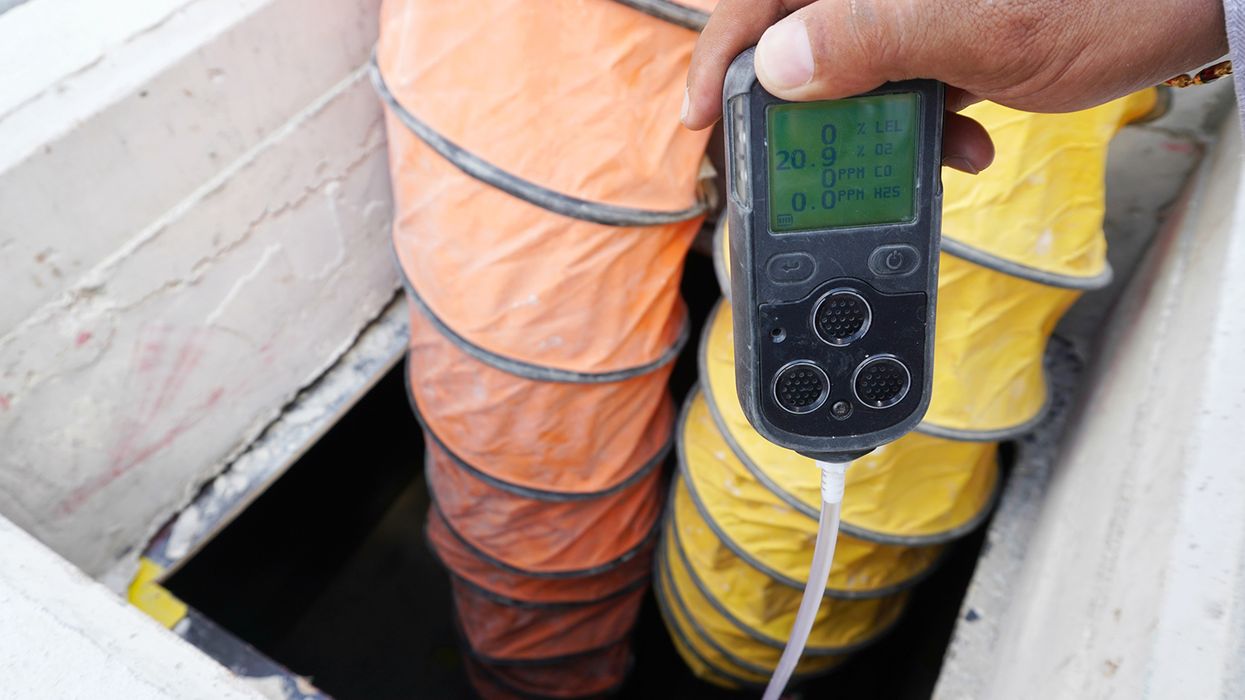
NewsIndustry NewsConfined SpacesSafety & HealthConfined SpacesConstruction SafetyGeneral Industry SafetyPermit-Required Confined SpacesConfined Space HazardsConfined Space Entry PermitIn-Depth ArticleEnglishFocus AreaUSA
2023-05-18T05:00:00Z
Breaking the plane of a confined space doesn’t require a complete entry
Did you know that OSHA’s standard on permit-required confined spaces (PRCS) says entry occurs as soon as any part of the entrant’s body breaks the plane of the opening into the permit space?
Many workers and employers mistakenly think that placing part of the body or hands into a confined space isn’t entry. Knowing the difference between when entry occurs and not will help employers determine if a permit is required.
Letters of Interpretation
As clarified in an OSHA Letter of Interpretation (LOI) dated October 18, 1995, “When any part of the body of an entrant breaks the plane of the opening of a PRCS large enough to allow full entry, entry is considered to have occurred and a permit is required, regardless of whether there is an intent to fully enter the space.”
This definition of “entry” might seem to be too strict. Still, OSHA’s letter clarifies that there are situations where a partial entry would be hazardous: “Examples of situations where entry by only part of the body into a PRCS can expose an entrant to the possibility of injury or illness are as follows:
- An entrant can possibly suffer a burn while reaching into a PRCS, which is so classified because it contains a thermal hazard.
- An entrant can possibly fall into a below-grade PRCS while standing on a vertical ladder in the opening of the space, which is so classified because it contains an oxygen-deficient atmosphere.
- An entrant can possibly become unconscious as result of his head accidentally entering a PRCS while they are reaching into a PRCS, which is so classified because it contains an oxygen deficient atmosphere.”
As another example, if the space contains a flammable or oxygen-enriched atmosphere, and if the activities during a partial entry could produce a spark or other ignition source, then a fire in the space could flash out of the opening and cause serious injuries to the employee.
OSHA’s guidance continues
This doesn’t necessarily mean you’d be fined if a permit wasn’t followed when someone reached a tank. OSHA’s guidance continues: “However, if entry by only part of the body does not expose the entrant to the possibility of injury or illness, then the violation may be considered a ‘de minimis’ violation.”
A de minimis violation is one in which a standard is violated, but the violation has no direct or immediate relationship to employee safety or health. These violations are documented but no citations are issued.
OSHA says examples of situations where entry by only part of the body into a PRCS would not expose an entrant to the possibility of injury or illness are as follows:
- An entrant reaches through the opening of a horizontal PRCS, which is so classified only because it contains exposed live electrical parts ten feet from the opening.
- An entrant puts his head through the opening of an overhead PRCS, which is so classified only because it contains unguarded rotating parts ten feet from the opening.
Also, consider a situation such as a worker reaching through a small grate to take a sample from a permitted space. The LOI further states, “If a part of the body were placed in an opening through which the worker could not pass into the permit-required confined space, no PRCS entry will have occurred.”
Keep in mind, however, that the employee would still need protection from any hazards involved in the task, but a permit would not be needed.
Key to remember
When any part of the body of an entrant breaks the plane of the opening of a PRCS large enough to allow full entry, entry is considered to have occurred, and a permit is required.

NewsEmergency Planning - OSHAIndustry NewsSafety & HealthElectrical SafetyGeneral Industry SafetyEmergency ExitsFire Protection and PreventionIn-Depth ArticleFire ExtinguishersEnglishClearance DistancesFocus AreaUSA
2022-07-08T05:00:00Z
Locked/blocked exits prompt $580K in OSHA penalties
A national retailer, with what OSHA calls a long history of violations, was slapped with four willful citations after local fire officials sent a referral to the agency regarding a Wisconsin store. Once inside the store last December and January, OSHA inspectors found a:
- Locked exit — Emergency exit doors to the back receiving room were padlocked with a bike lock and a board placed through the handles. Employees were not able to open an exit route door from the inside at all times without keys, tools, or special knowledge. This violated 29 CFR 1910.36(d)(1). The violation was considered willful and serious because the retailer had previously been cited for the same violation three times elsewhere in the U.S. Now the store received the maximum penalty of $145,027.
- Blocked exit — Merchandise and carts blocked the exit in the receiving room, according to OSHA. The exit route was not kept free and unobstructed, and violated 1910.37(a)(3). This violation too was considered willful and serious because the retailer had been cited previously for the same violation 12 times in the U.S. This time the penalty was the maximum $145,027.
- Blocked extinguisher — A portable fire extinguisher in the back receiving room was obstructed with carts/containers. The extinguishers were not readily accessible per 1910.157(c)(1). OSHA found that the retailer previously violated this regulation twice in the U.S., so the violation was considered willful and serious and picked up another maximum $145,027 penalty.
- Blocked electrical panel — Adequate space around electrical panels was not provided says OSHA. Inspectors found that the employer obstructed the access and working space about electrical panels with carts/containers, in violation of 1910.303(g)(1). The citation explains that the retailer violated that regulation eight previous times in the U.S., and the violation was willful and serious, but OSHA did not propose a penalty amount.
While store managers explained that the doors needed repair to close properly, OSHA determined the doors were in disrepair for three months. The store has settled the case for $435,081 in penalties.
However, in January, a similar inspection was conducted at another one of the retailer’s stores in Ohio. That location was cited for barrel locks on the inside of a double-door emergency exit in the back room in violation of 1910.36(d)(1) . The Ohio store was cited for one willful violation and settled the case with $145,027 in penalties.
It is noteworthy that officials for the company had signed settlement agreements with OSHA in 2017, promising to resolve similar violations at its stores nationwide. However, OSHA officials say, based on the latest violations, the retailer continues to gamble with workers’ lives and must stop before tragedy strikes.

NewsIndustry NewsIndustry NewsTrainingTrainingSafety & HealthFall ProtectionFall ProtectionMiningSpecialized IndustriesEnglishMine SafetyFocus AreaUSA
2025-05-20T05:00:00Z
Falls from height prompt MSHA safety alert
A number of recent falls from height incidents prompted the Mine Safety and Health Administration (MSHA) to issue a safety alert advising miners to use fall protection.
The most recent incident occurred on March 13 when a miner fell from the deck of a bulldozer. From 2022 to 2024, seven miners died after falling from heights, and during this same time frame, MSHA issued 767 violations for failure to follow fall protection standards.
Mine operators should develop fall prevention and protection programs and provide adequate training for miners. Mine operators should also:
- Provide and maintain safe access to all working places.
- Use lifts or ladders to access elevated work areas safely.
- Install adequate warning signals and barricades for openings above, below, or near travelways where miners or materials may fall.
- Ensure miners wear slip resistant footwear and use three points of contact when accessing mobile equipment and elevated surfaces.
- Conduct workplace examinations to identify and correct unsafe work conditions.
Saved to my EVENT CALENDAR!
View your saved links by clicking the arrow next to your profile picture located in the header. Then, click “My Activity” to view the Event Calendar on your Activity page.
OK
J. J. Keller is the trusted source for DOT / Transportation, OSHA / Workplace Safety, Human Resources, Construction Safety and Hazmat / Hazardous Materials regulation compliance products and services. J. J. Keller helps you increase safety awareness, reduce risk, follow best practices, improve safety training, and stay current with changing regulations.
Copyright 2026 J. J. Keller & Associate, Inc. For re-use options please contact copyright@jjkeller.com or call 800-558-5011.