Compliance Just Got Easier: Stay ahead of regulatory changes with instant notifications on updates that matter.

Copyright 2026 J. J. Keller & Associate, Inc. For re-use options please contact copyright@jjkeller.com or call 800-558-5011.

Regulatory Compliance News & Updates
Keep up to date on the latest
developments affecting OSHA, DOT,
EPA, and DOL regulatory compliance.
Safety & Compliance News
FEATURED NEWS

2026-10-27T05:00:00Z
NewsIndustry NewsHuman ResourcesAssociate RelationsHR GeneralistFamily and Medical Leave Act (FMLA)Disabilities and ADAIn-Depth ArticleFamily and Medical Leave Act (FMLA)HR ManagementEnglishUSAFocus AreaDisabilities and ADAReasonable Accommodations
FMLA status reports aren’t recertifications
On page 4 of the federal Family and Medical Leave Act (FMLA) eligibility/rights and responsibilities notice, there’s an option for employers to require employees on leave to provide periodic reports of their status and intent to return to work. Employees might, for example, heal faster than expected and be able to return to work sooner.
Employer policies regarding such reports must consider all of the relevant facts and circumstances related to the individual employee's leave situation. A policy shouldn’t, for example, require all employees on FMLA leave to provide status reports every 2 weeks.
Status reports also aren’t an opportunity for employers to ask for more medical information. If, for example, an employee takes significantly more FMLA leave than is listed in the current certification, employers may ask for a recertification. This would be different than a status report.
Status reports are simply ways employees keep employers apprised of when they’re returning to work. Recertifications, however, are more involved and have similar rules surrounding them as original certifications.
Certifications and recertifications
Employers may ask that employees provide them with a certification supporting the need for leave, except when the leave is strictly for bonding with a healthy child.
Once the employer has a certification, it may ask for a recertification every now and then.
Employers may request a recertification, for example, no more often than every 30 days, and only in connection with an absence.
If, however, the certification indicated a minimum duration of the condition that lasts longer than 30 days, employers must wait for the minimum duration to expire.
In all cases, employers may ask for a recertification in 6 months in connection with an absence. This comes in handy if a minimum duration is long or even lifelong.
Employers don’t have to wait the 30 days, minimum duration, or 6 months in three situations:
- The employee requests an extension of leave.
- Circumstances described by the previous certification have changed significantly (e.g., the duration or frequency of the absence, the nature or severity of the illness, complications).
- The employer receives information that casts doubt upon the employee's stated reason for the absence or the continuing validity of the certification.
Status reports and communication
Status reports can be communicated in any number of ways: phone, email, text, and so on. It’s more of a “touch-base” type of situation; a brief communication. When employees are on FMLA leave, employers shouldn’t constantly be contacting them. A “How are you doing?” occasionally is fine, as long as employers aren’t asking employees to do any work. If employees perform work while they’re supposed to be on FMLA leave, it’s not FMLA leave, and they must be paid for the time spent working.
Another benefit of status reports is it gives employers a sense of if an employee will be able to return after their FMLA is done. If an employee can’t return to work after their 12 weeks of FMLA leave, a status report could clue employers in to begin the interactive process under the Americans with Disabilities Act.
Key to remember: Employers shouldn’t use periodic status reports to ask for more medical information. They should use recertifications for that.
Keep reading...Show less

2026-10-27T05:00:00Z
NewsIndustry NewsEnglishFleet SafetyHazmat Driver TrainingHazmat TrainingHazmat trainingIn-Depth ArticleFleet OperationsHazmat Record of TrainingHazmat Security TrainingFocus AreaTransportationUSA
Year-end hazmat training audit: Look beyond the expiration date
The fourth quarter is a natural time for hazmat employers to review training records before turning the calendar to a new year. But a meaningful year-end audit should go beyond asking whether everyone has been trained.
The better question is, “Are employees properly trained for the hazmat functions they actually perform, and can we prove it?” A systematic review can identify gaps before they lead to shipping errors, delays, or compliance problems.
Start with recurrent training dates
Under the Hazardous Materials Regulations (HMR), hazmat employees generally must receive recurrent training at least once every three years. Don't limit your review to employees whose training has already expired. Look ahead and identify employees whose deadlines are approaching. Planning training now can help prevent an expiration from getting lost amid vacations, staffing changes, or competing priorities.
Remember to check new or transferred employees
Your employee list may have changed considerably during the year. Review new hires, temporary and seasonal workers, and employees who changed jobs or took on additional responsibilities involving hazardous materials.
A new hazmat employee, or an existing hazmat employee who changes job functions, may perform the new hazmat functions before completing training only if directly supervised by a properly trained and knowledgeable hazmat employee. And, training must be completed within 90 days after employment or the change in job function.
The key is recognizing that hazmat employee status is based on job functions, not simply job titles. Someone who selects packaging, prepares shipping papers, marks or labels packages, loads hazardous materials, or performs another regulated function may require training even if the word “hazmat” does not appear in the person's title.
Compare training with actual job functions
A certificate saying an employee completed hazmat training does not necessarily establish that the employee received all training required for the work performed.
Compare each employee's current responsibilities with the training provided. DOT hazmat training can include general awareness/familiarization, function-specific, safety, security awareness, and, when applicable, in-depth security training and driver training.
If an employee's responsibilities have expanded, determine whether their existing training adequately covers those functions.
Audit the records themselves
Next, review whether your documentation satisfies the HMR. Under 49 CFR 172.704(d), training records must include:
- The hazmat employee's name;
- The most recent training completion date;
- A description, copy, or location of the training materials used;
- The trainer's name and address; and
- Certification that the employee was trained and tested.
Employers must retain a record of each hazmat employee's current training, inclusive of the preceding three years, for as long as the employee works for the employer as a hazmat employee and for 90 days thereafter.
Finish with the training program
Finally, don't audit only the people. Audit what you're teaching.
Review procedures, presentations, handouts, tests, and other training materials for outdated regulatory references or company practices. This is especially important when regulations, special permits, equipment, products, packaging, or internal procedures have changed.
A year-end training audit isn't just about finding expired certificates. Done well, it answers a more important question: Are the right people receiving the right training for the work they're doing today?
Key to remember: Don't enter the new year with last year's training gaps. Review your employees, the job functions, the training, and the documentation.
Keep reading...Show less
2026-10-27T05:00:00Z
NewsIndustry NewsFleet SafetyRisk Management TransportationRisk Management - Motor CarrierAccident responseAccident investigation - Motor CarrierFocus AreaIn-Depth ArticleFleet OperationsEnglishTransportationUSA
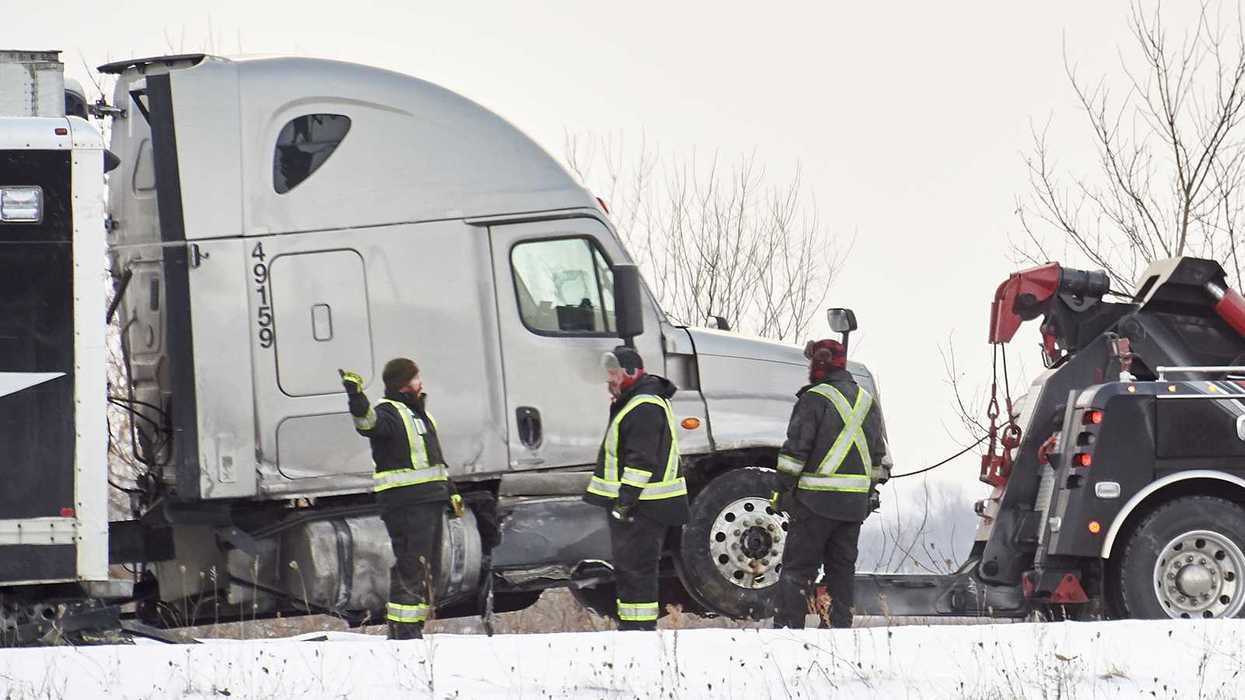
After the crash: The first 60 minutes matter
A serious crash can happen in seconds, but what happens during the next hour can affect a motor carrier for months or even years.
Drivers and managers may be shaken, facts may be unclear, and decisions must be made quickly. Having a plan before a crash occurs can help protect people, preserve critical information, and reduce unnecessary risk.
Start with safety
The top priority after any crash is safety. Drivers should stop, assess the scene, call emergency services when necessary, and take reasonable steps to prevent additional crashes or injuries. Make sure drivers are trained on these basics.
Once immediate hazards are addressed, the driver should notify the appropriate company contact. This is not the time for the driver to determine fault or debate what happened with other motorists. Statements made during the confusion immediately following a crash can create problems later. Drivers should cooperate with law enforcement while sticking to the facts.
Preserve the information
Crash scenes can change quickly. Vehicles are moved, witnesses leave, weather changes, and physical evidence disappears.
When it can be done safely, drivers should know what information to collect, including:
- Photos or videos of:
- Vehicle positions and damage;
- Roadway and weather conditions;
- Traffic signs, signals, and other traffic controls;
- Skid marks, debris, and other physical evidence;
- Contact and insurance information from other involved parties;
- Names and contact information for witnesses; and
- Law enforcement officer and report information.
The motor carrier should think beyond the driver's phone. Relevant electronic records, vehicle data, dash camera footage, dispatch communications, and other information associated with the trip may need to be preserved. Waiting too long could mean losing information that becomes important later.
Know when to escalate
Not every crash requires the same response. A minor parking lot incident is much different than a crash involving a serious injury, tow away, or significant property damage. Companies should establish clear thresholds that tell drivers and supervisors when an incident needs immediate attention from safety personnel, senior leadership, the insurance carrier, or legal counsel.
The response should consider questions such as:
- Was anyone killed or injured?
- Was anyone transported from the scene for medical treatment?
- Did any vehicle sustain disabling damage requiring a tow?
- Did the commercial motor vehicle (CMV) driver receive a moving violation citation?
- Was hazardous material released?
- Could the crash attract significant public or media attention?
- Does the severity of the crash warrant involvement from the company's insurance carrier or legal counsel?
For CDL drivers subject to 49 CFR Part 382, these details are particularly important because they help determine whether DOT post-accident drug and alcohol testing is required. A fatality triggers testing of the surviving driver regardless of whether the driver receives a citation. When a crash involves immediate medical treatment away from the scene or disabling damage requiring a tow, testing is required if the CMV driver receives a moving violation citation arising from the crash.
Prepare before it happens
A crash response plan doesn’t prevent crashes, but it can prevent confusion that canmake a difficult situation worse. Drivers should know what to do, who to call, what to document, and what not to do.
Companies should periodically review their procedures and make crash response part of driver and supervisor training.
Key to remember: The first 60 minutes after a crash can shape everything that follows, so ensure your team is prepared before the clock starts.
Keep reading...Show less

2026-10-27T05:00:00Z
NewsIndustry NewsSafety & HealthInjury and Illness RecordkeepingConstruction SafetyGeneral Industry SafetyInjury and Illness Recording CriteriaInjury and Illness Recordkeeping ApplicabilityOSHA RecordkeepingIn-Depth ArticleInjury and Illness RecordkeepingEnglishFocus AreaUSA
Recordkeeping Implications: Butterfly Strips vs. Surgical Glue
Two maintenance techs at two different plants slice their palms on the same kind of sheet metal edge, on the same day. Each cut is about an inch long. Each tech gets driven to the nearest urgent care. At the first clinic, the nurse cleans the wound, pulls the edges together with a few Steri-Strips and sends him back to work. At the second clinic, the provider cleans the wound and closes it with just a dab of surgical glue. Same injury, same outcome for the workers, and both return to the floor on full duty. Surprisingly, one of those cases goes on the OSHA 300 log, while the other doesn't.
What the rule says
OSHA's recordkeeping rule at 29 CFR 1904.7 requires employers to record work-related injuries that involve medical treatment beyond first aid. The first aid list in 1904.7(b)(5)(ii) is complete. If a treatment isn't on the list, then it’s considered medical treatment.
For cuts, the relevant line is paragraph (D). First aid includes:
- Wound coverings such as bandages, Band-Aids, and gauze pads.
- Butterfly bandages and Steri-Strips.
The rule then adds that other wound-closing devices, such as sutures and staples, are medical treatment.
OSHA draws an important distinction between covering a wound and closing it. A bandage or similar covering protects the wound, while a closure brings the edges of the wound together to promote healing. OSHA specifically treats butterfly bandages and Steri-Strips as first aid, but other methods of closing a wound are considered medical treatment. And it only takes one use of medical treatment to make an otherwise work-related case recordable.
The gray areas
So, what crosses the line into medical treatment? Surgical glue is an example. It may seem minor because there are no needles or stitches, but when medical glue is used to close a wound, OSHA considers it medical treatment rather than first aid. The same principle applies to newer, needle-free closure devices such as ZipStitch or Clozex. If the device is being used to close the wound, it goes beyond first aid.
The treatment doesn’t necessarily have to be performed. If a physician or other licensed health care professional recommends medical treatment, such as sutures, and the employee declines it, the case can still be recordable. OSHA’s recordkeeping rule looks at whether medical treatment was provided or recommended.
Medications can also make a difference. Cleaning a wound and using a nonprescription medication at nonprescription strength can qualify as first aid. But once a prescription medication is used or recommended, including an antibiotic to prevent infection, you’ve crossed into medical treatment.
What about getting a second opinion? That can sometimes affect whether recommended treatment is necessary. But once medical treatment has been provided, such as stitches or surgical glue, a later opinion that the treatment wasn’t necessary generally doesn’t undo the recordability decision.
It helps to remember what does remain first aid. Cleaning, flushing, or soaking a surface wound, using wound coverings such as bandages or gauze, getting a tetanus immunization, and undergoing diagnostic procedures such as X-rays do not, by themselves, make an otherwise minor injury recordable.
Why the clinic can affect your recordables
Most urgent care and ER providers aren't thinking about OSHA recordkeeping. They're thinking about the fastest, most reliable way to close a wound. Glue is quick and patients like it. A provider might choose it for a cut that Steri-Strips would have handled just as well.
The treatment decision belongs to the provider and must be based solely on the employee's clinical needs, not on whether the case will be recordable. But many lacerations sit in a range where several options are medically reasonable. In that range, a provider who understands the distinction can make an equally sound choice that also happens to be first aid.
It matters because lacerations are among the most common workplace injuries in manufacturing, auto repair, and construction. A handful of extra recordables can move your rates, and those rates follow you. Many owners and general contractors pre-qualify bidders on recordable and DART rates, and establishments that file electronically put their summary data in front of OSHA every March 2. Getting the call right also cuts the other way: a glued cut left off the log is a recordkeeping violation waiting to be found.
How to get ahead of it
First, choose an occupational health clinic that understands OSHA recordkeeping. Make sure employees get the care they need and never let recordability influence medical decisions.
Next, gather clear documentation. You need to know what treatment was provided or recommended to make the right recordkeeping decision.
And finally, before completing your 300A, review your laceration cases. Look for things like stitches, staples, surgical glue, closure devices, or prescription medications that may have made a work-related injury recordable.
Keys to remember: Butterfly bandages and Steri-Strips are first aid. Other wound-closing methods, including sutures, staples, surgical glue, and similar closure devices, are medical treatment.
Keep reading...Show less

2026-10-27T05:00:00Z
NewsEnforcement and Audits - OSHAWhistleblower RetaliationSafety and Health Programs and TrainingWhistleblower Protection ProgramWhistleblower Protection ProgramWhistleblower Complaint FilingTerminationIn-Depth ArticleUSAHR ManagementEnglishTerminationDiscriminationIndustry NewsEnforcement and Audits - OSHARetaliationSafety & HealthConstruction SafetyGeneral Industry SafetyAgriculture SafetyMaritime SafetyFocus AreaHuman Resources
Whistleblower complaint figures for FY 2026 eclipse pandemic-era peak
The COVID-19 pandemic once marked the high for OSH Act whistleblower complaints. That is, until now! Fiscal year (FY) 2026, which ran from October 1, 2025, to September 30, 2026, brought record numbers for both total whistleblower complaints and complaints of retaliation filed under the Occupational Safety and Health Act (OSH Act). At the same time, OSHA has continued to streamline its whistleblower investigation procedures.
While this article uses the word “whistleblower,” OSHA’s technical term is “complainant.” A complainant is any person who believes that they have suffered an adverse action in violation of an OSHA whistleblower statute and who has filed, with or without a representative, a whistleblower complaint with OSHA.
Whistleblower cases overall
Since FY 2006, OSHA has received 61,171 whistleblower complaints for alleged retaliation for raising or reporting hazards or violations under 25 federal laws. Those laws cover worker safety, transportation safety, food safety, environmental protection, consumer products, taxes, and more.
Workers who believe they have experienced retaliation in violation of one of these laws may file a complaint with OSHA. Retaliation is an adverse action against a worker because of activity protected by one of the whistleblower laws. Retaliation could include, but is not limited to, firing, demoting, denying overtime, disciplining, harassing, isolating, and mocking.
The agency received 4,429 complaints of retaliation in FY 2026, or 1,058 (31 percent) more than the previous fiscal year! Also, the number of complaints in FY 2026 is the highest number in any given year since FY 2006. The second-highest tally came in FY 2020, with 3,448 complaints. That makes the FY 2026 figure 28 percent more than the previous record.
OSH Act whistleblower cases
Notably, over 64 percent of whistleblower complaints since FY 2006 relate to just one statute! Section 11(c) of the OSH Act (also found at 29 U.S.C. 660(c)) prohibits employers from retaliating against workers for exercising rights under the law. Almost 39,250 reports of retaliation were made under the OSH Act since FY 2006. In FY 2026 alone, nearly 61 percent of complaints corresponded to the OSH Act.
Received OSH Act whistleblower cases climbed 24 percent, from 2,176 cases in FY 2025 to 2,701 in FY 2026. This count, too, is the highest for received OSH Act cases on record! FY 2020, during the COVID-19 pandemic, was the second highest with 2,539 cases.
It takes several months for complaint investigators to close cases. Investigators made a total of 1,684 case determinations in FY 2026. Of these, 1,307 were dismissed or withdrawn. That left 377 (22 percent) with a merit or settlement determination. This figure is much like the almost 24 percent merit/settlement cases in FY 2025.
Results of an investigation
According to OSHA, if the agency determines that retaliation in violation of the OSH Act, Asbestos Hazard Emergency Response Act, or the International Safe Container Act has occurred, the Secretary of Labor may sue in federal district court to obtain relief. If OSHA determines that no retaliation has occurred, it will dismiss the complaint.
Under the other whistleblower statutes, if evidence supports a worker’s complaint of retaliation, OSHA will issue an order requiring the employer, as appropriate, to:
- Put the worker back to work,
- Pay lost wages, and
- Provide other possible relief.
If the evidence does not support the worker’s complaint, OSHA will dismiss it. After OSHA issues a decision, the employer and/or the worker may request a full hearing before an administrative law judge of the Department of Labor (DOL). The judge’s decision may be appealed to the DOL Administrative Review Board. In significant cases, the Secretary of Labor may review the board’s decision. Finally, aggrieved parties may seek review of final DOL decisions by the courts of appeals.
Whistleblower investigator procedures have changed
In August 2026, OSHA launched a year-long, nationwide Whistleblower Protection Programs pilot (under OSHA Directive CPL 09-00-002) in which holding a closing conference will be optional. The purpose of this pilot is to test the efficiency of removing the closing conference from the investigation process.
In March 2026, OSHA made permanent a change to its whistleblower complaint screening process (in OSHA Directive CPL 09-00-001) to allow complaints to be closed upon intake without a screening interview if the complaint, on its face:
- Is not covered by an OSHA-administered whistleblower statute;
- Is untimely filed, and there is no indication equitable tolling may apply; or
- Alleges safety or compliance concerns but not retaliation.
OSHA last updated its Whistleblower Investigations Manual (OSHA Directive CPL 02-03-011) in April 2022. The manual outlines procedures relative to handling retaliation complaints under the whistleblower laws. The agency then issued a September 2023 memo with procedures for “significant” whistleblower cases. These include meritorious cases with high damages or novel issues, for example. OSHA may post a shaming news release for a significant case.
Key to remember
In FY 2026, almost 61 percent of whistleblower complaints corresponded to the OSH Act. In fact, both overall and OSH Act whistleblower complaint counts that year surpassed even the record levels seen during the pandemic in FY 2020.
Keep reading...Show less


NewsEnforcement and Audits - OSHACERCLA, SARA, EPCRAToxics Release Inventory ReportingVideoMonthly Roundup VideoCAA ComplianceInjury and Illness RecordkeepingEnglishOSHA Violations and PenaltiesAir ProgramsIndustry NewsSafety & HealthGeneral Industry Safety300-A Annual SummaryEnvironmentalFocus AreaAir ProgramsUSA
EHS Monthly Round Up - January 2023
In this monthly roundup video, we’ll review the most impactful environmental, safety, and health news.
Hi everyone! Welcome to the monthly roundup video, where we’ll review the most impactful environmental, safety, and health news. First, let’s take a look at what’s happening in safety and health.
If you haven’t already done so, now is the time to post your OSHA 300A Summary. Employers are required to post the Summary in a conspicuous place from February 1st through April 30th.
As required by law, OSHA increased its penalties for inflation in mid-January. Penalties went up 7.7 percent, effective January 17th.
Also in January, OSHA released its long-awaited Fall 2022 regulatory agenda. Along with numerous proposed rules in the works, three major final rules are slated for 2023 – COVID-19 in healthcare, Injury and Illness tracking, and an update to the hazard communication standard.
OSHA recently released two new letters of interpretation, which address exit signs and lockout/tagout. Specifically, OSHA states that the International Standards Organization emergency exit symbol can be located beside the mandatory EXIT text on an existing sign.
The second letter addresses the applicability of lockout/tagout and the maintenance and operations of cathodic protection rectifiers when working on pipelines.
New York’s Warehouse Worker Protection Act was signed into law in December and takes effect in late February. It protects warehouse distribution workers from undisclosed or unlawful work speed quotas and includes protections for workers who fail to meet these quotas.
In 2021, a worker died every 101 minutes from a work-related injury, according to the Bureau of Labor Statistics. A total of 5,190 fatal work injuries was recorded in the U.S. in 2021, an 8.9 percent increase over 2020.
Turning to environmental news, EPA automatically added nine per- and polyfluoroalkyl substances, or PFAS, to the Toxics Release Inventory, or TRI, list. Four PFAS were added since they are no longer claimed as confidential business information.
EPA released its Fall 2022 regulatory agenda in early January. Included are major regulations impacting the National Ambient Air Quality Standards, waters of the United States, and modifications to the Risk Management Program under the Clean Air Act.
There are also a number of rules related to the National Emission Standards for Hazardous Air Pollutants in various rule stages.
And finally, beginning with model year 2027, heavy-duty trucks will be required to meet clean air standards that are 80 percent more stringent than current requirements.
EPA says this final rule is aimed at reducing smog- and soot-forming emissions, increasing the life of governed vehicles by up to 250 percent, and increasing emissions warranty periods up to 450 percent.
Thanks for tuning in to the monthly news roundup!
Keep reading...Show less


Got a Compliance Question?
We’ve Got You Covered!
Get clear, reliable answers from experts with 500+ years of combined experience.
J. J. Keller is the trusted source for DOT / Transportation, OSHA / Workplace Safety, Human Resources, Construction Safety and Hazmat / Hazardous Materials regulation compliance products and services. J. J. Keller helps you increase safety awareness, reduce risk, follow best practices, improve safety training, and stay current with changing regulations.
Copyright 2026 J. J. Keller & Associate, Inc. For re-use options please contact copyright@jjkeller.com or call 800-558-5011.